Page 4.4
SECTION 4 - PROGRAMMING GUIDE
PXI/PXIe LVDT/RVDT/Resolver Simulator Module 41/43-670
pickering
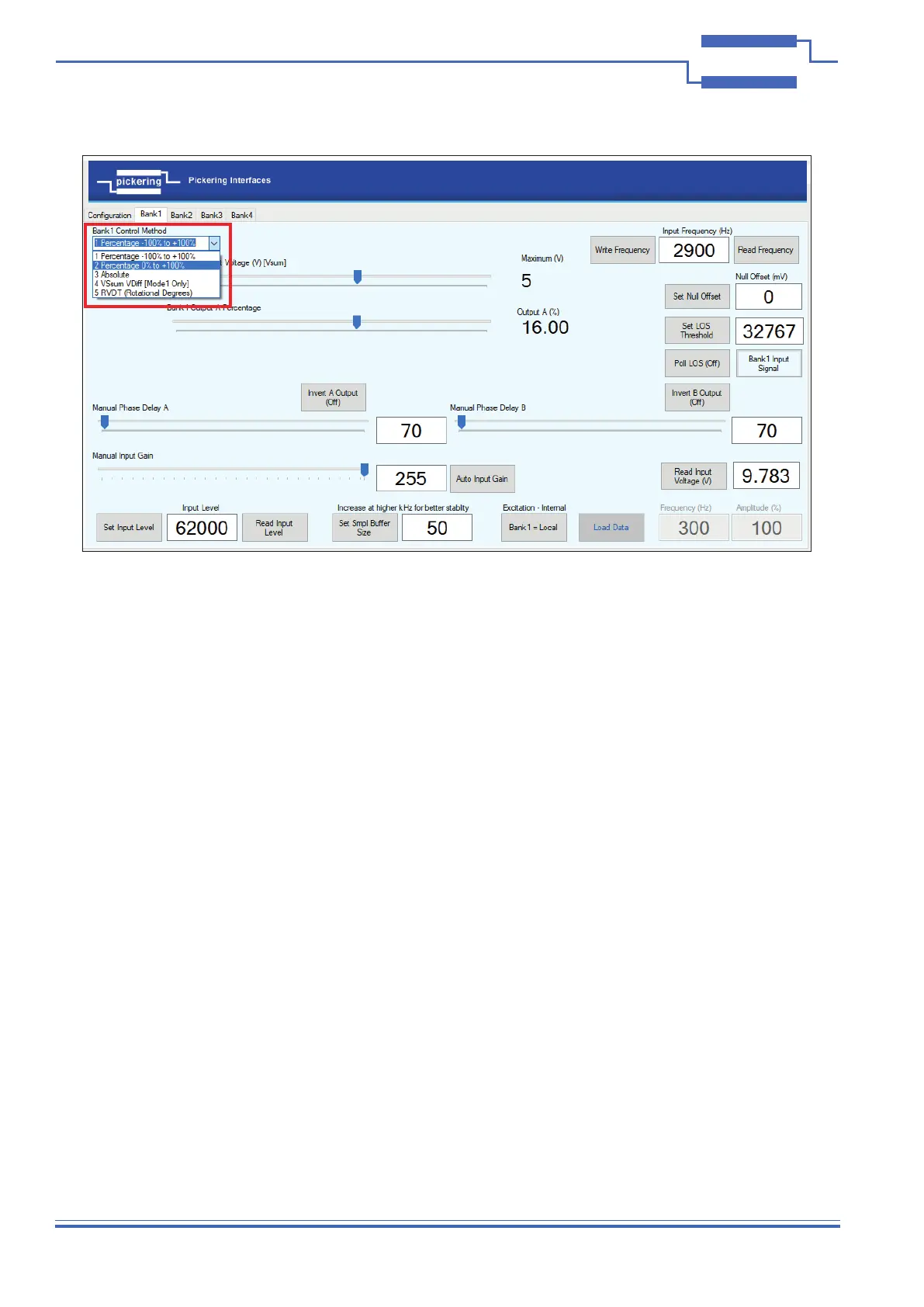
LVDT Control Methods
The methods for controlling the Simulator module as follows:
• 1 - Percentage -100% to +100%
• 2 - Percentage 0 to +100%
• 3 - Absolute
• 4 - Vsum Vdiff
• 5 - RVDT (Rotational Degrees)
With input signal applied, the ‘Auto Input Gain’ button will adjust the input level to 95% of maximum for best
sampling resolution without clipping, however this maybe adjusted via the ‘Manual Input Gain’ slider, but if the input
is scaled too high clipping will occur. It is recommended to have the input scaled as large as possible to achieve
maximum sampling resolution.
‘Read Frequency’ will return the excitation frequency. If an internally generated excitation signal is being used, it will
return the internal frequency.
The internally generated frequency can be between 250Hz and 20kHz, the amplitude can also be adjusted. Select
Bank to be ‘Bank = Internal’ enter frequency and required amplitude, clicking the ‘Load Data’ button will calculate
the waveform and load it into the module’s internal memory.
Automatic phase tracking is continuously applied to maintain the output’s phase alignment to the input. The phase
can be manually adjusted from this reference point independently for each channel.
Figure 4.3 - Selecting a Control Method for Bank 1


 To Next Page