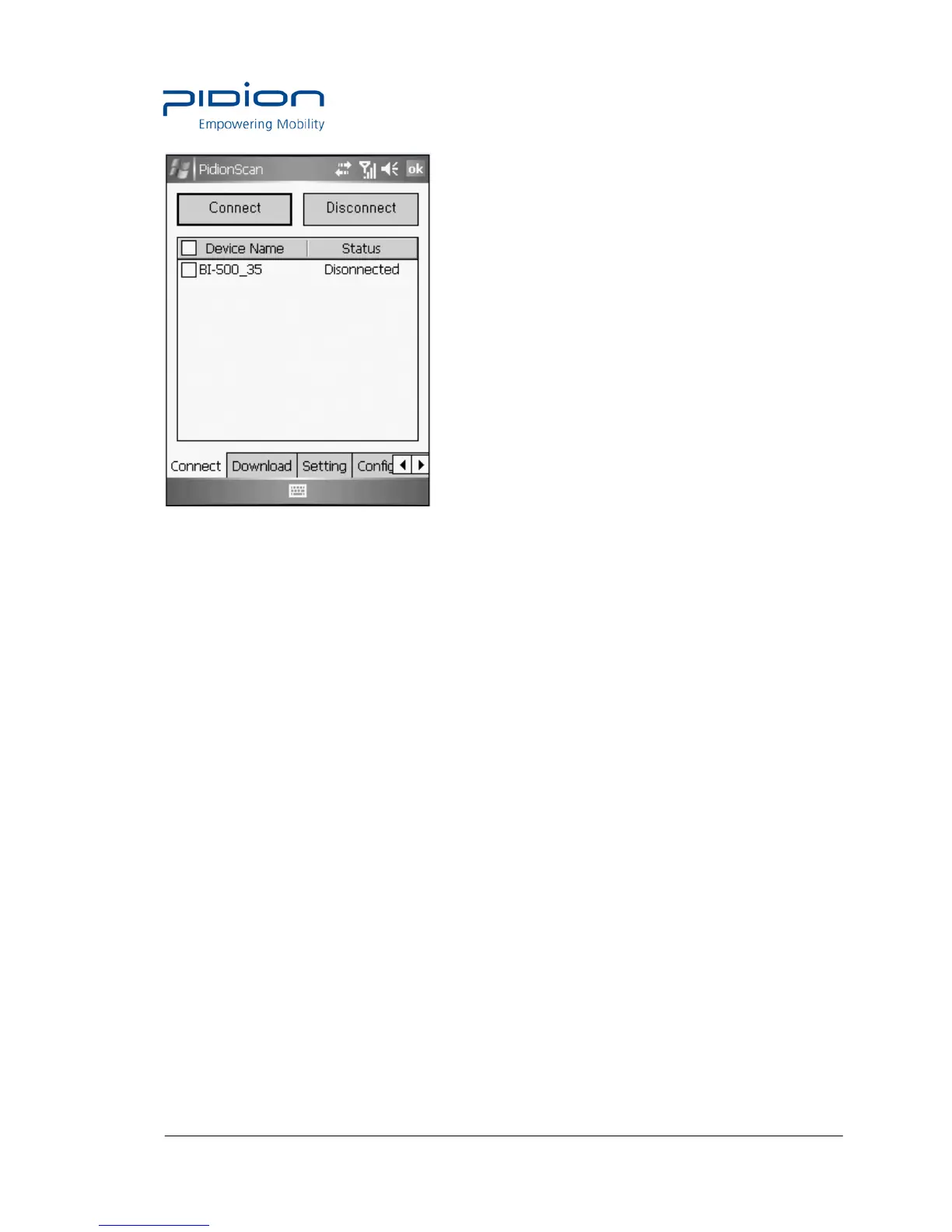
• Connect : Connect to the ticked device in the list.
• Disconnect : Disconnect to the ticked device in the list, among connected devices.
• Device Name; It is possible to distinguish many devices by the terminal serial number.
• Status : Display the progress status and results.
- Connected : Connected normally.
- Connecting : Attempting to connect.
- Connect Fail : Fail in connection.
- Disconnected : Disconnect.
2. Download
You can download data stored in the terminal.
• Real-time data sync : If ticked off, barcode values read in all connected devices are displayed
in data sheet in real time.



 To Next Page