of 1 second), Default is 2222ms.
Multiple: If you press the Scan button once, laser is continuously emitted, so that barcodes
can be read in a row, but a read barcode is not read again.
If you press the Scan button one more time, laser emission is stopped.
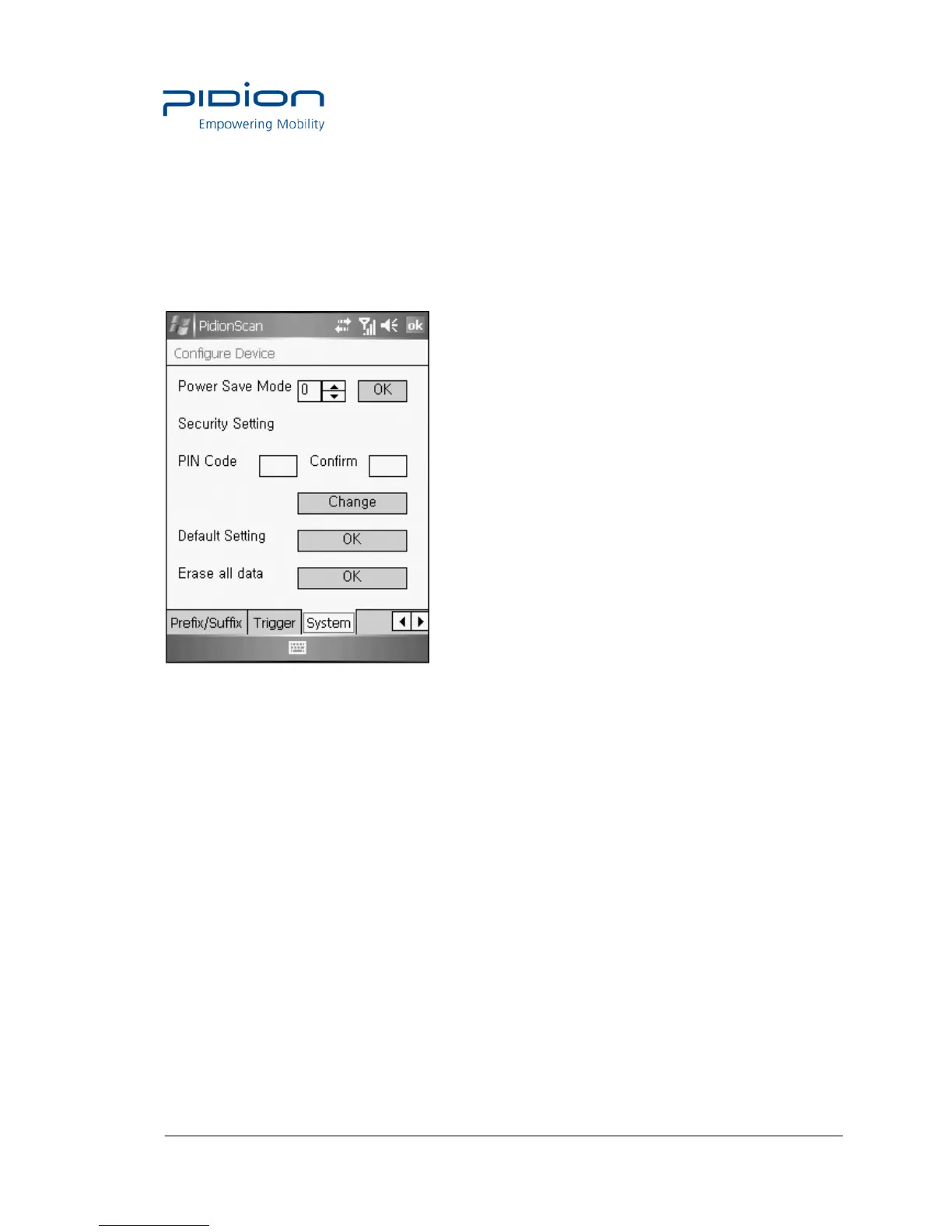
System
You can change the Power Save mode and password of the terminal.
Power Save Mode : Set to the Power Save mode for saving power.
If you do not use a terminal for a certain period of time (minute), the terminal is
changed to the Power Save mode.
Security Setting : Set password.
• Password is up to 4 numeric characters.
• PIN Code : Set password.
• Confirm : Confirm password to be set.
• Press the Change button and turn off and on the terminal again, then, password is changed.
Default Setting : All settings for the terminal are initialized to default setting. If you execute this,
theterminal reboots as initialization.
Erase all data : Clear all barcode values saved in theterminal.


 To Next Page