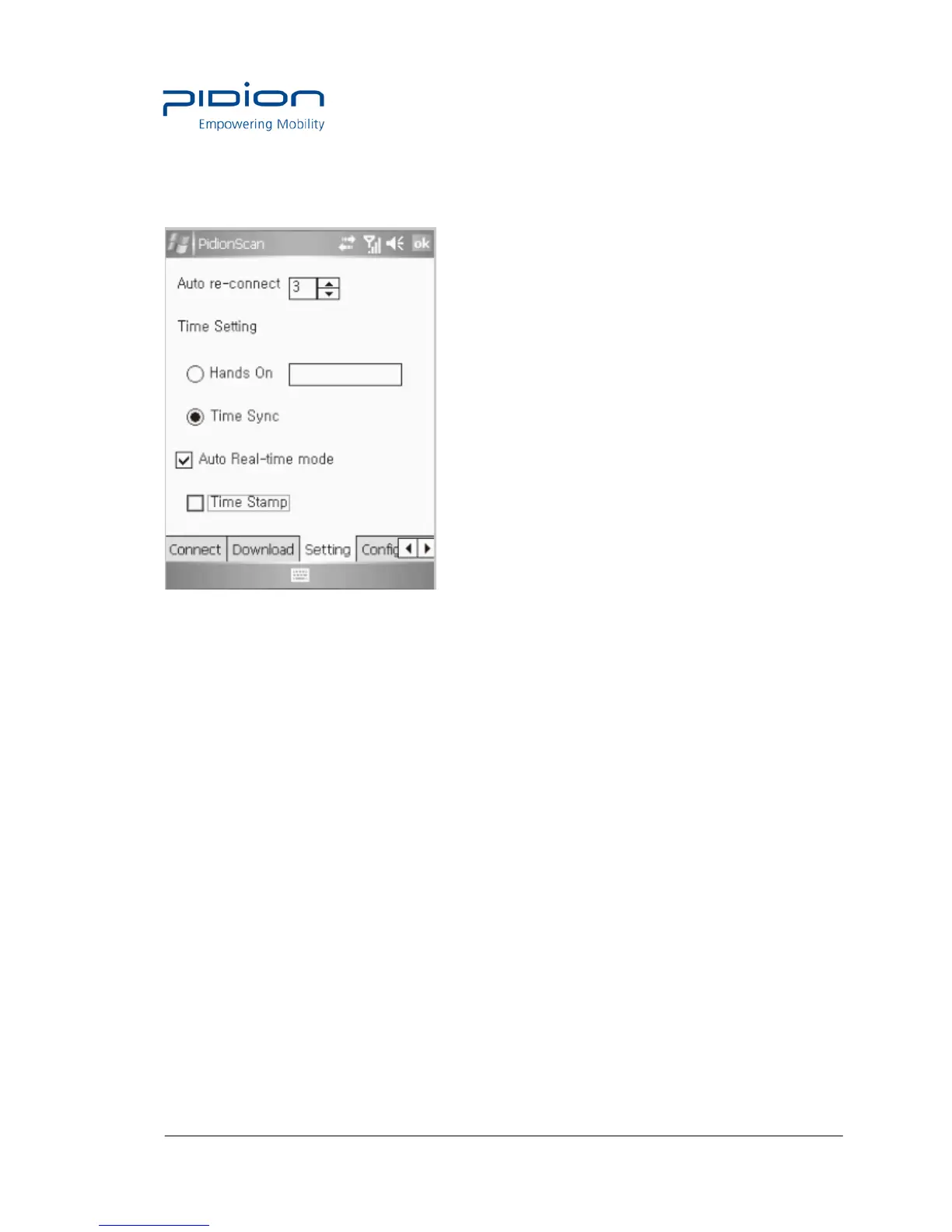
3. Setting
Auto re-connect
• Automatically re-connect if Bluetooth connection is disconnected.
• You can set the maximum number of attempt.
- Time interval default is 5 seconds, the maximum number of attempt is 0~10
(impossible to automatically re-connect if 0)
• Default : 3times
Auto Real-time mode
• If you select the checkbox, barcode values read by If you click the check box, the barcode
data from the terminal will be indicated on the exe window of
notepad or word at your PC or PDA in real time.
• If you do not select the checkbox, barcode values are not displayed in real time.
• Time Stamp
Used to display date and time in the barcode information.
Example) 2010/11/20 19:26:13 01223334
date time Barcode information
Tip. If you select the <Auto Real-time mode> checkbox, the <Time Stamp> checkbox is
activated.


 To Next Page