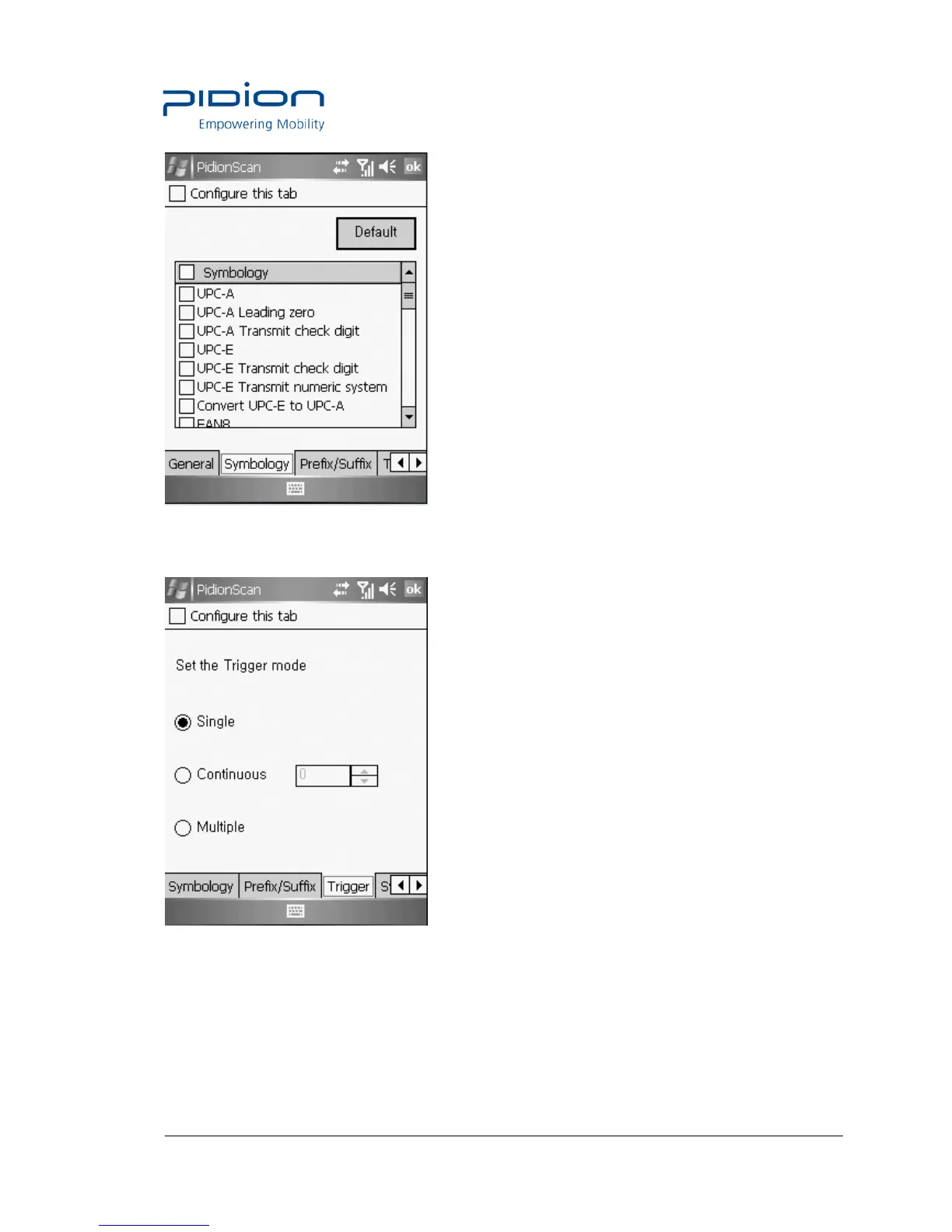
Trigger
You can the Scan mode of the Scan button.
Single : Scans one barcode each time you press the Scan button once.
Continuous : If you press the Scan button once, the laser is continuously emitted, so that
barcodes are read in a row.If you press the Scan button once again, laser emission is stopped.
If you scan the barcode, after a certain period of time, even if it is read once, additional data
can be read. You can set a certain period of time, and the range is 0~9999, unit is ms(1/1,000


 To Next Page