© 2019 Pierce Manufacturing Inc. All Rights Reserved. Pierce Pumper / 3-15
OPERATION
3-5. PTO-Driven Pump
3-5.1 To Engage the Pump—Stationary Operation
NOTE: In manual override mode, the pump speed will be controlled only by the throttle pedal.
PTO Pump Engagement (Stationary Operation)
1. With the engine running at idle, shift transmission to NEUTRAL. (N)
Before engaging a PTO-driven pump for stationary operation, shift the transmission into NEUTRAL (N).
Vehicles with a PTO-driven pump display a “Pump in Neutral” label.
2. Apply parking brake.
NOTE: If the parking brake is released during pump operation, the hand throttle or pressure governor is disconnected AND the engine
speed falls to IDLE. Water pressure to the hose will drop. The pump speed will then be controlled only by the driver's throttle
pedal. That is the manual override.
3. Chock the wheels.
NOTE: Chock front and rear of tire every time vehicle is parked.
Keep pump water cool. Do not operate the pump for extended periods with the discharge valves closed or the pump may
overheat. The pump is fitted with a thermal relief valve to help prevent overheating.
Begin pumping immediately after engaging pump.
Recirculate water if hoses are not ready to keep water cool.
Running pump dry for more than a few minutes will cause pump damage.
4. Engage the pump.
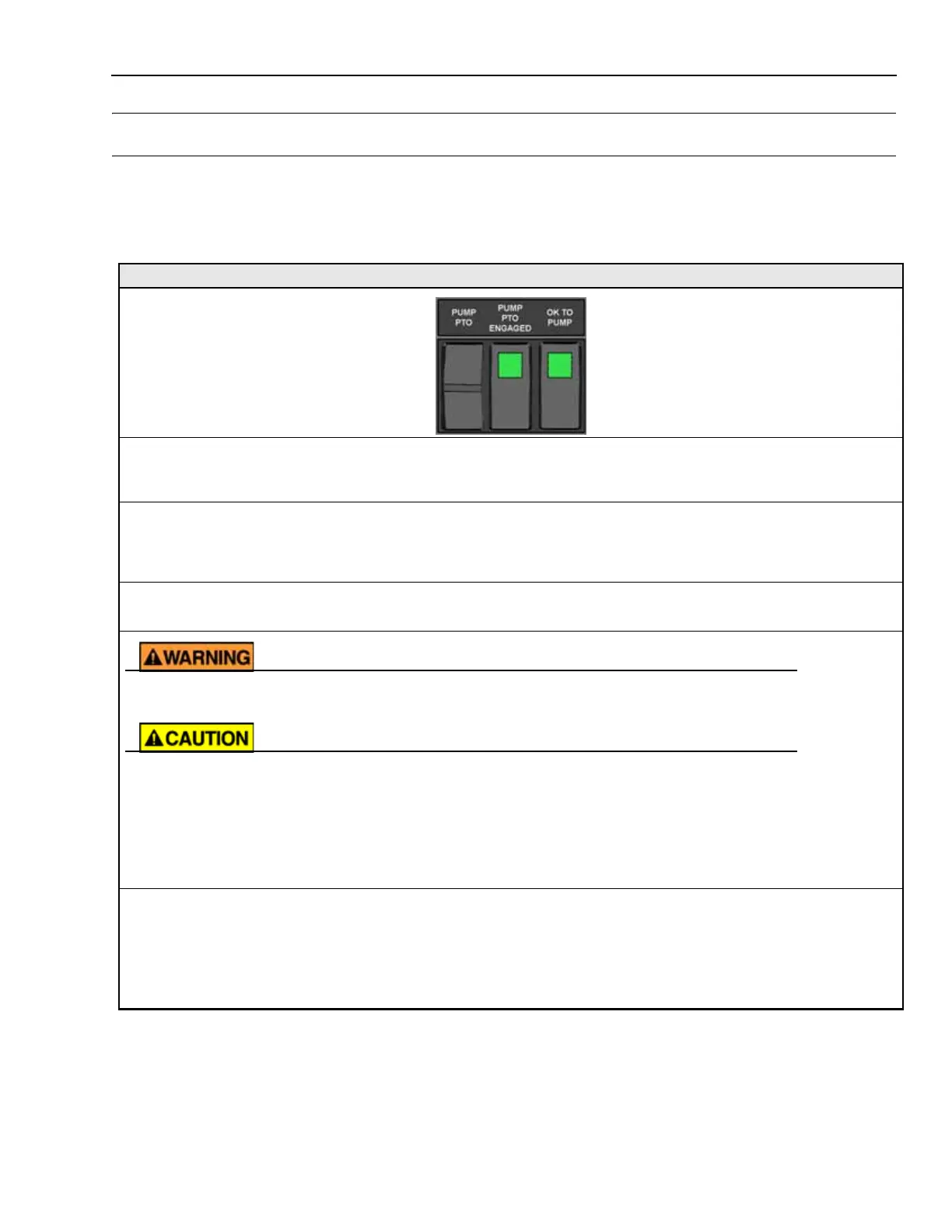
Activate the PTO Pump Shift control located on the driver’s panel in the cab.
5. Check PUMP ENGAGED and OK TO PUMP indicator lamps.
The PUMP ENGAGED and OK TO PUMP indicator lamps turn ON when:
• PTO is engaged AND
• Pump is spinning.
You are now ready to pump water. See “Supply Water to Pump” on page 3-18.
TYPICAL PUMP
CONTROLS AND
INDICATORS
1541



 To Next Page