10
Viewing Station Information
There is a variety of station information transmitted by broadcast, and this radio offers a
convenient way for you to view them.
To view currently playing station information, press Info button repeatedly the display will show the
information through DLS (Dynamic Label Segment), Program Type, Ensemble, Frequency, Signal
quality, Signal strength, Bitrate, Codec and Date.
@ Note: to view station information while the display is playing slide show in full screen, press
SCROLL knob to play slide show in small image, and then you can press INFO button
repeatedly to view information. Press SCROLL knob a second time to play slide show in full
screen again.
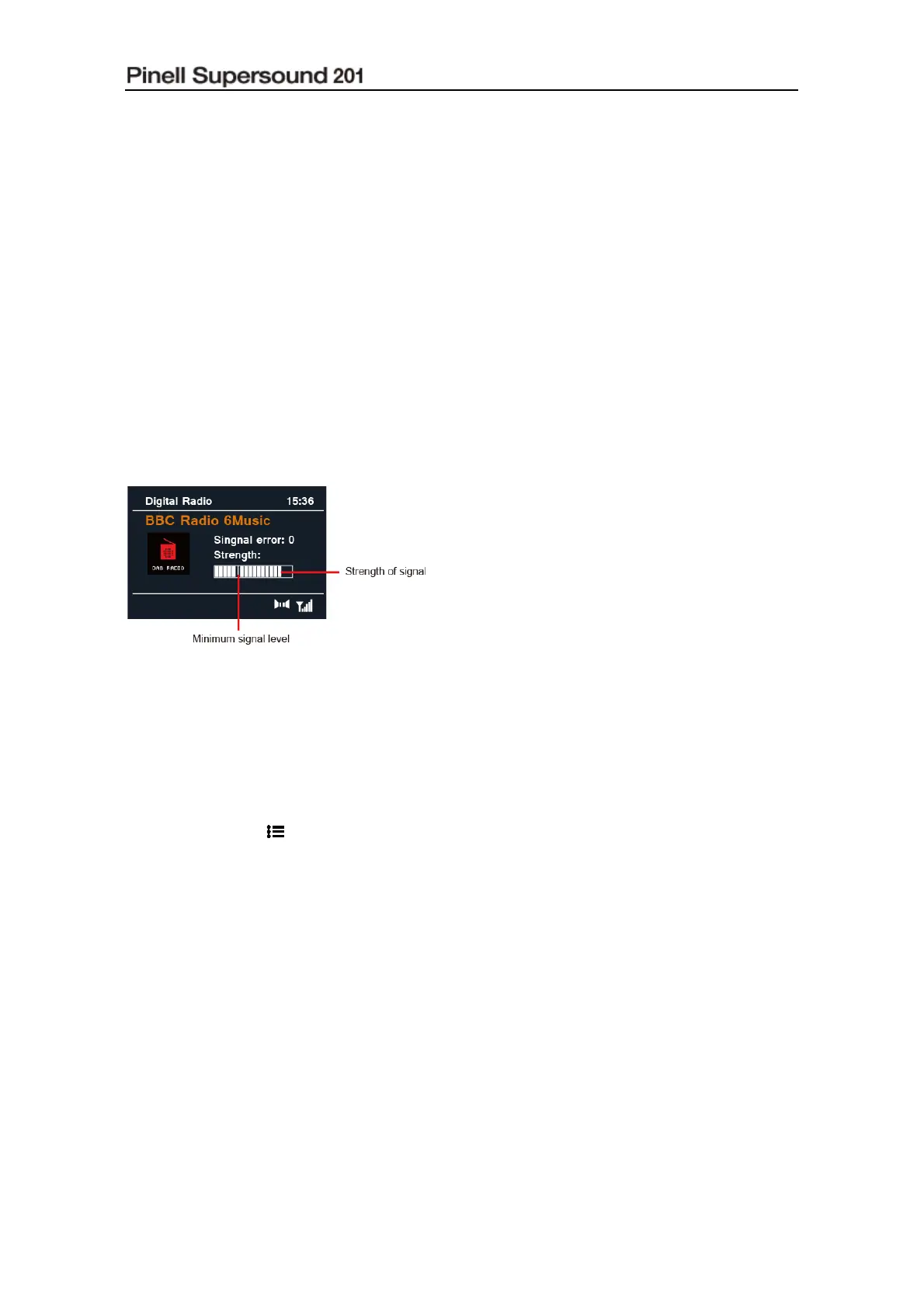
Showing Signal Strength
While you selected signal strength, a signal bar with the strength of the current station will show
on the display.
The indicator on the signal bar shows the
minimum acceptable signal level.
@ Note: Stations with signal strength below the
minimum signal level may not provide a
steady stream of audio.
Storing Preset Stations
Your radio can store up to 5 of your favourite DAB/DAB+ stations. This will enable you to access
your favourite stations quickly and easily.
1. While playing your favourite station, press and hold one of PRESET buttons 1-5 until display
shows “Preset # stored”.
2. Preset number “ #” will show on the display.
Recalling a Preset Station
1. Press one of PRESET buttons 1-5 to play the saved preset station.
2. The display will show “Preset Empty” if the preset station isn’t allocated.



 To Next Page