9
Scanning Stations
This feature enables your radio to scan for all available stations.
Press MENU button, turn SCROLL knob to select “Full Scan”, and then press SCROLL knob to
full scan.
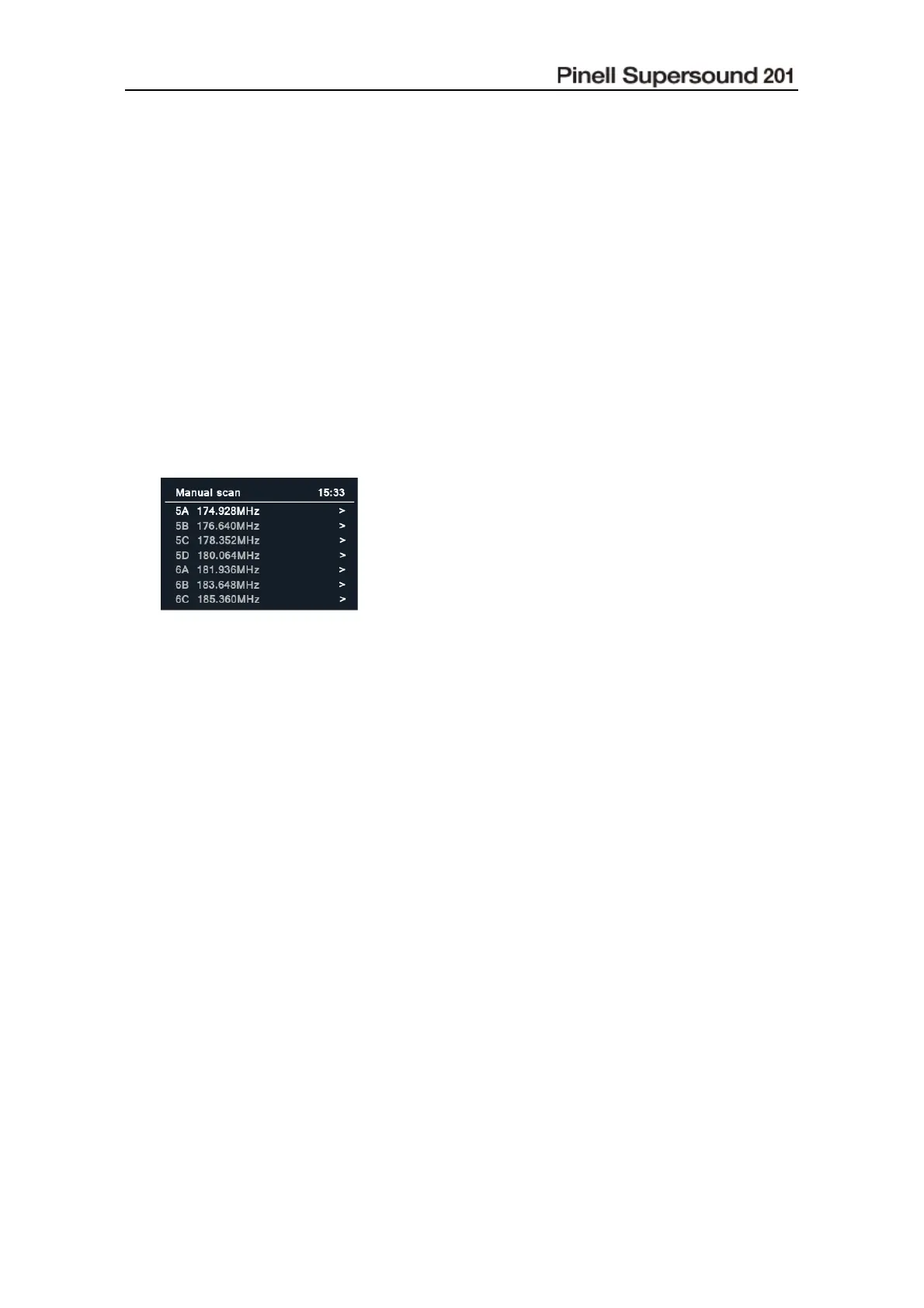
Manual Scan
This can help you when adjusting your antenna or when adding stations that were missed while
auto tuning.
1. Press MENU button, turn SCROLL knob to select “Manual scan”, and then press SCROLL
knob to confirm, the display will show the channel number and frequency.
2. Turn SCROLL knob to select the channel you wanted, and then press SCROLL knob to
confirm. If there is a multiplex on this channel, the multiplex name will be shown. A signal
strength bargraph will be displayed.
@ Note: the new stations will be added to station list automatically..
3. To play the station, first press BACK button repeatedly to exit manual scan.
Prune Invalid
You may remove all unavai lable st ations fr om the station list.
1. Press MENU button, turn SCROLL knob to select “Prune Invalid”, and then press SCROLL
knob to confirm.
2. Turn SCROLL knob to select “Yes”, and then press SCROLL knob to confirm removing all
invalid stations.
DRC (Dynamic Range Control) value
If you are listening to music with high dynamic range in a noisy environment (for example classical
music while cooking), you may wish to compress the audio dynamic range. This makes quiet
sounds louder and loud sounds quieter.
1. Press MENU button, turn SCROLL knob to select “DRC”, and then press SCROLL knob to
confirm.
2. Turn SCROLL knob to select “High”, “Low” or “Off”, and then press SCROLL knob to confirm.



 To Next Page