5
Your radio
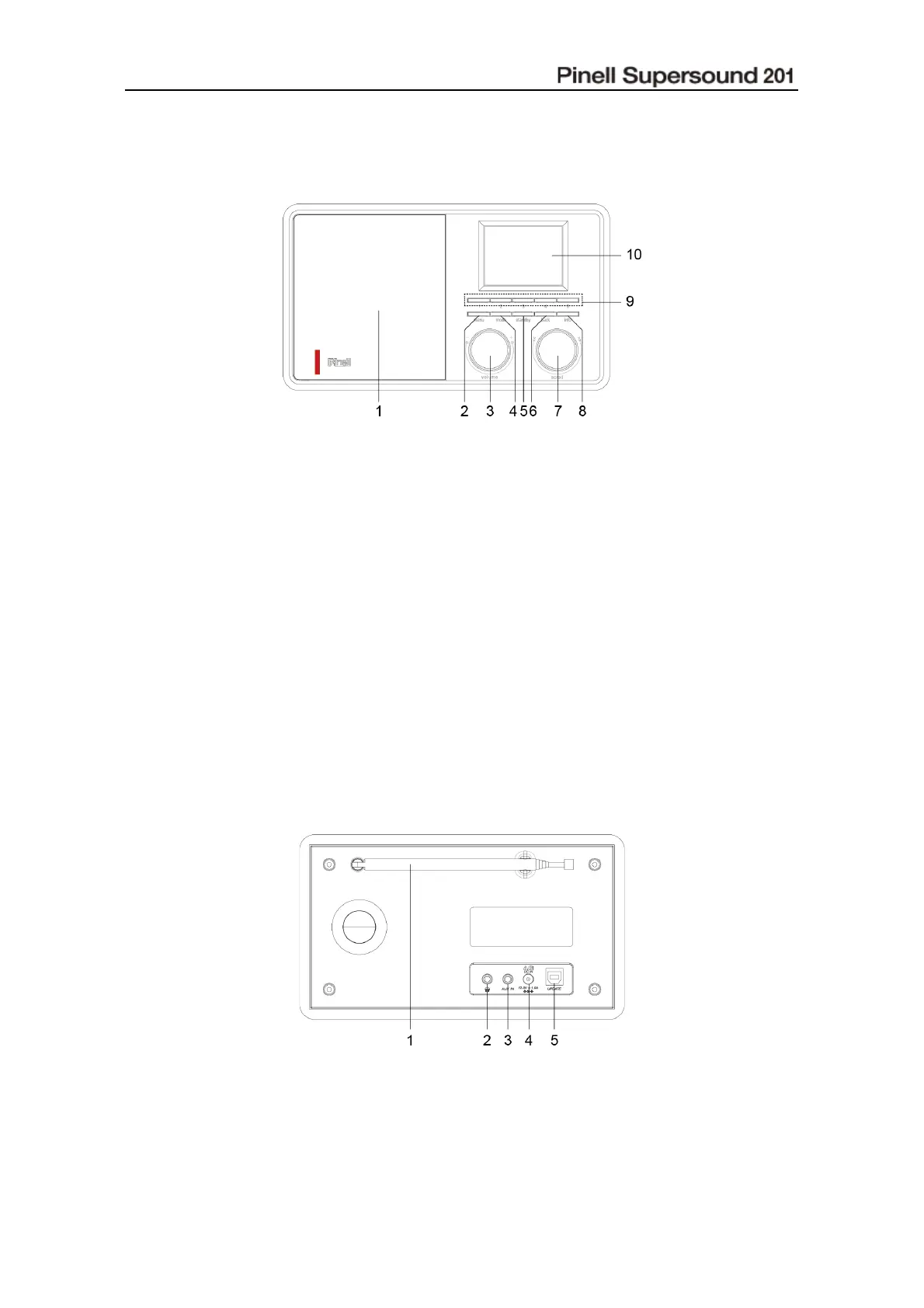
Front View
1. Speaker
2. MENU button
Press to display or exit menu screen.
3. VOLUME knob
Turn to adjust volume level.
4. MODE button
Press to switch among DAB, FM, Aux in
and Bluetooth modes.
5. STANDBY button
Press to turn on the radio or switch to
standby mode.
6. BACK button
Press to return to previous menu screen.
7. SCROLL knob
Turn to browse options.
Press to confirm selection.
Press to activate snooze function when
alarm sounds.
8. INFO button
Press to browse station information.
9. PRESET 1-5 buttons
Press and hold to directly save station.
Press to directly play saved station.
10. Display
Rear View
1. DAB/FM antenna
2. Headphones socket
3. AUX IN socket
4. DC IN socket
5. Update port



 To Next Page