32
DISPLAY
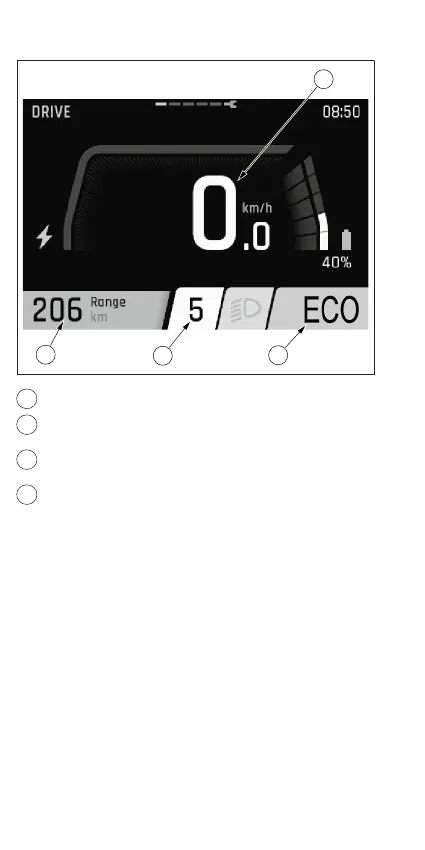
Abb.4
1
Aktuelle Geschwindigkeit
2
Aktueller Untersützungsmodus
3
Aktueller Gang bzw. A bei Auto.Shift oder A+ bei
Auto.Shift.Pro
4
Reichweite (bei aktuellem Unterstützungsmodus)
Mit dem Display behältst du jederzeit alle wichtigen
Informationen im Blick. Die zu deinem Display passende
Anleitung findest du unter fit-ebike.com. Das hier abgebildete
Display ist nur exemplarisch dargestellt.



 To Next Page