74
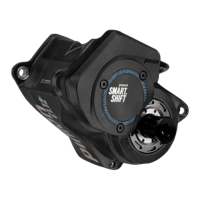
Here are the most important setting points for the Pinion MGU:
● Gear shift > Smart.Shift
In this menu, START.SELECT and PRE.SELECT can be
(de)activated and Auto.Shift and Auto.Shift.Pro can be
configured. You can set the gear in which you want to start
and the pedalling frequency at which you want to ride.
● Gear shift > Shift assignment
Here you can change the shift lever assignment of the TE1
for upshifting and downshifting according to your
preferences.
● My Bike > Push assistance speed
The basic speed of the push-assistance function can be
preset here. The two shift levers on the TE1 can be used to
change the current speed while using the push assistance.
● About > Motor
Here you can look up the serial number of the MGU
installed in your bike.
APP AND FIT KEY CARD
The FIT Key Card is the identity card for your pedelec / S-
pedelec and connects it to the FIT E-Bike Control app. You can
make settings and access many functions directly via the app:
● Navigation with map
● Route planning with Komoot
● Find my e-Bike
● Theft protection with FIT Digital Key (for a fee)
● Drive screen (for a fee)
● Connection with heart rate monitor
● E-Bike passport – your e-bike at a glance
● Activation and setting of Smart.Shift features and
personalisation of the FLY, FLEX, FLOW and ECO assistance
modes.



 To Next Page