EasyManua.ls Logo

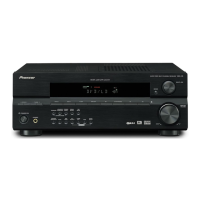
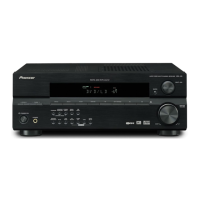
Pioneer Elite VSX-41 - User Manual

Pioneer Elite VSX-41
72 pages
Print Icon
To Next Page IconTo Next Page
Loading...
AUDIO/VIDEO MULTI-CHANNEL
RECEIVER
VSX-41
Operating Instructions

Table of Contents

Question and Answer IconNeed help?

Do you have a question about the Pioneer Elite VSX-41 and is the answer not in the manual?

Summary

Before You Start

Checking Whats in the Box

Lists supplied accessories for the receiver.

Installing the Receiver

Notes for proper receiver installation and ventilation space.

Making Cable Connections

Guidance on routing cables to prevent humming noise.

Loading the Batteries

Instructions for battery insertion and precautions.

Operating Range of Remote Control Unit

Factors affecting remote sensor performance and operation.

5 Minute Guide

Introduction to Home Theater

Explains home theater concepts and receiver capabilities.

Listening to Surround Sound

Step-by-step guide for connecting DVD player and TV.

Connecting Your Speakers

Guides connecting speakers, including impedance and polarity.

Using the Quick Setup

Explains automated system setup via front panel controls.

Connecting Up

Audio;Video Cords

Describes connecting standard audio/video cables.

S-Video Cables

Explains using S-video for clearer picture reproduction.

Component Video Cords

Details connecting component video for better color.

Digital Audio Coaxial Cords;Optical Cables

Instructions for connecting digital audio components.

Connecting Digital Components

Guides connecting digital sources via coaxial or optical inputs.

Connecting Audio Components

Explains connecting analog audio sources for playback/recording.

Connecting DVD 7.1 Channel Components

Describes connecting multichannel analog audio outputs.

Connecting Video Components

Guides connecting video sources using various cable types.

Connecting to the Front Panel Video Terminal

Details front panel connections for audio/video.

Connecting Antennas

Instructions for connecting AM loop and FM wire antennas.

Antenna Snap Connectors

How to use snap connectors for antennas.

Using External Antennas

Tips for improving reception with external antennas.

Connecting the Speakers

Comprehensive guide to connecting various speaker configurations.

Speaker Terminals

Step-by-step guide for connecting speaker wires.

A and B Speaker Systems

Explains the functionality of A and B speaker systems.

Hints on Speaker Placement

Tips for optimal speaker positioning for sound quality.

Connecting Additional Amplifiers

How to connect external amplifiers to the receiver.

AC Wall Outlet

Information about the receiver's AC outlet capacity and usage.

Power-Cord Caution

Safety precautions regarding the power cord.

Operating Other Pioneer Components

How to control other Pioneer products via control cord.

Controls and Displays

Front Panel

Identifies and describes front panel controls and displays.

Display

Explains the various indicators and information shown on the receiver's display.

Playing Sources

Introduction to Sound Modes

Overview of basic sound options like Stereo/Direct, Standard, Advanced Surround.

Stereo;Direct

How to use Stereo and Direct listening modes.

Standard Mode

How to use Standard mode for decoding various audio sources.

Advanced Surround Modes

Explains various advanced surround sound modes for movies and music.

Choosing the Input Signal

Steps to select analog or digital inputs for components.

Listening to Multichannel Playback

How to play back multichannel audio sources.

Using Stereo;Direct

Detailed guide on using Stereo and Direct modes.

Using Advanced Surround

How to apply and adjust Advanced Surround effects.

Using Loudness and Midnight Listening

Explains Loudness and Midnight listening features.

Using the Tone Controls

How to adjust bass and treble using front panel controls.

Playing Other Sources

Steps to play back audio from various connected sources.

Selecting the Multichannel Analog Inputs

How to select analog inputs for multichannel playback.

Using Re-Equalization

Compensates for room acoustics for movie soundtracks.

Setting Up the Receiver

Choosing Your Receiver Setup

Guides through essential setup operations for surround sound.

Speaker Setting

Specifies number and size of connected speakers.

Surround Back Speaker Setting

Configures surround back speaker or subwoofer setup.

6.1 Channel Setting

Sets up for 6.1 channel decoding.

Subwoofer Setting

Configures subwoofer usage and bass management.

Crossover Frequency Setting

Determines frequency division between speakers and subwoofer.

LFE Attenuator Setting

Adjusts ultra-low bass tones for audio sources.

Front Speaker Distance Setting

Sets distance from listening position to front speakers.

Center Speaker Distance Setting

Sets distance for center speaker, including delay adjustment.

Surround Speaker Distance Setting

Sets distance from listening position to surround speakers.

Surround Back Speaker Distance Setting

Sets distance from listening position to surround back speakers.

Dynamic Range Control Setting

Compresses dynamic range for clearer sound at low volumes.

Dual Mono Setting

Isolates one channel for dual mono encoded discs.

Component Video Input Settings

Assigns components to component video inputs.

Surround Back Channel Input Setting

Sets surround back channel input for external decoders.

Coaxial Digital Input Settings

Assigns components to coaxial digital inputs.

Optical Digital Input Settings

Assigns components to optical digital inputs.

Setting the Relative Volume Level of Each Channel

Adjusts individual channel volume levels for optimal surround sound.

Using the Tuner

Listening to the Radio

Guides tuning FM/AM radio using automatic and manual methods.

Improving FM Stereo Sound

Tips for better FM stereo reception using mono mode.

Tuning Directly to a Station

How to tune to a specific radio frequency using number buttons.

Saving Station Presets

Instructions to store radio station frequencies for easy recall.

Naming Station Presets

How to assign names to stored radio presets.

Listening to Station Presets

How to select stored radio stations.

Making Recordings

Making an Audio or a Video Recording

Explains how to record audio/video from tuner or connected sources.

Monitoring Your Recording

How to listen to the recording while it is being made.

Controlling the Rest of Your System

Setting the Remote to Control Other Components

Assigns preset codes to remote buttons for controlling other devices.

Selecting Preset Codes Directly

Enters 4-digit codes to set up remote control for components.

Setting Up Using Full Library Search

Uses library search to find correct remote control codes.

Searching for Preset Codes Using Brand Names

Finds codes by searching through brand names.

Programming Signals from Other Remote Controls

Learns signals from existing remote controls.

Erasing One of the Remote Control Button Settings

Resets a programmed button to its factory default.

Clearing All the Remote Control Settings

Resets all remote control settings to factory defaults.

Direct Function

Controls one component while receiver plays another.

Confirming Preset Codes

Checks which preset code is assigned to a remote button.

Controls for TVs

Lists remote control functions for TV and DTV operations.

Controls for Other Components

Lists remote control functions for various components like VCR, DVD.

Preset Code List

Lists manufacturer codes for various electronic devices.

Additional Information

Troubleshooting

Provides solutions for common operational problems and malfunctions.

Specifications

Lists technical specifications for amplifier, tuner, and video sections.

Cleaning the Unit

Instructions for cleaning the receiver's exterior surfaces.

Summary

Before You Start

Checking Whats in the Box

Lists supplied accessories for the receiver.

Installing the Receiver

Notes for proper receiver installation and ventilation space.

Making Cable Connections

Guidance on routing cables to prevent humming noise.

Loading the Batteries

Instructions for battery insertion and precautions.

Operating Range of Remote Control Unit

Factors affecting remote sensor performance and operation.

5 Minute Guide

Introduction to Home Theater

Explains home theater concepts and receiver capabilities.

Listening to Surround Sound

Step-by-step guide for connecting DVD player and TV.

Connecting Your Speakers

Guides connecting speakers, including impedance and polarity.

Using the Quick Setup

Explains automated system setup via front panel controls.

Connecting Up

Audio;Video Cords

Describes connecting standard audio/video cables.

S-Video Cables

Explains using S-video for clearer picture reproduction.

Component Video Cords

Details connecting component video for better color.

Digital Audio Coaxial Cords;Optical Cables

Instructions for connecting digital audio components.

Connecting Digital Components

Guides connecting digital sources via coaxial or optical inputs.

Connecting Audio Components

Explains connecting analog audio sources for playback/recording.

Connecting DVD 7.1 Channel Components

Describes connecting multichannel analog audio outputs.

Connecting Video Components

Guides connecting video sources using various cable types.

Connecting to the Front Panel Video Terminal

Details front panel connections for audio/video.

Connecting Antennas

Instructions for connecting AM loop and FM wire antennas.

Antenna Snap Connectors

How to use snap connectors for antennas.

Using External Antennas

Tips for improving reception with external antennas.

Connecting the Speakers

Comprehensive guide to connecting various speaker configurations.

Speaker Terminals

Step-by-step guide for connecting speaker wires.

A and B Speaker Systems

Explains the functionality of A and B speaker systems.

Hints on Speaker Placement

Tips for optimal speaker positioning for sound quality.

Connecting Additional Amplifiers

How to connect external amplifiers to the receiver.

AC Wall Outlet

Information about the receiver's AC outlet capacity and usage.

Power-Cord Caution

Safety precautions regarding the power cord.

Operating Other Pioneer Components

How to control other Pioneer products via control cord.

Controls and Displays

Front Panel

Identifies and describes front panel controls and displays.

Display

Explains the various indicators and information shown on the receiver's display.

Playing Sources

Introduction to Sound Modes

Overview of basic sound options like Stereo/Direct, Standard, Advanced Surround.

Stereo;Direct

How to use Stereo and Direct listening modes.

Standard Mode

How to use Standard mode for decoding various audio sources.

Advanced Surround Modes

Explains various advanced surround sound modes for movies and music.

Choosing the Input Signal

Steps to select analog or digital inputs for components.

Listening to Multichannel Playback

How to play back multichannel audio sources.

Using Stereo;Direct

Detailed guide on using Stereo and Direct modes.

Using Advanced Surround

How to apply and adjust Advanced Surround effects.

Using Loudness and Midnight Listening

Explains Loudness and Midnight listening features.

Using the Tone Controls

How to adjust bass and treble using front panel controls.

Playing Other Sources

Steps to play back audio from various connected sources.

Selecting the Multichannel Analog Inputs

How to select analog inputs for multichannel playback.

Using Re-Equalization

Compensates for room acoustics for movie soundtracks.

Setting Up the Receiver

Choosing Your Receiver Setup

Guides through essential setup operations for surround sound.

Speaker Setting

Specifies number and size of connected speakers.

Surround Back Speaker Setting

Configures surround back speaker or subwoofer setup.

6.1 Channel Setting

Sets up for 6.1 channel decoding.

Subwoofer Setting

Configures subwoofer usage and bass management.

Crossover Frequency Setting

Determines frequency division between speakers and subwoofer.

LFE Attenuator Setting

Adjusts ultra-low bass tones for audio sources.

Front Speaker Distance Setting

Sets distance from listening position to front speakers.

Center Speaker Distance Setting

Sets distance for center speaker, including delay adjustment.

Surround Speaker Distance Setting

Sets distance from listening position to surround speakers.

Surround Back Speaker Distance Setting

Sets distance from listening position to surround back speakers.

Dynamic Range Control Setting

Compresses dynamic range for clearer sound at low volumes.

Dual Mono Setting

Isolates one channel for dual mono encoded discs.

Component Video Input Settings

Assigns components to component video inputs.

Surround Back Channel Input Setting

Sets surround back channel input for external decoders.

Coaxial Digital Input Settings

Assigns components to coaxial digital inputs.

Optical Digital Input Settings

Assigns components to optical digital inputs.

Setting the Relative Volume Level of Each Channel

Adjusts individual channel volume levels for optimal surround sound.

Using the Tuner

Listening to the Radio

Guides tuning FM/AM radio using automatic and manual methods.

Improving FM Stereo Sound

Tips for better FM stereo reception using mono mode.

Tuning Directly to a Station

How to tune to a specific radio frequency using number buttons.

Saving Station Presets

Instructions to store radio station frequencies for easy recall.

Naming Station Presets

How to assign names to stored radio presets.

Listening to Station Presets

How to select stored radio stations.

Making Recordings

Making an Audio or a Video Recording

Explains how to record audio/video from tuner or connected sources.

Monitoring Your Recording

How to listen to the recording while it is being made.

Controlling the Rest of Your System

Setting the Remote to Control Other Components

Assigns preset codes to remote buttons for controlling other devices.

Selecting Preset Codes Directly

Enters 4-digit codes to set up remote control for components.

Setting Up Using Full Library Search

Uses library search to find correct remote control codes.

Searching for Preset Codes Using Brand Names

Finds codes by searching through brand names.

Programming Signals from Other Remote Controls

Learns signals from existing remote controls.

Erasing One of the Remote Control Button Settings

Resets a programmed button to its factory default.

Clearing All the Remote Control Settings

Resets all remote control settings to factory defaults.

Direct Function

Controls one component while receiver plays another.

Confirming Preset Codes

Checks which preset code is assigned to a remote button.

Controls for TVs

Lists remote control functions for TV and DTV operations.

Controls for Other Components

Lists remote control functions for various components like VCR, DVD.

Preset Code List

Lists manufacturer codes for various electronic devices.

Additional Information

Troubleshooting

Provides solutions for common operational problems and malfunctions.

Specifications

Lists technical specifications for amplifier, tuner, and video sections.

Cleaning the Unit

Instructions for cleaning the receiver's exterior surfaces.

Pioneer Elite VSX-41 Specifications

General IconGeneral
BrandPioneer
ModelElite VSX-41
CategoryReceiver
LanguageEnglish

Related product manuals