13
<PRB1289>
BEFORE
OPERATING
BASIC
OPERATIONS
VARIOUS
OPERATIONS
VARIOUS
OPERATIONS
VARIOUS OPERATIONS
MODE HI-LITE
CLEAR PROGRAM
DISC
FILE–TYPE
COMPACT DISC PLAYER
Î
SINGLE LOADER
STANDBY / ON
STANDBY
RDM
CUSTOM
ALL BEST CD TEXT
SCANDISC
REPEAT
REMAIN
PGM 1
PREVIOUSSINGLE
TRACK MIN SECDISC
ACSESS
PLAY
DISPLAY
TITLE
UNLOAD
OPEN/
CLOSE
BEST PREVIOUS
INPUT
6
7
¡¢
41
'
◊Û¿X,7
Hi-bit Legato Link Conversion
REFERENCE FILE–TYPE CD PLAYER
PULSEFLOW
D/A CONVERTER
PHONES LEVEL
DISC
783
RANDOM
DISC
SET
TRACK
SET
TIME/
CHARA
HI-LITE BEST
PREVIOUS
MODE CLEARPGMREPEAT
Î
FILE-TYPE CD PLAYER
REMOTE CONTROL UNIT
TITLE
DISPLAY
TITLE
INPUT
PQRS
7
TUV
8
MARK
0
WXYZ
9
GHI
4
JKL
5
MNO
6
1
ABC
2
DEF
3
1¡
CURSOR
<>
4¢
DISC
–
+
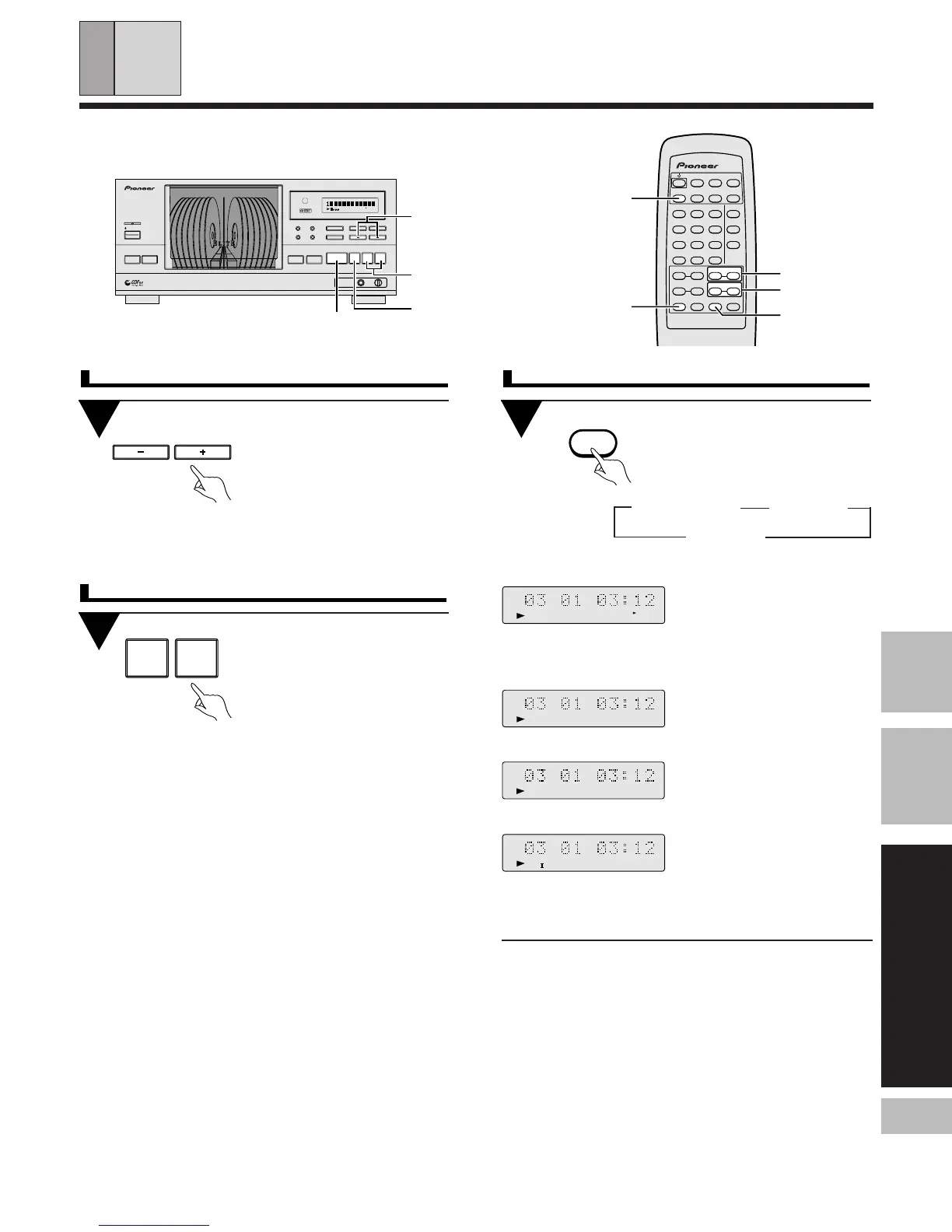
To start playback from a specific disc
Press DISC (–/+) during play
or pause to choose a disc
number. During pause,
press 6 (3 or 8 on the
remote control unit) after
choosing the disc.
÷ Playback starts from the first track
of the chosen disc.
To play a track you want to hear
Press 41/¡¢ dur-
ing play or pause to choose
the track number you de-
sire (or press 4/¢ on
the remote control).
During pause, press 6 after choos-
ing the track.
Press the REPEAT button
during playback. Each time
you press the button, the
repeat mode changes as
follows.
3
(ALL/SINGLE/CUSTOM)
To repeat playback (REPEAT play)
3
One track repeat ALL repeat
OFF 2
(One track repeat)
Repeats the current or a selected
track in during other play operations
than HI-LITE scan and PREVIOUS
scan.
(ALL repeat)
Repeats in one of the following 3
ways according to the play mode .
ALL: Repeats all the tracks
on all the discs (1 - 100).
SINGLE: Repeats all the tracks
on the selected disc.
CUSTOM: All of the discs classi-
fied under one of the three CUS-
TOM banks are played repeatedly.
(OFF)
Cancels repeat play and returns the
unit to normal play mode.
One track
SINGLE
CUSTOM
ALL
÷ To stop repeat playback, press 7.
÷ When none of the ALL, SINGLE or CUSTOM play mode is
displayed (i.e. during PROGRAM play, BEST play, PREVIOUS scan
or HI-LITE scan), the tracks which would be played with these
functions are played repeatedly.
41 ¡¢
7
DISC (–/+)
41 / ¡¢
6
REPEAT
7
3
4 ¢
DISC (–/+)
÷ You can also use the remote control.
REPEAT
TRACK MIN SECDISC
ALL REPEAT 1
TRACK MIN SECDISC
ALL REPEAT
TRACK MIN SECDISC
REPEAT
CUSTOM
TRACK MIN SECDISC
REPEAT
SINGLE


 To Next Page
 Loading...