18
<PRB1289>
783
RANDOM
DISC
SET
TRACK
SET
TIME/
CHARA
HI-LITE BEST
PREVIOUS
MODE CLEARPGMREPEAT
Î
FILE-TYPE CD PLAYER
REMOTE CONTROL UNIT
TITLE
DISPLAY
TITLE
INPUT
1¡4¢
PQRS
7
TUV
8
MARK
0
WXYZ
9
GHI
4
JKL
5
MNO
6
1
ABC
2
DEF
3
CURSOR
<
DISC
–
+
>
VARIOUS OPERATIONS
Disc Title Input
A disc title can be assigned to a CD loaded in this unit using up to 8
characters. The assigned disc titles will be convenient when you want
to find a desired disc later.
2
1
Press the TITLE INPUT but-
ton.
Cursor blinks.
Select each character to be
entered by pressing a digit
button.
The character which can be entered
varies every time the button is
pressed.
TITLE
INPUT
TITLE
INPUT
()
ABC
2
()
DISC
5
Press the TITLE INPUT but-
ton at the end.
The entered characters are regis-
tered as the title of the current disc.
TITLE
INPUT
TRACK MIN SECDISC
TIME/CHARA
TITLE INPUT
Digit buttons
CURSOR
(</>)
TITLE INPUT
DISC (–/+)
¡¢
÷ The parenthesis ( ) show operations for the main unit.
3
Press the CURSOR (>) but-
ton.
The cursor moves to the next char-
acter position.
÷ If the next character to be entered belong to a different digit button
from the previous character, it is not required to press the
CURSOR (>) button.
CURSOR
>
()
TRACK MIN SECDISC
¡¢
Remote control
4
32
÷ Pressing the stop button (7) during the title input operation returns
to the condition before the input operation .
2
C
B
A
Main unit
A...Z
(space)...7
(space)
(space)
1...9,0
a...z
On the main unit, each press of the
DISC (–) button shows characters in
a reverse cycle.
DISC (–/+)
Repeat steps and .
1
TITLE
INPUT
()
Title displayOperation
1 Press
TITLE
INPUT
.
2 Press
PQRS
7
twice.
3 Press
GHI
4
4 times.
4 Press
MNO
6
4 times.
5 Press
CURSOR
>
.
6 Press
MNO
6
3 times.
7 Press
DEF
3
3 times.
8 Press
CURSOR
>
.
9 Press
DEF
3
3 times.
10 Press
PQRS
7
4 times.
11 Press
TITLE
INPUT
.
[Example: To input "PIONEER"]
Notes!!
÷
A disc title cannot be entered for a single loader.
÷
It is not possible to perform the title input operation during
playback of a CD TEXT disc.
÷
It is not possible to assign a title to the custom file itself.
TIME/CHARA button (
TIME/
CHARA
) switches the uppercase and
lowercase letters.
Symbols available with the MARK button (
MARK
0
)
(Space) ! “ # $ % & ‘ ( ) ∗ + , – . / : ; < = > ? @ [ \ ]
^ _ ` { | } ~
MODE HI-LITE
CLEAR PROGRAM
DISC
FILE–TYPE
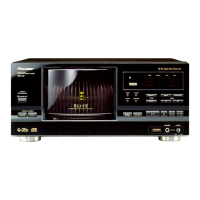
COMPACT DISC PLAYER
Î
SINGLE LOADER
STANDBY / ON
STANDBY
RDM
CUSTOM
ALL BEST CD TEXT
SCANDISC
REPEAT
REMAIN
PGM 1
PREVIOUSSINGLE
TRACK MIN SECDISC
ACSESS
PLAY
DISPLAY
TITLE
UNLOAD
OPEN/
CLOSE
BEST PREVIOUS
INPUT
6
7
¡¢
41
'
◊Û¿X,7
Hi-bit Legato Link Conversion
REFERENCE FILE–TYPE CD PLAYER
PULSEFLOW
D/A CONVERTER
PHONES LEVEL


 To Next Page
 Loading...