EasyManua.ls Logo

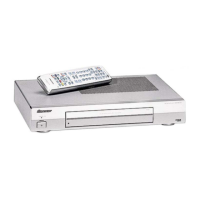
Pioneer PDP-R03U - User Manual

Pioneer PDP-R03U
142 pages
Print Icon
To Next Page IconTo Next Page
Loading...
ORDER NO.
PIONEER CORPORATION 4-1, Meguro 1-chome, Meguro-ku, Tokyo 153-8654, Japan
PIONEER ELECTRONICS (USA) INC. P.O. Box 1760, Long Beach, CA 90801-1760, U.S.A.
PIONEER EUROPE NV Haven 1087, Keetberglaan 1, 9120 Melsele, Belgium
PIONEER ELECTRONICS ASIACENTRE PTE. LTD. 253 Alexandra Road, #04-01, Singapore 159936
PIONEER CORPORATION 2002
POWER
STANDBY/ON
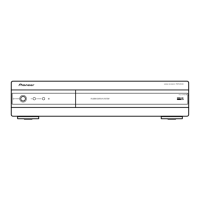
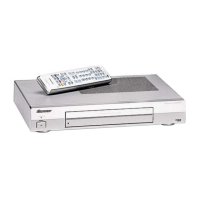
MEDIA RECEIVER
PDP-R03U
PDP-R03U
ARP3113
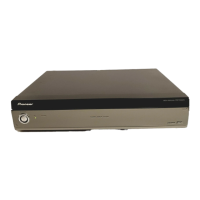
MEDIA RECEIVER
PDP-R03U
THIS MANUAL IS APPLICABLE TO THE FOLLOWING MODEL(S) AND TYPE(S).
Please connect it to the PLASMA DISPLAY PDP-503PU or PDP-433PU, for adjustment
and operation inspection.
Model Type Power Requirement Remarks
PDP-R03U KUC AC120V
Component System Service Manual Remarks
PLASMA DISPLAY SYSTEM PDP-5030HD –––
PLASMA DISPLAY PDP-503PU ARP3107, ARP3108
MEDIA RECEIVER PDP-R03U ARP3113 This manual
Component System Service Manual Remarks
PLASMA DISPLAY SYSTEM PDP-4330HD –––
PLASMA DISPLAY PDP-433PU ARP3111, ARP3112
MEDIA RECEIVER PDP-R03U ARP3113 This manual
For details, refer to "Important symbols for good services".
T-ZZK APR. 2002.printed in Japan
w
w
w
.
x
i
a
o
y
u
1
6
3
.
c
o
m
Q
Q
3
7
6
3
1
5
1
5
0
9
9
2
8
9
4
2
9
8
T
E
L
1
3
9
4
2
2
9
6
5
1
3
9
9
2
8
9
4
2
9
8
0
5
1
5
1
3
6
7
3
Q
Q
TEL 13942296513 QQ 376315150 892498299
http://www.xiaoyu163.com

Other manuals for Pioneer PDP-R03U

Questions and Answers

  • K
    Kelly LevyAug 12, 2025
    Why is my Pioneer PDP-R03U Receiver remote control not working?
    • A
      Andrea ThomasAug 12, 2025
      If the remote control for your Pioneer Receiver isn't working, first ensure the Mode switch is correctly set to the TV position. Then, check if the batteries are inserted with the correct polarity (+ and -). Replace the batteries if they are worn out. Strong or fluorescent lighting near the unit or remote control sensor can also interfere with operation.
  • G
    glyonsAug 15, 2025
    Why does my Pioneer Receiver power suddenly turn off?
    • E
      evansjamesAug 15, 2025
      If your Pioneer Receiver suddenly turns off, check the power control setting to see if the sleep timer is set. Also, if the unit’s internal temperature has increased, remove any objects blocking the vents or clean the vents.
  • J
    Jessica SchroederAug 19, 2025
    What to do if my Pioneer PDP-R03U cannot be operated?
    • B
      Bonnie GriffinAug 19, 2025
      If your Pioneer Receiver cannot be operated, it may be due to external influences such as lightning or static electricity. Try turning on the power of the Plasma Display and the Media Receiver, or unplug the power cord and replug it in after 1 or 2 minutes.
  • J
    John JohnsonAug 23, 2025
    What to do if my Pioneer PDP-R03U Receiver has no picture?
    • P
      patriciadiazAug 23, 2025
      If there is no picture on your Pioneer Receiver, verify that the connection to other components is correct and setup has been done correctly after the connection. Ensure the correct input is selected and that a compatible signal is being input. Also, check that the picture adjustment is correct.
  • T
    Tammy DyerAug 27, 2025
    How to turn on Pioneer PDP-R03U Receiver if it has no power?
    • P
      Patricia LaneAug 27, 2025
      If your Pioneer Receiver has no power, ensure the Plasma Display and the Media Receiver are correctly connected. Check if you have pressed the TV button on the remote control. If the indicator on the Plasma Display lights up red, press the TV button. Also, verify that the power cord is properly connected and the main power is turned on.
  • L
    Lisa MartinAug 31, 2025
    How to fix strange color on Pioneer Receiver?
    • A
      Angela WangAug 31, 2025
      If you are experiencing strange colors, light or dark picture, or color misalignment on your Pioneer Receiver, try adjusting the picture tone. If the room is too bright, the picture may appear dark. Check the input signal setting as well.
  • J
    Jessica KellySep 3, 2025
    What causes abnormal internal temperature on Pioneer PDP-R03U?
    • A
      Anthony MathewsSep 3, 2025
      The internal temperature of the Plasma Display is abnormally high. Check the location the System is installed.
  • J
    Jeffrey BaileySep 7, 2025
    How to fix abnormal internal signaling on Pioneer Receiver?
    • M
      Mark ReevesSep 7, 2025
      To address abnormal internal signaling or circuit operation of the Plasma Display, turn off the power once and turn it on again.

Summary

SAFTY INFORMATION

WARNING

Product contains lead and chemicals known to cause cancer, birth defects or other reproductive harm.

SAFETY PRECAUTIONS (FOR USA MODEL ONLY)

Crucial checks for customer and technician protection, including leakage current.

PRODUCT SAFETY NOTICE

Highlights special safety characteristics of components and the importance of using specified parts.

Important Symbols for Good Services

Product Safety

Conforming to regulations and following safety instructions during servicing.

Adjustments

Essential for maintaining original product performance through optimum adjustments.

1. SPECIFICATIONS

2. EXPLODED VIEWS AND PARTS LIST

3. BLOCK DIAGRAM AND SCHEMATIC DIAGRAM

System Block Diagram

Provides an overview of the system's signal flow and major components.

Signal Flow Block Diagram

Illustrates the path of signals through the unit's various sections.

4. PCB CONNECTION DIAGRAM

5. PCB PARTS LIST

6. ADJUSTMENT

Upgrading AVC System Software

Instructions for updating the AVC System software via PC.

Adjusting AVC System Parts

Guides for factory settings and readjustments after part replacement.

7. GENERAL INFORMATION

Trouble Shooting

Flowcharts and procedures for troubleshooting common problems.

7.1.2 DISASSEMBLY

Remote Control Unit

Pioneer PDP-R03U Specifications

General IconGeneral
TypeReceiver
Power Output100W per channel (8 ohms, 20Hz-20kHz, 0.08% THD)
Audio Formats SupportedDolby Digital, DTS, AAC, WMA, MP3, FLAC, ALAC, WAV, AIFF
Network ConnectivityEthernet, Wi-Fi, Bluetooth
Power Output Details100W per channel (8 ohms, 20Hz-20kHz, 0.08% THD)
Total Harmonic Distortion0.08%

Related product manuals