EasyManua.ls Logo

Pioneer PDP-R05XE - User Manual

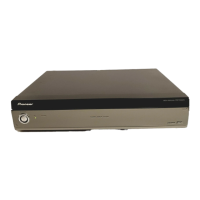
Pioneer PDP-R05XE
213 pages
To Next Page IconTo Next Page
Loading...
ORDER NO.
PIONEER CORPORATION 4-1, Meguro 1-chome, Meguro-ku, Tokyo 153-8654, Japan
PIONEER ELECTRONICS (USA) INC. P.O. Box 1760, Long Beach, CA 90801-1760, U.S.A.
PIONEER EUROPE NV Haven 1087, Keetberglaan 1, 9120 Melsele, Belgium
PIONEER ELECTRONICS ASIACENTRE PTE. LTD. 253 Alexandra Road, #04-01, Singapore 159936
PIONEER CORPORATION 2004
POWER
ON STANDBY
TIMER
PDP-R05E
ARP3225
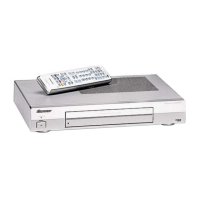
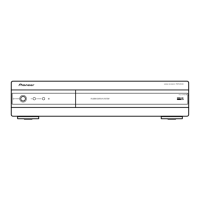
MEDIA RECEIVER
PDP-R05E
PDP-R05XE
PDP-R05FE
THIS MANUAL IS APPLICABLE TO THE FOLLOWINGMODEL(S) AND TYPE(S).
Please connect it to the PLASMA DISPLAY PDP-505PE or PDP-435PE for adjustment and
operation inspection.
Model Type Power Requirement Remarks
PDP-R05E WYVI AC220-240V
PDP-R05E WYVIXK AC220-240V
PDP-R05XE WYVIXK AC220-240V
PDP-R05FE WYVI AC220-240V
PDP-R05FE WYVIXK AC220-240V
For details, refer to "Important Check Points for Good Servicing".
Serial No.
Confirm it
WYVI SS
WYVIXK UK
T-ZZK NOV. 2004 printed in Japan

Table of Contents

Question and Answer IconNeed help?

Do you have a question about the Pioneer PDP-R05XE and is the answer not in the manual?

Pioneer PDP-R05XE Specifications

General IconGeneral
BrandPioneer
ModelPDP-R05XE
CategoryReceiver
LanguageEnglish

Summary

Safety Information

General Safety Precautions

Essential safety guidelines for service technicians and product safety notices.

Block Diagrams and Schematic Diagrams

Block Diagrams

Overview of signal routes and block diagrams for main components.

Adjustment Procedures

Service Factory Mode Entry and Operation

Guidance on entering and operating the service factory mode.

Readjustment Cases and RS-232 C Commands

Conditions requiring readjustment and list of RS-232C commands for control.

Specific Adjustment Items

Detailed procedures for AFC, RF-AGC, and Video Level adjustments.

General Information and Troubleshooting

Diagnosis and Troubleshooting Guide

Flowcharts for diagnosing and troubleshooting common image and sound issues.
Related product manuals