EasyManua.ls Logo

Pioneer PL-X430 - Page 9

Pioneer PL-X430
28 pages
Print Icon
To Next Page IconTo Next Page
To Previous Page IconTo Previous Page
Loading...
HOW
TO
PLAY
RECORDS
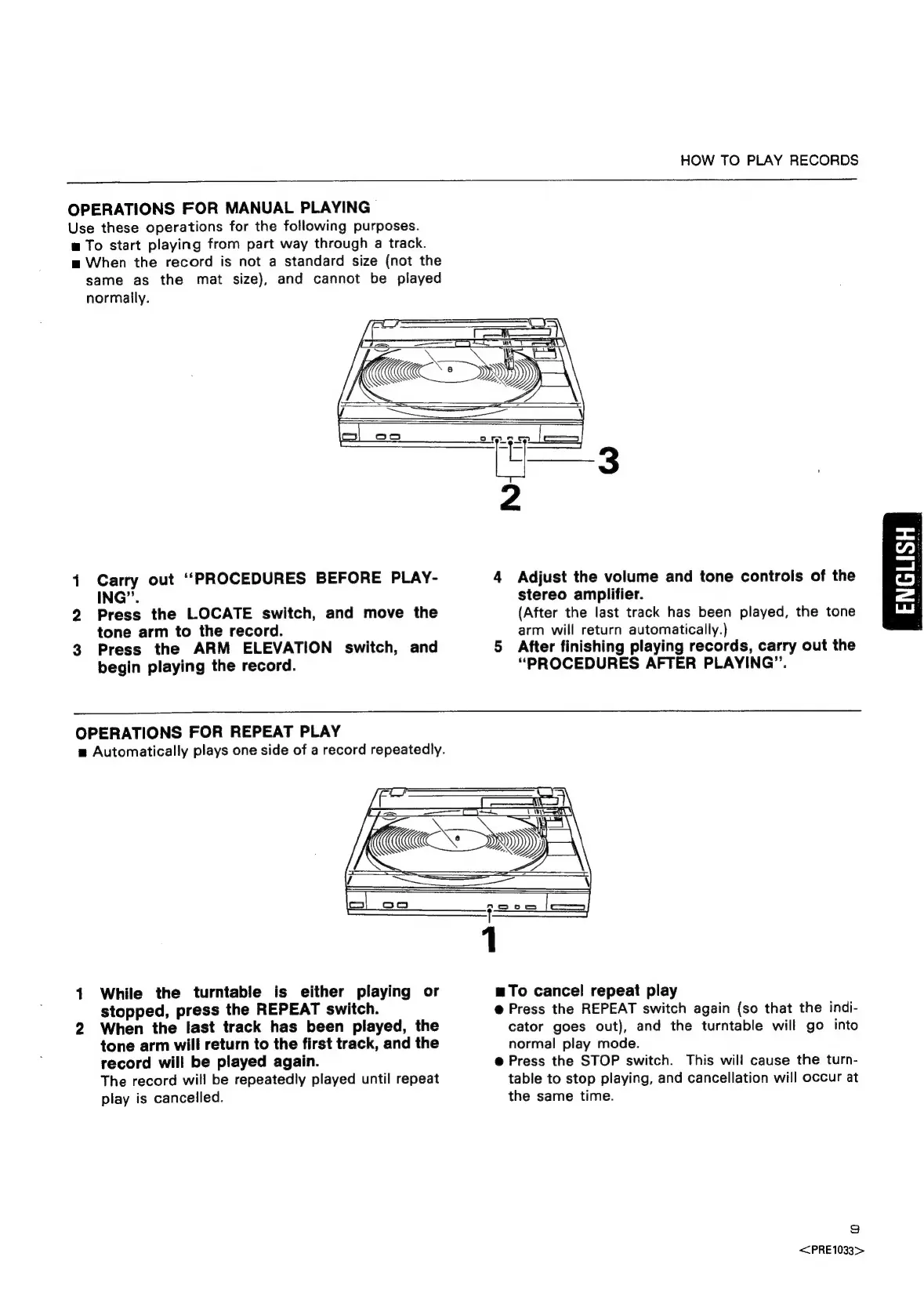
OPERATIONS
FOR
MANUAL
PLAYING
Use
these
operations
for
the
following
purposes.
w
To
start
playing
from
part
way
through
a
track.
m
When
the
record
is
not
a
standard
size
(not
the
same
as
the
mat
size),
and
cannot
be
played
normally.
(ae
ad
AB
Siti»
ES
See
x
es
oo
“ry!
=
[_———
|
1
Carry
out
‘PROCEDURES
BEFORE
PLAY-
4
Adjust
the
volume
and
tone
controls
of
the
ING”.
stereo
amplifier.
2
Press
the
LOCATE
switch,
and
move
the
(After
the
last
track
has
been
played,
the
tone
tone
arm
to
the
record.
arm
will
return
automatically.)
3
Press
the
ARM
ELEVATION
switch,
and
5
After
finishing
playing
records,
carry
out
the
begin
playing
the
record.
“PROCEDURES
AFTER
PLAYING”.
OPERATIONS
FOR
REPEAT
PLAY
m=
Automatically
plays
one
side
of
a
record
repeatedly.
1
While
the
turntable
is
either
playing
or
mTo
cancel
repeat
play
stopped,
press
the
REPEAT
switch.
@
Press
the
REPEAT
switch
again
(so
that
the
indi-
2
When
the
last
track
has
been
played,
the
cator
goes
out),
and
the
turntable
will
go
into
tone
arm
will
return
to
the
first
track,
and
the
normal
play
mode.
record
will
be
played
again.
@
Press
the
STOP
switch.
This
will
cause
the
turn-
The
record
will
be
repeatedly
played
until
repeat
table
to
stop
playing,
and
cancellation
will
occur
at
play
is
cancelled.
the
same
time.
i)
<<PRE1033>

Related product manuals