EasyManua.ls Logo

Pioneer PL-X430 - Page 8

Pioneer PL-X430
28 pages
Print Icon
To Next Page IconTo Next Page
To Previous Page IconTo Previous Page
Loading...
HOW
TO
PLAY
RECORDS
N
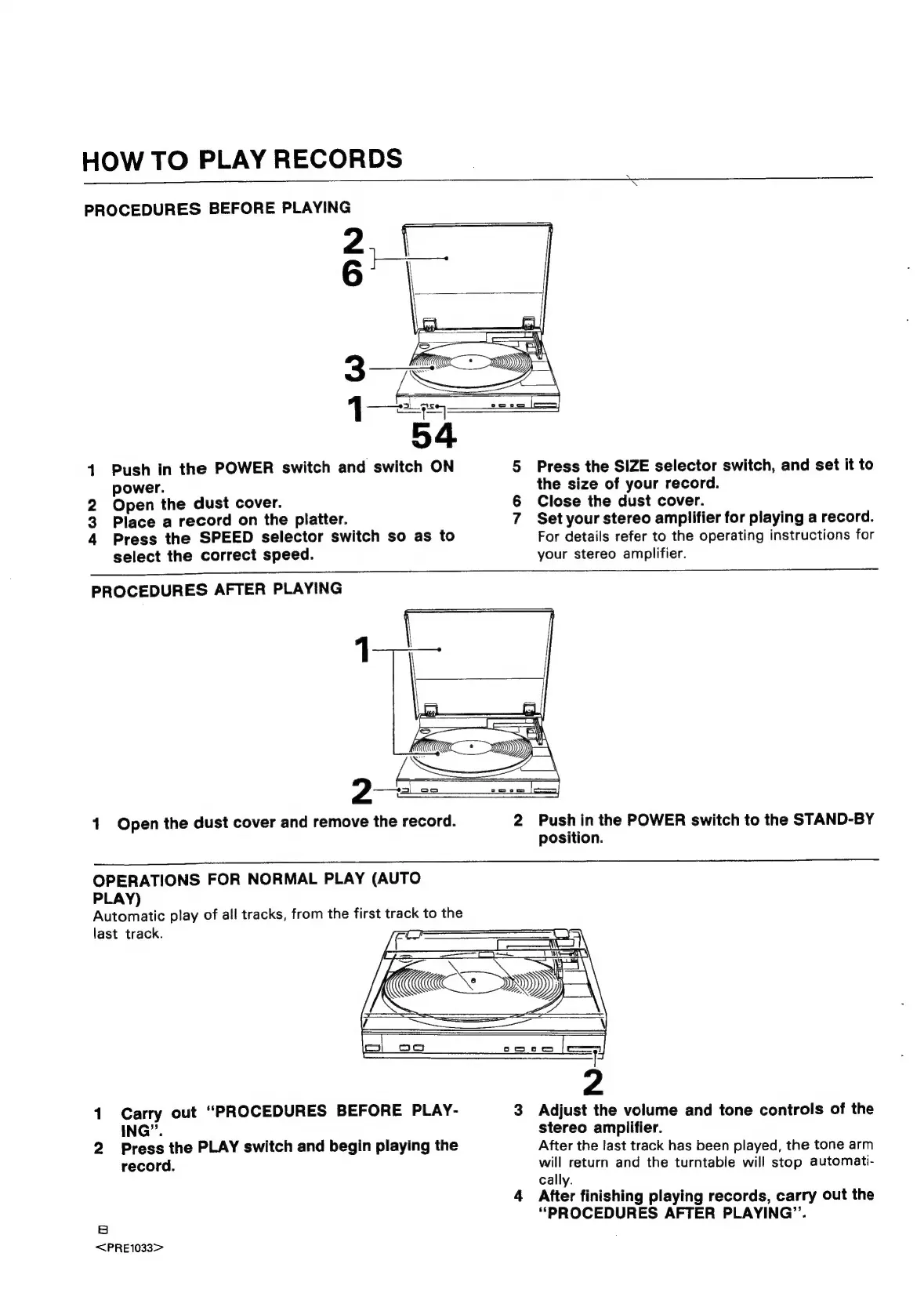
PROCEDURES
BEFORE
PLAYING
41
Push
in
the
POWER
switch
and
switch
ON
5
Press
the
SIZE
selector
switch,
and
set
it
to
power.
the
size
of
your
record.
2
Open
the
dust
cover.
6
Close
the
dust
cover.
3
Place
a
record
on
the
platter.
7
Set
your
stereo
amplifier
for
playing
a
record.
4
Press
the
SPEED
selector
switch
so
as
to
For
details
refer
to
the
operating
instructions
for
select
the
correct
speed.
your
stereo
amplifier.
PROCEDURES
AFTER
PLAYING
1
Open
the
dust
cover
and
remove
the
record.
2
Push
in
the
POWER
switch
to
the
STAND-BY
position.
OPERATIONS
FOR
NORMAL
PLAY
(AUTO
PLAY)
Automatic
play
of
all
tracks,
from
the
first
track
to
the
last
track.
1
Carry
out
“PROCEDURES
BEFORE
PLAY-
3
Adjust
the
volume
and
tone
controls
of
the
ING”.
stereo
amplifier.
2
Press
the
PLAY
switch
and
begin
playing
the
After
the
last
track
has
been
played,
the
tone
arm
record.
will
return
and
the
turntable
will
stop
automati-
cally.
4
After
finishing
playing
records,
carry
out
the
:
“PROCEDURES
AFTER
PLAYING”.
<PRE1033>

Related product manuals