EasyManua.ls Logo

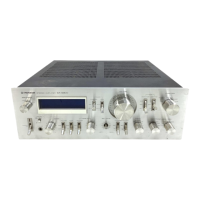
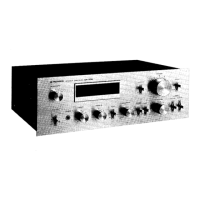
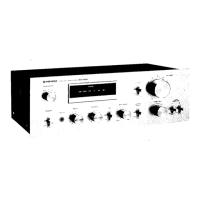
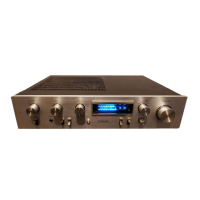
Pioneer SA-9800 - User Manual

Pioneer SA-9800
16 pages
Print Icon
To Next Page IconTo Next Page
Loading...
STEREO
AMPLIFIER
@Q
PIONEER’
Ss
A=-93800
“a
HG
OPERATING
INSTRUCTIONS
These
operating
instructions
are
based
on
the
model
HG,
and
they
can
be
used
for
the
S,
8/G
models.
The
differences
between
the
models
are
given
below.
Power
requirements
SA-9800/HG
SA-9800/S,
8
220V/240V
(switchable),
50Hz,
60Hz
110V/120V/220V/240V
(switchable),
50Hz,
60Hz
NOTE:
Read
through
the
section
on
the
LINE
VOLTAGE
SE
LECTOR
SWITCH
on
page
5
before
using
your
amplifier
and
check
that
the
voltage
selector
switch
is
set
correctly
for
use
in
your
area.
Power
cords
SA-9800/HG;
This
is
configured
as
an
AC
inlet
type.
Use
a
separate
power
cord
in
order
to
connect
the
power
supply.
SA-9800/S,
S/G:
The
power
cord
is
mounted
at
the
rear.
Cabinet
SA-9800/HG,
S:
SA-9800/S/G;
Others
SA-9800/HG:
Black
cabinet
Walnut
grained
finished
cabinet.
The
DIN-type
recording/playback
socket
is
provided
on
the
rear
panel
The
AC
outlets
are
provided
on
the
rear
panel.
SA-9800/S,
S/
Pe
MPORTANT
To
prevent
electric
shock,
do
not
remove
cover.
No
user
serviceable
parts
inside,
refer
servicing
to
qualified
serv-
ice
personnel.
Always
disconnect
all
the
equipment
from
the
mains
supply
when
disconnecting
the
signal
leads,
The
power
cord
should
be
connected
last,
make
sure
that
the
power
switch
is
off.
First,
insert
the
female
appliance
connector
of
the
mains
cord
into
the
AC
INLET,
then
plug
the
cord
to
the
wall
socket,
Be
sure
that
the
appliance
con
nector
is
fully
inserted
into
the
AC
INLET.
Unplug
the
set
from
the
wall
socket
when
it is
not
to
be
used
for
an
extended
period
of
time,
WARNING
THIS
APPARATUS
MUST
BE
EARTHED.
FOR
YOUR
SAFETY
1,
Insert
this
piug
only
into
effectively
earthed
three-pin
plug-socket
outlet.
2.
If
any
doubt
exists
regarding
the
earthing,
consult
a
qualified
electrician,
[
3,
Extension
cords,
if
used,
must
be
three-core
correctly
wired.
FOR
USE
IN
UNITED
KINGDOM
AND
AUSTRALIA
CAUTION
240V:
Mains
supply
voltage
is
facto-
ry
adjusted
at
240V.
FOR
USE
IN
UNITED
KINGDOM
The
wires
in
this
mains
lead
are
coloured
in
accordance
with
the
following
code:
Green-and-Yellow:
Earth
Blue:
Neutral
Brown:
Live
As
the
colours
of
the
wires
in
the
mains
lead
of
this
ap-
paratus
may
not
correspond
with
the
coloured
marking
identifying
the
terminals
in
your
plug
proceed
as
fol-
lows,
The
wire
which
is
coloured
green-and-yellow
must
be
connected
to
the
terminal
which
is
marked
with
the
let-
ter
E
or
with
the
safety
earth
symbol
2
or
coloured
green
or
green-and-yellow,
The
wire
which
is
coloured
blue
must
be
connected
to
the
terminal
which
is
marked
with
the
letter
N
or
colour-
ed
black,
The
wire
which
is
coloured
brown
must
be
connected
to
the
terminal
which
is
marked
with
the
letter
L
or
colour
J
ed
red,
Question and Answer IconNeed help?

Do you have a question about the Pioneer SA-9800 and is the answer not in the manual?

Summary

General Safety Precautions

Preventing Electric Shock

Instructions to prevent electric shock by not removing the cover and referring servicing to qualified personnel.

Power Cord Handling

Guidelines for connecting and disconnecting the power cord safely.

Apparatus Earthing

Warning that the apparatus must be earthed and safety advice for plug-socket outlets.

Key Features of the SA-9800

Installation Site Recommendations

Locations to Avoid

Details locations that can degrade performance or cause breakdowns, like sun exposure or dust.

Rear Panel Connections and Features

Voltage Selector Switch Operation

Adjusting Voltage Settings

Instructions for adjusting the voltage selector switch based on location and model.

Connection Diagram Overview

Speaker System Wiring Guide

Connecting Speakers

Detailed instructions on connecting speaker systems to the amplifier terminals.

Turntable Input Connections

Phono 1 and Phono 2 MC

Connecting turntables, including MC cartridges, to PHONO 1 and PHONO 2 jacks.

Tape Deck Input;Output Connections

Front Panel Controls and Indicators

Tape Duplication Function

Tape Monitoring Operations

Input Source Selection

Tone Adjustment Controls

Channel Balance Adjustment

Loudness Compensation

Cartridge Load Settings

Pre-Power On Control Settings

Playing Records Guide

Phono Input and Cartridge Settings

Selecting the correct PHONO input and adjusting cartridge load selectors.

Phono Cartridge Load Tuning

Optimizing MM Cartridge Response

Adjusting load resistance and capacitance for MM cartridges based on specifications.

Tape Deck Operations

Separate Amplifier Usage

Troubleshooting Common Issues

No Sound Troubleshooting

Diagnosis and remedies for situations where no sound is produced.

Occasional Noise and Sound Quality

Troubleshooting occasional noise and issues with sound quality.

Howl with Volume Raised

Diagnosing and resolving howling sounds when the volume is increased.

Technical Specifications

Power Amplifier Specifications

Detailed power output, distortion, and frequency response metrics.

Preamplifier Section Specs

Input sensitivity, impedance, and overload levels for the preamplifier.

Summary

General Safety Precautions

Preventing Electric Shock

Instructions to prevent electric shock by not removing the cover and referring servicing to qualified personnel.

Power Cord Handling

Guidelines for connecting and disconnecting the power cord safely.

Apparatus Earthing

Warning that the apparatus must be earthed and safety advice for plug-socket outlets.

Key Features of the SA-9800

Installation Site Recommendations

Locations to Avoid

Details locations that can degrade performance or cause breakdowns, like sun exposure or dust.

Rear Panel Connections and Features

Voltage Selector Switch Operation

Adjusting Voltage Settings

Instructions for adjusting the voltage selector switch based on location and model.

Connection Diagram Overview

Speaker System Wiring Guide

Connecting Speakers

Detailed instructions on connecting speaker systems to the amplifier terminals.

Turntable Input Connections

Phono 1 and Phono 2 MC

Connecting turntables, including MC cartridges, to PHONO 1 and PHONO 2 jacks.

Tape Deck Input;Output Connections

Front Panel Controls and Indicators

Tape Duplication Function

Tape Monitoring Operations

Input Source Selection

Tone Adjustment Controls

Channel Balance Adjustment

Loudness Compensation

Cartridge Load Settings

Pre-Power On Control Settings

Playing Records Guide

Phono Input and Cartridge Settings

Selecting the correct PHONO input and adjusting cartridge load selectors.

Phono Cartridge Load Tuning

Optimizing MM Cartridge Response

Adjusting load resistance and capacitance for MM cartridges based on specifications.

Tape Deck Operations

Separate Amplifier Usage

Troubleshooting Common Issues

No Sound Troubleshooting

Diagnosis and remedies for situations where no sound is produced.

Occasional Noise and Sound Quality

Troubleshooting occasional noise and issues with sound quality.

Howl with Volume Raised

Diagnosing and resolving howling sounds when the volume is increased.

Technical Specifications

Power Amplifier Specifications

Detailed power output, distortion, and frequency response metrics.

Preamplifier Section Specs

Input sensitivity, impedance, and overload levels for the preamplifier.

Pioneer SA-9800 Specifications

HG

Power IconPower
power requirements220V/240V, 50/60Hz
power consumption850W (max.)
Weight and Dimensions IconWeight and Dimensions
dimensions420(W) x 150(H) x 425(D) mm
dimensions (inches)16-9/16(W) x 5-7/8(H) x 16-3/4(D) in
weight18.0 kg (39 lb 1 oz)

S

Power IconPower
power requirements110V, 120V, 220V, 240V, 50/60Hz
power consumption250W (max.)
Weight and Dimensions IconWeight and Dimensions
dimensions420(W) x 150(H) x 425(D) mm
dimensions (inches)16-9/16(W) x 5-7/8(H) x 16-3/4(D) in
weight18.0 kg (39 lb 1 oz)

S/G

Power IconPower
power requirements110V, 120V, 220V, 240V, 50/60Hz
power consumption250W (max.)
Weight and Dimensions IconWeight and Dimensions
dimensions453(W) x 155(H) x 425(D) mm
dimensions (inches)17-11/16(W) x 6-1/8(H) x 16-3/4(D) in
weight19.1 kg (42 lb 2 oz)

Related product manuals