EasyManua.ls Logo

Pioneer SE-C8TW - User Manual

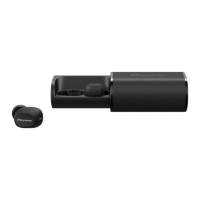
Pioneer SE-C8TW
12 pages
Print Icon
To Next Page IconTo Next Page
Loading...
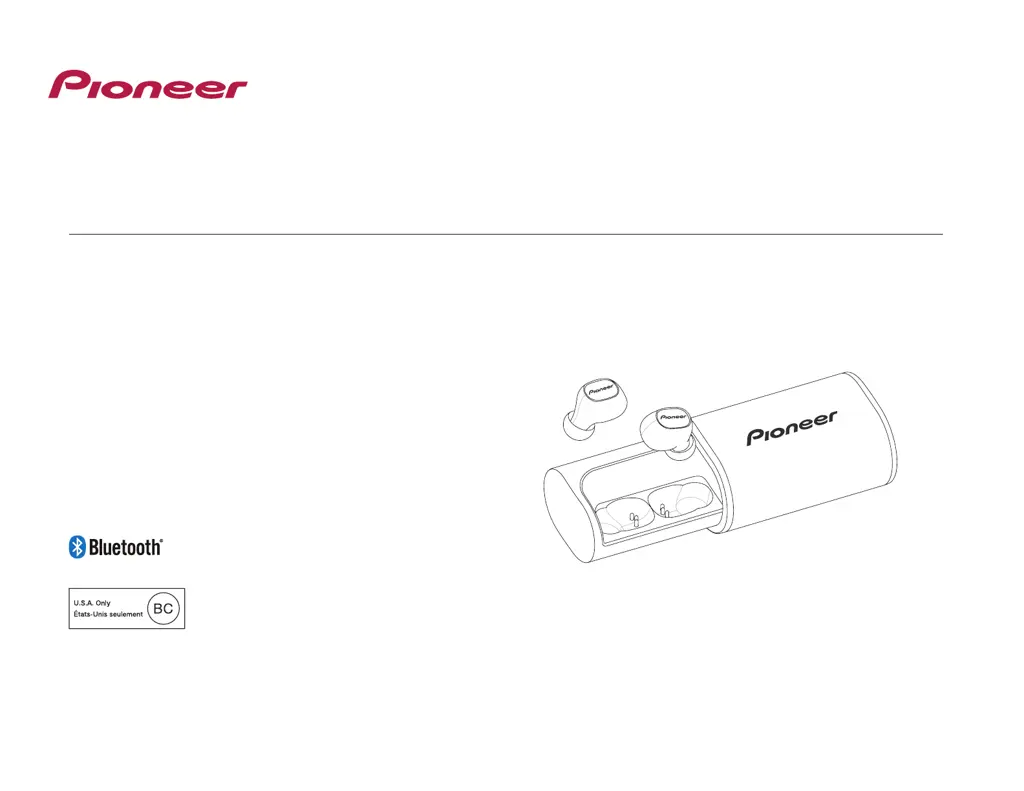
Operating Instructions
SE-C8TW
WIRELESS STEREO HEADPHONES

Questions and Answers

  • N
    Nicole DeleonJul 27, 2025
    What to do if I can't connect my Pioneer Wireless Headphones via Bluetooth?
    • W
      wilsonjosephJul 27, 2025
      If you're having trouble connecting your Pioneer Wireless Headphones via Bluetooth, make sure that the left and right earphones and the paired device are turned on. Also, confirm that the Bluetooth function is enabled on the device you're trying to connect to.
  • K
    Keith WhiteAug 1, 2025
    Why won't my Pioneer SE-C8TW Wireless Headphones charge?
    • V
      Veronica MartinAug 1, 2025
      If the batteries of your Pioneer Wireless Headphones are not charging, try the following: * Make sure the earphones are correctly placed in the charging case. * Use the TYPE-C USB cable that came with the headphones. * Ensure the computer is powered on and not in power-saving mode. * Check that the TYPE-C USB cable is securely connected to both the charging case and the computer.
  • K
    Kelly HesterAug 7, 2025
    Why is there no sound from my Pioneer SE-C8TW when playing music?
    • S
      Stephanie Taylor PhDAug 7, 2025
      If you're not getting any sound from your Pioneer Wireless Headphones while playing music, check these things: * Make sure both the left and right earphones and the paired device are powered on. * Ensure the Bluetooth device connection is set to the A2DP profile. * Verify that the connected music playback device is set to PLAY. * Confirm that the volume isn't set too low on the paired device.
  • H
    Heather OrozcoAug 11, 2025
    Why can't I use hands-free operation on my Pioneer SE-C8TW Wireless Headphones?
    • A
      Allison SmithAug 11, 2025
      If you're unable to use the hands-free operation with your Pioneer Wireless Headphones, verify that the wireless earphones and Bluetooth device are connected using the HFP or HSP profile. If the connection is in A2DP profile, you might need to change connection profiles, depending on what your Bluetooth device supports.
  • X
    xsmithAug 16, 2025
    Why is the communication distance short and the sound garbled on my Pioneer Wireless Headphones?
    • N
      Nancy MurphyAug 16, 2025
      If you're experiencing a short communication distance or garbled sound with your Pioneer Wireless Headphones, make sure there aren't any other devices using the 2.4 GHz wavelength nearby (like microwave ovens or wireless radios). Also, be sure there are no obstructions blocking the signal path.
  • A
    Amy PattersonAug 21, 2025
    Why is the sound distorted on my Pioneer Wireless Headphones when playing music?
    • S
      Sarah WilkinsonAug 22, 2025
      If the sound from your Pioneer Wireless Headphones is distorted while playing music, check to see if any other devices using the 2.4 GHz wavelength (such as microwave ovens or wireless radios) are nearby. Also, make sure there are no obstructions blocking the signal path.

Summary

Pioneer SE-C8 TW Operating Instructions

Product Components and Identification

Set Contents List

Comprehensive list of all included accessories and parts for the Pioneer SE-C8TW headphones.

Parts Identification Diagram

Visual guide labeling the key components of the Pioneer SE-C8TW headphones and charging case.

Replacing Earphone Eartips

Battery Charging Guide

Bluetooth Pairing Process

Music Playback Controls

Hands-Free Calling Operations

Voice Assistant Activation

Using Google Assistant

Step-by-step guide to enable and use the Google Assistant voice command feature.

Using Apple Siri

Step-by-step guide to enable and use Siri voice command feature on compatible devices.

Understanding LED Indicators

Earphone LED Status Meanings

Explains the various LED light patterns on the earphone units and their significance.

Charging Case LED Status

Details the LED indicators on the charging case for battery level and charging status.

Troubleshooting Common Problems

Pioneer SE-C8 TW Specifications

Pioneer SE-C8TW Specifications

General IconGeneral
Ear couplingIntraaural
Headphone frequency4 - 22000 Hz
Carrying caseYes
Cables includedUSB Type-C
Battery typeBuilt-in battery
Battery voltage3.7 V
Charging sourceUSB
Battery recharge time1 h
Continuous audio playback time3 h
Headset typeBinaural
Product typeHeadset
Product colorBlack
Wearing styleIn-ear
Recommended usageMusic
Frequency band2.4-2.4835 GHz
Wireless range10 m
3.5 mm connectorNo
Bluetooth version4.2
Bluetooth profilesA2DP, AVRCP, HFP, HSP
Connectivity technologyWireless
Frame materialSilicon
Driver diameter6 mm
Number of products included1 pc(s)
Audio formats supportedAAC, SBC
Mobile operating systems supportedAndroid
Microphone typeBuilt-in
Harmonized System (HS) code85183000
Weight and Dimensions IconWeight and Dimensions
Weight12 g

Related product manuals