EasyManua.ls Logo

Pioneer SE-MJ553BT - User Manual

Pioneer SE-MJ553BT
9 pages
Print Icon
To Next Page IconTo Next Page
Loading...
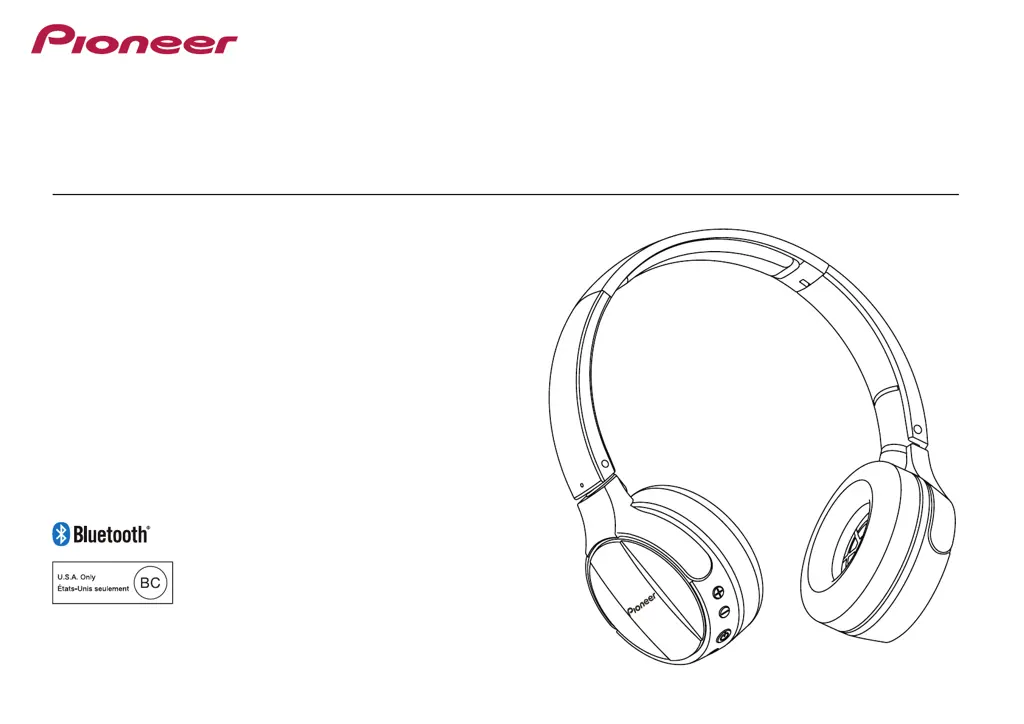
Operating Instructions
SE-MJ553BT
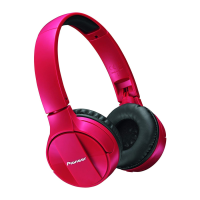
WIRELESS STEREO HEADPHONES

Questions and Answers

  • S
    Steven OwensJul 28, 2025
    What to do if I can't perform Bluetooth connection on my Pioneer SE-MJ553BT Wireless Headphones?
    • M
      Michael WilliamsJul 29, 2025
      To establish a Bluetooth connection with your Pioneer Wireless Headphones, ensure that both the headphones and the Bluetooth device are powered on. Additionally, verify that the Bluetooth function is enabled on the device you're trying to connect to.
  • J
    Juan WagnerAug 4, 2025
    Why is there no sound when playing music on my Pioneer SE-MJ553BT Wireless Headphones?
    • T
      thomastaylorAug 4, 2025
      If you're not getting any sound when playing music on your Pioneer Wireless Headphones, make sure that both the headphones and the Bluetooth device are powered on. Also, check that the Bluetooth device is set to the A2DP profile and that the music playback device is set to PLAY. Finally, ensure that the volume controls on both the headphones and the music playback device are at appropriate levels.
  • E
    ehessAug 10, 2025
    Why is the sound distorted when playing music on my Pioneer Wireless Headphones?
    • C
      Chloe GreenAug 10, 2025
      If you are experiencing distorted sound when playing music on your Pioneer Wireless Headphones, check for other devices using the 2.4 GHz wavelength nearby, such as microwave ovens or wireless radios. Also, make sure there are no obstructions blocking the signal path.
  • J
    jennifer26Aug 16, 2025
    Why won't the batteries charge on my Pioneer SE-MJ553BT?
    • A
      Adam PattersonAug 16, 2025
      If the batteries of your Pioneer Wireless Headphones will not charge, first confirm that the computer is powered on and is not in power-saving mode. Also, ensure that the accessory micro-USB cable is securely connected to both the wireless headphones and the computer.
  • T
    Tina RobertsAug 21, 2025
    How to fix can’t use hands-free operation on Pioneer Wireless Headphones?
    • D
      David MillerAug 21, 2025
      To use hands-free operation on your Pioneer Wireless Headphones, confirm that the headphones and Bluetooth device are connected using the HFP or HSP profile. If the connection is in the A2DP profile, you may need to change connection profiles, depending on the specifications of the Bluetooth device.

Summary

Main Features

Wireless music enjoyment

Enjoy wireless music on Bluetooth devices, supporting A2DP profile for playback control.

Hands-free communication

Enable hands-free calls via Bluetooth, supporting HSP or HFP profiles for clear communication.

Charging the batteries

Pairing

Connect to the Bluetooth device

Steps to connect headphones to a Bluetooth device after entering pairing mode.

Disconnecting from the Bluetooth device

Procedure to disconnect the headphones from a Bluetooth device by holding the power button.

Enjoying music

Controls when listening to music

How to control music playback (play, pause, skip, volume) using headphone buttons with AVRCP support.

Vocal communication

Vocal communication controls

Controls for calls (answer, end, reject, redial) using headphone buttons with AVRCP support.

Specifications

About the License and Trademarks

Information on Pioneer's trademarks and Bluetooth word mark ownership and usage rights.

Pioneer SE-MJ553BT Specifications

General IconGeneral
Charging sourceUSB
Rechargeable batteryYes
Battery recharge time4 h
Continuous audio playback time15 h
Driver typeDynamic
Driver unit40 mm
Ear couplingSupraaural
Headphone frequency10 - 22000 Hz
Package typeBox
Wireless range10 m
Bluetooth version3.0+HS
Bluetooth profilesA2DP, AVRCP
Connectivity technologyWireless
Product colorWhite
Wearing styleHead-band
Volume controlDigital
Recommended usageCalls/Music
Weight (without cable)170 g
Microphone typeBuilt-in

Related product manuals