EasyManua.ls Logo

Pioneer SE-MS7BT-K - User Manual

Pioneer SE-MS7BT-K
10 pages
Print Icon
To Next Page IconTo Next Page
Loading...
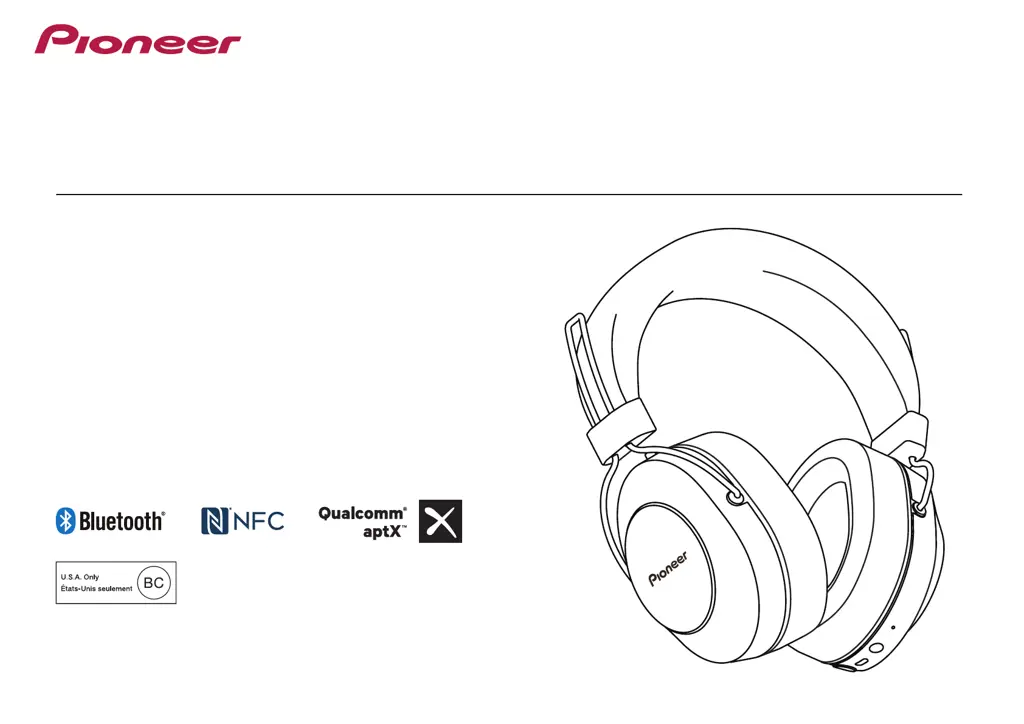
Operating Instructions
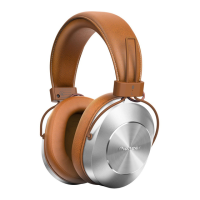
SE-MS7BT
WIRELESS STEREO HEADPHONES

Questions and Answers

  • P
    pattersonamyAug 20, 2025
    Why won't my Pioneer SE-MS7BT-K connect via Bluetooth?
    • D
      Dr. Cheryl PettyAug 20, 2025
      If your Pioneer Wireless Headphones won't connect via Bluetooth, ensure that both the headphones and the Bluetooth device are powered on. Also, verify that the Bluetooth function is enabled on the device you're trying to connect to.
  • S
    sarahandersonAug 22, 2025
    Why is there no sound when playing music on my Pioneer SE-MS7BT-K Wireless Headphones?
    • S
      skeyAug 22, 2025
      If you're not hearing any sound while playing music, make sure that both your Pioneer Wireless Headphones and the connected Bluetooth device are powered on. Also, verify that the Bluetooth connection is set to the A2DP profile. Ensure that the music playback device is set to PLAY and that the volume levels on both the headphones and the playback device are appropriately adjusted.
  • S
    Shawn MillerAug 25, 2025
    Why can’t I perform Bluetooth connection on Pioneer Wireless Headphones?
    • T
      Tiffany JohnsonAug 25, 2025
      If you're unable to establish a Bluetooth connection, verify that both the Pioneer Wireless Headphones and the Bluetooth device are powered on. Also, confirm that the Bluetooth function is enabled on the device you are trying to connect to.
  • B
    bradleyricardoAug 26, 2025
    What to do if sound is distorted when playing music on Pioneer SE-MS7BT-K Wireless Headphones?
    • A
      Ashley TaylorAug 26, 2025
      If the sound is distorted while playing music, check to ensure that no other devices utilizing the 2.4 GHz wavelength (including microwave ovens, wireless radios, etc.) are nearby, and that no obstructions block the signal path.
  • R
    randall39Aug 28, 2025
    What to do if my Pioneer Wireless Headphones batteries will not charge?
    • T
      Timothy FigueroaAug 28, 2025
      If the batteries are not charging, please confirm that the computer is turned on and is not in power-saving mode. Also, check that the micro-USB cable is securely connected to both the headphones and the computer.
  • C
    Cynthia CoxAug 30, 2025
    Why is the communication distance short and sound garbled on my Pioneer SE-MS7BT-K?
    • P
      paulmelanieAug 30, 2025
      If you are experiencing a short communication distance or garbled sound, ensure that there are no devices using the 2.4 GHz wavelength nearby (such as microwave ovens or wireless radios). Also, make sure there are no obstructions blocking the signal path.
  • S
    Spencer GordonSep 1, 2025
    What to do if Pioneer SE-MS7BT-K Wireless Headphones power won’t turn on?
    • G
      Gerald FreemanSep 1, 2025
      If the power won’t turn on, recharge the Pioneer Wireless Headphones.
  • B
    Brian FloresSep 3, 2025
    What to do if I can’t perform connection with NFC on Pioneer SE-MS7BT-K Wireless Headphones?
    • L
      Latoya GouldSep 3, 2025
      If you're having trouble connecting with NFC, first confirm that the Bluetooth device is equipped with NFC function. Activate the NFC setting on the Bluetooth device. Ensure that the orientation of the wireless headphones and Bluetooth device is correct when swiping. In some cases recognition of the device may require more time; in this event continue swiping the devices until connection is completed. Remove the Bluetooth device from its case or cover.
  • B
    brittany59Sep 5, 2025
    Why is the sound distorted on my Pioneer SE-MS7BT-K when playing music?
    • C
      Casey SpearsSep 5, 2025
      Sound distortion while playing music on your Pioneer Wireless Headphones can occur if other devices using the 2.4 GHz wavelength, such as microwave ovens or wireless radios, are nearby. Obstructions blocking the signal path can also cause this issue. Ensure that no such devices are interfering and that the signal path is clear.
  • P
    Paul Brown IVSep 7, 2025
    What to do if the communication distance is short and the sound is garbled on my Pioneer Wireless Headphones?
    • J
      Jacob AdamsSep 7, 2025
      If you experience a short communication distance or garbled sound with your Pioneer Wireless Headphones, it may be due to interference. Ensure that no other devices using the 2.4 GHz wavelength (like microwave ovens or wireless radios) are nearby. Also, make sure there are no obstructions blocking the signal path.

Pioneer SE-MS7BT-K Specifications

General IconGeneral
TypeOver-ear
ConnectivityBluetooth, Wired
Driver Size40 mm
Impedance32 Ohms
Bluetooth ProfilesA2DP, AVRCP, HFP, HSP
Battery LifeUp to 12 hours
Cable Length1.2 m
Connector3.5 mm
Bluetooth CodecSBC
Charging Time3 hours

Related product manuals