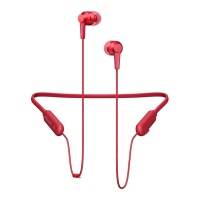
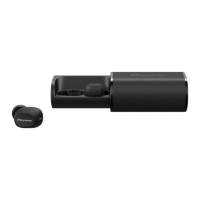
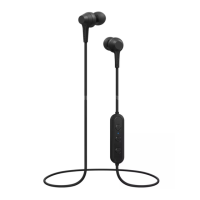
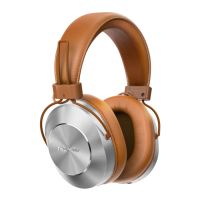
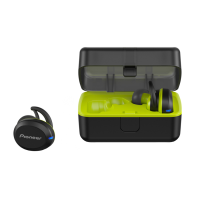
The Pioneer SE-E8TW are wireless stereo headphones designed for music enjoyment and hands-free communication. They utilize Bluetooth technology for connectivity and come with a charging case for portability and extended use.
Function Description
The SE-E8TW headphones offer wireless music playback from Bluetooth-enabled devices such as smartphones, cell phones, and digital music players. They support the A2DP profile for high-quality audio transmission. Users can control music playback (play, stop, forward, reverse) directly from the headphones, provided the connected device supports the AVRCP profile.
In addition to music, the headphones facilitate hands-free communication, even when the Bluetooth telephone is stored in a bag or briefcase. This feature relies on the HSP or HFP profiles. Users can answer, end, or refuse calls using the multi-function button on the left earphone.
The headphones also integrate with voice assistant functions, specifically Google Assistant for Android devices and Siri for iPhones. By pressing the left multi-function button three times, users can activate their device's voice assistant and issue commands via the earphone microphones.
Important Technical Specifications
- Transmission Format: Bluetooth Standard Protocol Ver. 4.2
- Output: Bluetooth Standard Protocol Power Class 2
- Maximum Transmission Distance: Approximately 10 meters line of sight (actual distance may vary)
- Frequency Used: 2.4 GHz (2.4000 GHz to 2.4835 GHz)
- Modulation: FHSS
- Supported Bluetooth Profiles: A2DP, AVRCP, HFP, HSP
- Supported CODEC: SBC, AAC
- Contents Protection: SCMS-T
- Battery Life (continuous use): Maximum 3 hours (including music-play time) for earphones
- Recharging Time: Approximately 1 hour for earphones, approximately 3.5 hours for charging case
- Power: DC 3.7 V internally rechargeable lithium-ion battery
- Weight: 6 g per earphone (L,R each), 49 g for charging case
- Headphone Type: Fully-enclosed dynamic headphones
- Driver Units: Ø6 mm
- Headphone Frequency Response: 20 Hz to 20,000 Hz
- Microphone Type: MEMS
- Microphone Directionality: Omni-directional microphone
- Microphone Frequency Response: 100 Hz to 10,000 Hz
Accessories Included:
- TYPE-C USB cable (1)
- Earphone tips (silicone) S, M, L x 2 each
- Ambient awareness earphone tips (silicone) S, M, L x 2 each
- Secure ear fins (silicone) S, M, L x 2 each
- Warranty (U.S.A. and Canada / Japan) (1)
- Quick Start Guide (1)
- Safety Guide (1)
Usage Features
Pairing:
Before initial use, the headphones must be paired with a Bluetooth device.
- Remove both earphones from the charging case.
- Press the left multi-function button until the LED flashes blue and red alternately (pairing mode).
- Press the right multi-function button until the blue LED lights and then flashes three times. The right earphone will automatically pair with the left.
- Turn on Bluetooth on the device to be paired and search for "SE-E8TW".
- Confirm successful pairing on the Bluetooth device. The LED on the earphone will flash blue slowly.
If pairing is not completed within 10 minutes, the headphones will automatically power off. The headphones can record pairing information for up to 2 Bluetooth devices.
Connecting to a Bluetooth Device:
After pairing, turn on the power of each earphone. The blue LED will flash three times. Connection to the Bluetooth device may occur automatically.
Disconnecting from a Bluetooth Device:
Press the multi-function button on either the right or left unit until the red LED flashes three times to turn off the power. This will power off both units.
Music Controls (with AVRCP support):
- L side Multi-function button:
- Press once: Play/Pause
- Press twice: Advance to next track or chapter
- R side Multi-function button:
- Press once: Play/Pause
- Press twice: Return to beginning of track or chapter
Volume adjustment is done via the paired Bluetooth device.
Vocal Communication Controls (with AVRCP support):
- L side Multi-function button:
- Press once (when receiving a message): Enables conversation. Press once again to end conversation.
- Press and hold (when receiving a message): Refuse communication.
Volume adjustment is done via the paired Bluetooth device.
Ambient Awareness Earphone Tips:
This product includes special earphone tips designed to make it easier to hear ambient sounds, allowing users to enjoy music while remaining aware of their surroundings, particularly useful during sports. Users should still maintain a volume level that allows them to hear ambient sounds for safety.
Secure Ear Fins:
The headphones come with secure ear fins (S, M, L) to ensure a comfortable and stable fit. Users should select the size that matches their ears and attach them according to the L and R indications on the headphones. Incorrect attachment may result in a poor fit or detachment.
LED Indicators:
- Earphone Units:
- Not connected to Bluetooth: Blue LED flashes once every second.
- Pairing mode: Blue and red LEDs alternately flash.
- Connected to Bluetooth: Blue LED flashes once every three seconds.
- During recharging: Red LED lights.
- Charging Case:
- During recharging: White LEDs flash once every second.
- Fully charged (100%): 4 white LEDs lit.
- Remaining battery power (approx. 75%): 3 white LEDs lit.
- Remaining battery power (approx. 50%): 2 white LEDs lit.
- Remaining battery power (approx. 25%): 1 white LED lit.
Checking Remaining Battery Power (Charging Case):
Gently tap the charging case to turn on its LEDs and check the remaining battery power.
Maintenance Features
Charging the Batteries:
The unit's battery must be recharged before use using the accessory TYPE-C USB cable.
- Place the left and right earphones into the charging case. Red LEDs on the units will light, indicating charging has begun and power is off.
- Close the charging case and connect one end of the TYPE-C USB cable to the charging case and the other end to a USB port on a PC.
- White LEDs on the charging case will flash, indicating charging of the case has begun.
Charging of the charging case takes about 3.5 hours. Charging of the earphones takes about 1 hour.
When the earphone battery is low, a beeping sound will be heard every 20 seconds, and the LED indicator will flash red.
Notes on Battery Charging:
- Battery recharging time and usable time vary with ambient temperature and frequency of use.
- Avoid placing metal objects near charging contacts to prevent shorts or abnormal heating.
- The device cannot be used during charging.
- Charge batteries within a temperature range of 5 to 35 degrees Celsius.
- Avoid overcharging; do not repeatedly charge fully charged batteries.
- Batteries may become slightly warm during charging, which is normal.
- Use only the accessory TYPE-C USB cable for recharging.
- Recharging may not be possible if the computer is in power-saving mode.
- Always confirm proper cable plug shape and orientation.
- Do not use tightly twisted or bundled TYPE-C USB cables to prevent fire or electric shock.
- For extended storage, charge the product for approximately one hour before storing it in a cool, dry place. Avoid hot or humid locations, as this can degrade the battery and shorten its usable life.
- If the charging case is opened during charging, the cord may be pulled, leading to damage. Disconnect the cord before opening the case.
Replacing Earphone Tips:
- Turn the earphone's skirt inside out.
- Press the mounting surface firmly onto the nozzle.
- Return the inside-out skirt to its original shape.
To remove, hold the earphone body securely and twist off the earphone tip.
Replacing Secure Ear Fins:
- Check the L and R indications on the headphones and ear fins.
- Insert the L-indicated fin into the left headphone and the R-indicated fin into the right headphone.
To remove, support the earphones, hold the ring parts, and remove the ear hooks and ear fins.
Troubleshooting:
The manual provides a comprehensive troubleshooting guide for common issues such as power failure, charging problems, pairing/connection issues, no sound, distorted sound, and voice assistant function problems, along with suggested remedies.


 To Next Page
 General