En
9
10. LED indicator
<Earphone units>
Operation LED indicator
When not connected to a
Bluetooth device
LED flashes blue once every second.
Pairing mode LED alternately flashes blue and red.
When connected to a Bluetooth
device
LED flashes blue once every three seconds.
During recharging LED lights red.
<Charging case>
Operation LED indicator
During recharging LED flashes white once every second.
Fully charged (remaining battery
power: 100%)
4 white LEDs are lit.
Remaining battery power: About
75%
3 white LEDs are lit.
Remaining battery power: About
50%
2 white LEDs are lit.
Remaining battery power: About
25%
One white LED is lit.
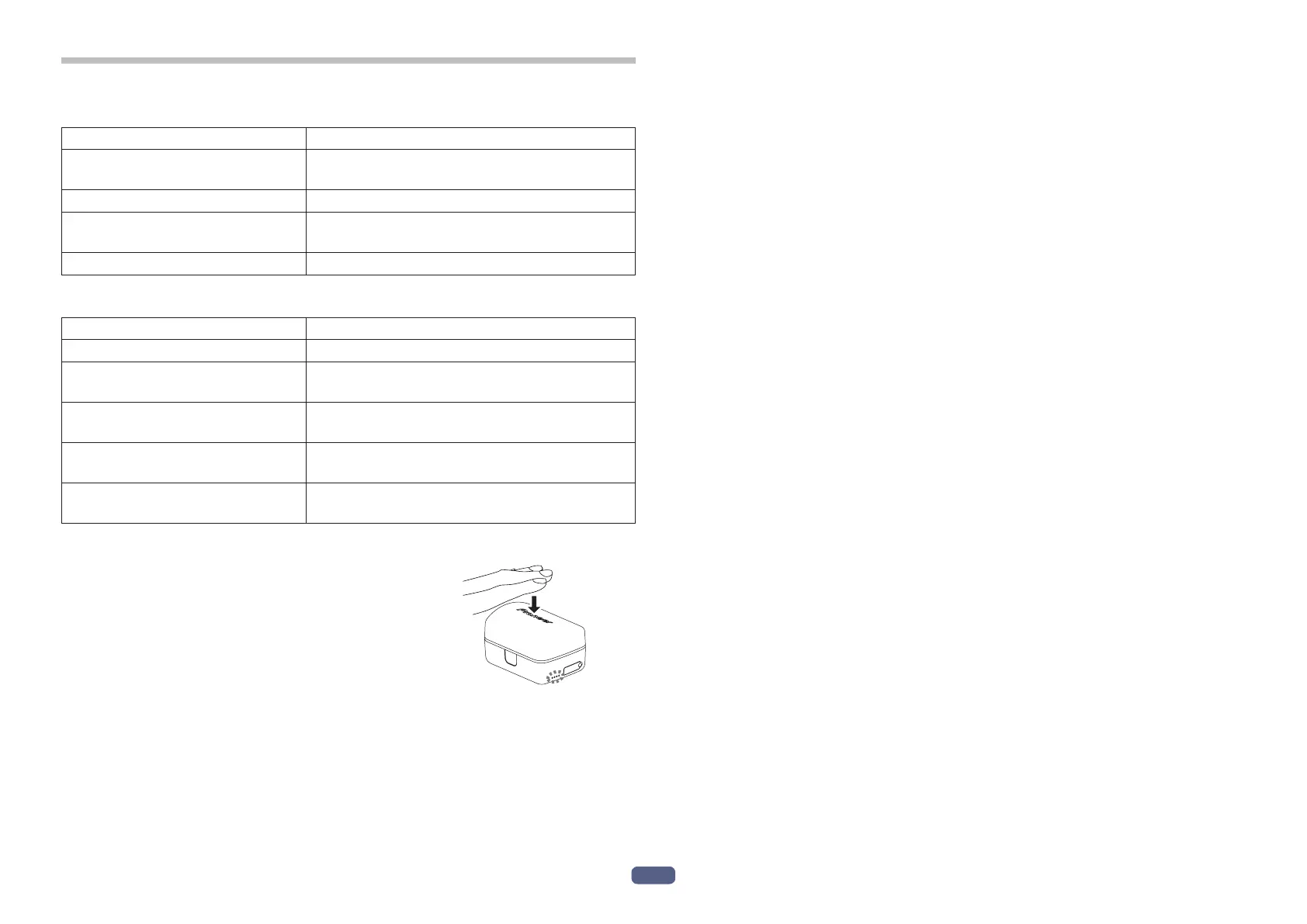
<Checking the remaining battery power>
• You can check the remaining battery power
by gently tapping the charging case to turn on
the LEDs.
• Subjecting this product to strong forces or impacts may cause damage to
the exterior appearance, a loss of performance, or a malfunction or internal
damage.
• If the LEDs do not light, charge the batteries because there is no remaining
battery power.
For the charging procedure, see P.4.



 To Next Page