En
2
Thank you for buying this Pioneer product. Please read through these operating
instructions so you will know how to operate your model properly.
Main Features
Wireless music enjoyment
• Wireless music enjoyment on Bluetooth devices (smart phones and other cell
phones, digital music players, etc.) *1
For operating details consult the user’s manual for the device to be connected.
• Allows control of play, stop, forward and reverse selection. *2
Hands-free communication
• Hands-free communication is possible even with the Bluetooth telephone placed
in your bag or briefcase. *3
*1 The corresponding Bluetooth device must support the A2DP profile.
*2 The corresponding Bluetooth device must support the AVRCP profile. Also,
remote control operation cannot be guaranteed for all devices.
*3 The corresponding Bluetooth device must support the HSP or HFP profile.
Bluetooth device : Smartphone
Bluetooth device : Smartphone
Bluetooth device :
Digital music player
Other digital music player +
Bluetooth audio transmitter
(available commercially)
+
Glossary
A2DP : High-quality musical contents transmission profile
HSP : Communication/cell-phone operation profile
HFP : Hands-free communication/cell-phone operation profile
AVRCP : AV components remote control profile
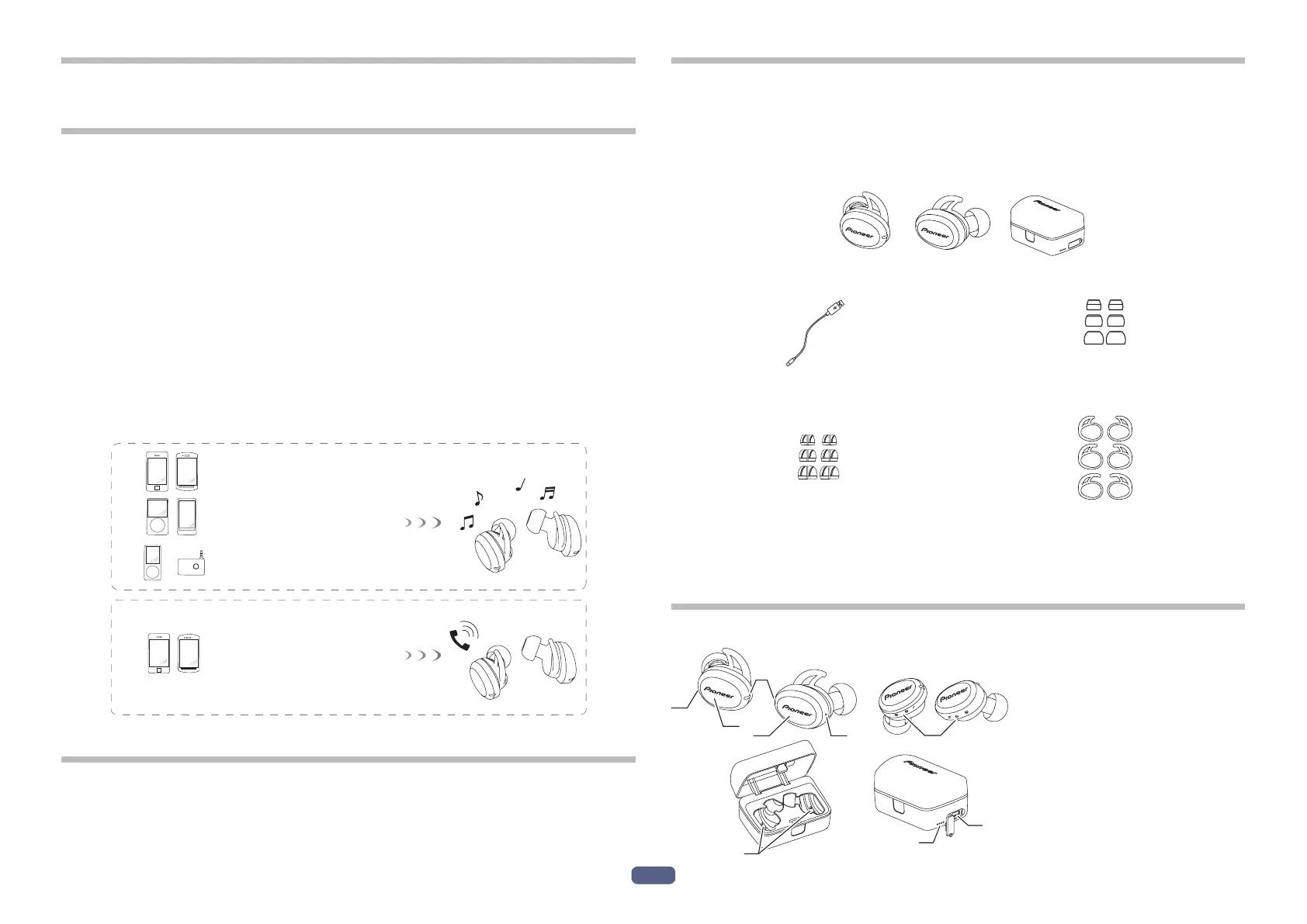
1. Set Contents
Confirm the presence of all parts and components before use.
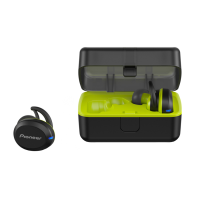
1 : Earphone L side (host unit)
2 : Earphone R side (sub unit)
3 : Charging case
4 : TYPE-C USB cable
5 : Earphone tips S, M, L × 2 each
6 : Ambient awareness earphone tips
S, M, L × 2 each
7 : Secure ear fins S, M, L × 2 each
8 : Warranty (U.S.A. and Canada / Japan)
9 : Quick Start Guide
10 : Safety Guide
2. Names of Parts
L
R
1
4
7
5
2
3
4
6
8
1 : L side Multi-function button
2 : R side Multi-function button
3 : LED indicators of units
4 : Microphone
5 : Charging terminals of units
6 : Charging terminals of
charging case
7 : TYPE-C USB port
8 : Charging case LED
indicators


 To Next Page