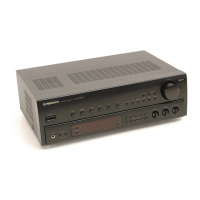
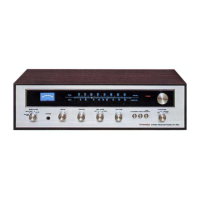
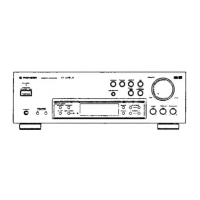
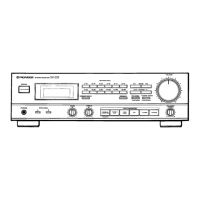
The Pioneer SX-403RDS, SX-303RDS, and SX-203RDS are stereo receivers designed for audio enthusiasts, offering a range of features for radio reception, audio playback, and recording. These models are equipped with RDS (Radio Data System) capabilities, allowing for enhanced FM broadcast reception with additional information displays.
Function Description:
The primary function of these receivers is to act as a central hub for various audio components, including turntables, CD players, LD players, and cassette decks/VCRs. They feature an integrated tuner for FM/AM broadcasts, an amplifier for driving speakers, and various input/output jacks for connecting external devices.
RDS (Radio Data System) Broadcast Reception:
The receivers are equipped with RDS, which allows them to receive and display additional information transmitted by FM broadcast stations. This includes:
- RT (Radio Text) data: A message of up to 64 characters transmitted from the broadcast station.
- PS (Program Service Name) data: The broadcast station name.
- PTY (Program Type) data: Indicates the type of program being broadcast (e.g., News, Sport, Music). The receivers can display 15 PTY data titles, including News, Current Affairs, Information, Sport, Education, Drama, Culture, Science, Varied, Pop, Rock, M.O.R., Light Classics, Serious Classics, and Other Music.
- Program Type Search: Users can search for FM broadcasts of a desired program type.
Tuner Features:
- Random 30-stations Presetting: A total of 30 FM and AM stations can be preset into the memory circuit for quick access.
- Built-in attenuator (RF ATT): Can be switched on or off for proper reception of strong broadcast stations, reducing sound distortion. This setting is preset for each station in station memory.
- Manual/Auto Tuning: Allows users to manually tune to desired frequencies or use auto-tuning to search for broadcasting stations. High-speed manual tuning is also available.
- Direct Access Tuning: Enables direct input of the desired reception frequency using ten-key number buttons.
- Memory Scan: Scans preset broadcast stations for several seconds in order of their STATION CALL numbers.
- MPX MODE selector: Allows selection between auto stereo mode and monaural mode for FM broadcasts. Monaural mode can reduce noise when receiving distant or weak signals.
- Station Name Memory: Up to four characters can be memorized for preferred broadcast station names for each of the 30 preset AM/FM channels. This memorized name takes priority over PS data.
Amplifier Features:
- LOUDNESS button: Boosts low and high frequencies at low volume levels for a fuller sound. This feature does not operate when the DIRECT button is ON.
- DIRECT button (SX-403RDS only): Bypasses various frequency adjusting circuits (TREBLE, BASS, and LOUDNESS) for a pure output from the input terminal. When active, the BALANCE control does not operate.
- Tone Controls: Separate BASS and TREBLE tone controls allow adjustment of low and high frequencies. These controls do not operate when the DIRECT button is ON (SX-403RDS only).
- BALANCE control: Adjusts the balance of sound between left and right speakers. This control does not operate when the DIRECT button is ON (SX-403RDS only).
- Speaker Selection: Allows selection of speaker systems A, B, or both. Headphones can also be used by setting both speaker switches to OFF.
Connectivity:
- FM/AM Antenna terminals: For connecting FM T-type and AM loop antennas. External outdoor antennas can also be connected for improved reception.
- Input Jacks: PHONO (for turntables), CD, LD, TAPE 1/VCR, and TAPE 2 MONITOR (for cassette decks/VCRs).
- GND terminal: For connecting the ground lead of a turntable, recommended for reducing noise.
- CONTROL OUT jacks (SX-403RDS and SX-303RDS only): For connecting to other Pioneer components bearing the "SR" mark, enabling remote control of these components via the receiver's remote control unit.
- SPEAKERS terminals: For connecting speaker systems A and B.
- AC INLET: For connecting the power cord.
- PHONES jack: For connecting headphones.
Usage Features:
- Remote Control Unit: (Except for SX-203RDS) Allows remote operation of the receiver and some functions of Pioneer "SR" marked CD players and cassette decks. The remote control has a range of about 7 meters and an angle of up to 30 degrees.
- Sleep Timer: Activates a sleep timer that automatically turns off the power after a set time (90, 60, 30 minutes, or OFF). During sleep timer operation, "SLEEP" is displayed, and the display brightness is reduced by half.
Important Technical Specifications:
Amplifier Section:
- Continuous Power Output (DIN, 1 kHz, T.H.D. 1%, 4 Ω):
- SX-403RDS: 85 W + 85 W
- SX-303RDS: 60 W + 60 W
- SX-203RDS: 40 W + 40 W
- Continuous Power Output (both channel driven, 20 Hz - 20 kHz, T.H.D. 0.07%, 8 Ω):*
- Continuous Power Output (both channel driven, 40 Hz - 20 kHz, T.H.D. 0.09%, 8 Ω):*
- SX-303RDS: 50 W + 50 W
- SX-203RDS: 35 W + 35 W
- Dynamic power output (with EIA test signal):
- SX-403RDS (2/4/8 Ω): 120 W/110 W/80 W
- SX-303RDS (4/8 Ω): 90 W/70 W
- SX-203RDS (4/8 Ω): 60 W/50 W
- Input (Sensitivity/Impedance):
- PHONO: 2.5 mV/47 kΩ
- CD, LD, TAPE 1/VCR, TAPE 2: 200 mV/22 kΩ
- Phono Overload Level (T.H.D. 0.1%, 1 kHz):
- Output (Level/Impedance):
- TAPE 1/VCR REC, TAPE 2 REC MONITOR: 200 mV/2.2 kΩ
- Frequency Response:
- PHONO (RIAA Equalization): 20 Hz to 20,000 Hz ±0.5 dB
- CD, LD, TAPE 1/VCR, TAPE 2: 10 Hz to 70,000 Hz ±3 dB
- Signal-to-Noise Ratio (IHF, short circuited, A network):
- SX-403RDS PHONO MM: 81 dB
- SX-303RDS/SX-203RDS PHONO: 72 dB
- SX-403RDS CD, LD, TAPE 1/VCR, TAPE 2 (DIRECT ON): 105 dB
- TAPE 2 (DIRECT OFF): 100 dB
- SX-303RDS/SX-203RDS CD, LD, TAPE 1/VCR, TAPE 2: 96 dB
- Tone control:
- BASS: ±10 dB (100 Hz)
- TREBLE: ±10 dB (10 kHz)
- LOUDNESS: +6 dB (100 Hz at -40dB), +4 dB (10 kHz at -40dB)
FM Tuner Section:
- Frequency range: 87.5 MHz to 108 MHz
- Usable Sensitivity (IHF): 14.2 dBf (1.4 µV/75 Ω)
- Sensitivity (DIN):
- MONO: 1.0 µV/75 Ω
- STEREO: 50 µV/75 Ω
- Signal-to-Noise Ratio (at 80 dBf):
- MONO: 74 dB
- STEREO: 72 dB
- Signal-to-Noise Ratio (DIN):
- MONO: 60 dB
- STEREO: 58 dB
- Distortion (STEREO, 1 kHz): 0.6%
- Alternate Channel Selectivity (400 kHz): 65 dB
- Stereo Separation (1 kHz): 40 dB
- Frequency Response: 30 Hz to 15 kHz (±1dB)
- Antenna Input: 75 Ω unbalanced
AM Tuner Section:
- Frequency range: 531 kHz to 1,602 kHz
- Sensitivity (IHF, Loop antenna): 350 µV/m
- Selectivity: 25 dB
- Signal-to-Noise Ratio: 45 dB
- Antenna: AM Loop Antenna
Miscellaneous:
- Power Requirements: a.c. 240 Volts, 50/60 Hz
- Power Consumption:
- SX-403RDS: 460 W
- SX-303RDS: 290 W
- SX-203RDS: 190 W
- Dimensions (W x H x D): 420 x 140 x 297.5 mm
- Weight (without package):
- SX-403RDS: 6.8 kg
- SX-303RDS: 5.6 kg
- SX-203RDS: 4.9 kg
- Furnished Parts: FM Antenna (1), AM Loop Antenna (1), Remote control unit (1, except for SX-203RDS), Dry cell batteries (2, except for SX-203RDS), Power cord (1), Operating Instructions (1).
Maintenance Features:
-
External Surfaces:
- Dust and dirt should be wiped off with a polishing cloth or dry cloth.
- For very dirty surfaces, use a soft cloth dipped in a neutral cleanser diluted five or six times with water, wrung out well, and then wipe again with a dry cloth.
- Avoid using furniture wax, cleaners, thinners, benzine, insecticide sprays, or other chemicals on or near the unit, as these can corrode the surfaces.
-
Power Cord:
- Handle the power cord by the plug; do not pull by tugging the cord.
- Never touch the power cord with wet hands.
- Do not place the unit, furniture, etc., on the power cord, or pinch it.
- Avoid knotting the cord or tying it with other cords.
- Route power cords to prevent them from being stepped on.
- Regularly check the power cord for damage; if damaged, consult a PIONEER authorized service center or dealer for replacement.
-
Installation:
- Install the receiver in a well-ventilated location to avoid high temperatures or humidity.
- Avoid direct sunlight, hot appliances, or radiators, as excessive heat can affect the cabinet and internal components.
- Avoid damp or dusty environments to prevent malfunction or accident.
- Do not install near cookers or areas exposed to oil smoke, steam, or heat.
-
Troubleshooting:
- The manual provides a troubleshooting guide for common issues like no power, no sound, noise during AM reception, high noise level, and remote control malfunction.
- It suggests checking connections, volume levels, antenna orientation, and battery status.
- In cases of abnormal functioning due to lightning, static electricity, or other external interference, users are advised to turn the power off and then on again, or unplug and re-plug the AC power cord. If issues persist, refer to a qualified service personnel.

 Need help?
 General

 To Next Page