EasyManua.ls Logo

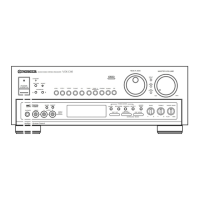
Pioneer VSX-D3S - User Manual

Pioneer VSX-D3S
40 pages
Print Icon
To Next Page IconTo Next Page
Loading...
Operating
Instructions
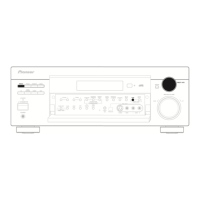
AUDIO/VIDEO STEREO RECEIVER
N∫m¿Û≤∫
DEMO MODE
The demonstration mode is activated by turning on the
power switch while holding down the RETURN button
(from power standby condition). The demonstration will
appear on the display.
Press any button to cancel the demonstration. Activating
the demonstration mode causes memory contents to return
to their original default condition, except the tuner.
U.S. and Canadian models NTSC
Multi-voltage model NTSC/PAL
WARNING: TO PREVENT FIRE OR SHOCK HAZARD, DO
NOT EXPOSE THIS APPLIANCE TO RAIN OR MOISTURE.
RETURN function
This function returns the unit to its initial settings with the
tuner ready to receive a broadcast. This is helpful during
troubleshooting or when no sound is output. For details,
refer to page 13.
RESET function
Set the MASTER VOLUME to minimum before pressing the
RESET button.
Use this function when normal operation is not possible due
to external influences such as static electricity or lightning, or
when operations are not functioning even when the operation
switches are pressed. Press the RESET button to return to
normal operating conditions.
Thank you for buying this Pioneer product.
Please read through these operating instructions so you will
know how to operate your model properly. After you have
finished reading the instructions, put them away in a safe place
for future reference.
In some countries or regions, the shape of the power plug and
power outlet may sometimes differ from that shown in the
explanatory drawings. However, the method of connecting and
operating the unit is the same.
IMPORTANT NOTICE
[For U.S. and Canadian models]
The serial number for this equipment is located on the rear
panel. Please write this serial number on your enclosed warranty
card and keep it in a secure area. This is for your security.
[For Canadian model]
CAUTION: TO PREVENT ELECTRIC SHOCK DO NOT USE
THIS (POLARIZED) PLUG WITH AN EXTENSION CORD,
RECEPTACLE OR OTHER OUTLET UNLESS THE BLADES CAN BE
FULLY INSERTED TO PREVENT BLADE EXPOSURE.
ATTENTION: POUR PREVENIR LES CHOCS ELECTRIQUES
NE PAS UTILISER CETTE FICHE POLARISEE AVEC UN
PROLONGATEUR, UNE PRISE DE COURANT OU UNE AUTRE
SORTIE DE COURANT, SAUF SI LES LAMES PEUVENT ETRE
INSEREES A FOND SANS EN LAISSER AUCUNE PARTIE A
DECOUVERT.
AUDIO/VIDEO STEREO RECEIVER
N∫m¿Û≤∫
POWER
STANDBY/ON
RETURN
SPEAKERS
A
B
TAPE 2
MONITOR
PHONO
TUNER
LD CD
SURROUND MODE
MASTER VOLUME
SUPER BASS
TREBLEBASS
MEMORY
SELECT
FM/AM
MPX MODE
GUI
MODE
AUDIOL
R
VIDEO
PHONES
FLAT
MAX
VIDEO
INPUT
TV/SAT
VIDEO
VCR 1
VCR 2
TAPE 1
AC-3
STANDBY
RESET
INPUT
ATT
GUI
ENTER
MIN
MAX
MULTI-JOG
DSP OFF
TUNING MODE
SLEEP
DIRECT
DOLBY SURROUND
Intelligent System Control
DOLBY
PRO-LOGIC
DSP MODE
SUPER
BASS
+–+
AC-3 PRO • LOGIC
SR

Questions and Answers

Summary

INSTALLATION

Setting Switches and Precautions

Configure voltage/signal settings and follow safety guidelines for placement.

CONNECTIONS

System Connectivity Overview

Connect antennas, audio/video components, speakers, and IR repeaters.

FRONT PANEL FACILITIES

Controls and Display Overview

Familiarize yourself with front panel buttons, knobs, and display indicators.

OPERATING THE TUNER

Tuning and Presetting Stations

Learn to tune stations, select FM modes, and store favorite stations.

OPERATING AUDIO;VIDEO COMPONENTS & RECORDING

Playback, Recording, and Video Operations

Select and play sources, record audio/video, and manage video signals.

REMOTE CONTROL & GUI OPERATION

Remote Control Basics and Operation

Install batteries, understand range, and operate the remote.

Using the Graphical User Interface (GUI)

Utilize the TV screen interface for system control and advanced operations.

ADVANCED AUDIO SETTINGS

Sound Edit and Speaker Mode Configuration

Adjust surround effects, levels, and optimize sound based on speaker setup.

TROUBLESHOOTING

Common Issues and Solutions

Diagnose and resolve problems with power, sound, picture, and remote control.

APPENDICES

Specifications and Surround Effect Modes

Review technical specs and understand various surround sound technologies.

Summary

INSTALLATION

Setting Switches and Precautions

Configure voltage/signal settings and follow safety guidelines for placement.

CONNECTIONS

System Connectivity Overview

Connect antennas, audio/video components, speakers, and IR repeaters.

FRONT PANEL FACILITIES

Controls and Display Overview

Familiarize yourself with front panel buttons, knobs, and display indicators.

OPERATING THE TUNER

Tuning and Presetting Stations

Learn to tune stations, select FM modes, and store favorite stations.

OPERATING AUDIO;VIDEO COMPONENTS & RECORDING

Playback, Recording, and Video Operations

Select and play sources, record audio/video, and manage video signals.

REMOTE CONTROL & GUI OPERATION

Remote Control Basics and Operation

Install batteries, understand range, and operate the remote.

Using the Graphical User Interface (GUI)

Utilize the TV screen interface for system control and advanced operations.

ADVANCED AUDIO SETTINGS

Sound Edit and Speaker Mode Configuration

Adjust surround effects, levels, and optimize sound based on speaker setup.

TROUBLESHOOTING

Common Issues and Solutions

Diagnose and resolve problems with power, sound, picture, and remote control.

APPENDICES

Specifications and Surround Effect Modes

Review technical specs and understand various surround sound technologies.

Pioneer VSX-D3S Specifications

General IconGeneral
Channels5.1
Input Sensitivity200 mV
Signal-to-Noise Ratio100 dB
Input Impedance47 kOhms
Speaker Load Impedance8 ohms
Video Connectionscomposite
OutputPre-out
Power Output100 Watts per channel (8 ohms)

Related product manuals