Need help?
Do you have a question about the Pioneer XC-HM81-K and is the answer not in the manual?
Warnings about electric shock, ventilation, and proper usage to prevent hazards.
Precautions for operating environment, moisture, heat, and radio wave interference.
Instructions on handling the power cord safely to prevent shock or fire hazards.
Explains how condensation can affect operation and how to resolve it.
Introduces the system, checks box contents, and provides battery loading instructions.
Details the optimal range and conditions for effective remote control operation.
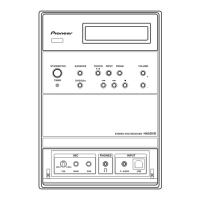
Identifies and explains the controls and indicators located on the receiver's front panel.
Explains the various elements shown on the receiver's display screen.
Buttons for playback, input selection, and basic receiver functions.
Buttons to adjust volume, mute, bass, treble, and equalizer settings.
Instructions for connecting AM/FM antennas and WLAN for optimal reception.
Guides for connecting speakers and safety precautions for terminals.
Instructions for connecting a TV or external subwoofer.
How to connect and play music from USB storage devices.
Connecting to a network via LAN or WLAN for audio playback and internet radio.
Guides through initial setup, clock setting, and timer configuration.
How to use sleep timer, adjust volume, and connect headphones.
Explains changing input sources and network modes.
Controls for volume, muting, bass, treble, and equalizer settings.
Lists supported devices and connection methods to the receiver.
Steps to play audio and view images from connected devices.
Guides for connecting and pairing Bluetooth devices.
Procedures for playing music from Bluetooth devices and using Air Jam.
Steps for inserting, playing, and searching tracks on discs.
How to use repeat, shuffle, and programmed playback features for discs.
Explains folder structure and selection for MP3/WMA files.
How to navigate and select folders when folder mode is active.
Steps to select USB input and play audio files.
How to tune into and manage internet radio stations.
How to add desired stations to the Favorites list.
How to register stations not on the vTuner list.
Guides for setting up wired or wireless network connections.
Instructions for connecting using WPS Push Button or PIN Input.
Steps for network setup using a web browser on a computer.
How to set friendly name and parental lock for network features.
How to connect to a LAN and play audio files from computers.
Steps to select and play music files from network servers.
How to tune FM/AM stations using automatic or manual methods.
How to memorize and recall radio stations.
How to adjust noise cut modes for AM radio reception.
How to search for programs by type and display RDS data.
Solutions for common operational issues and malfunctions.
Troubleshooting steps for playback problems, skipping, or disc ejection.
Solutions for USB device recognition and connection problems.
Solutions for network connectivity and audio playback issues.
Procedure to update receiver software using a USB drive.
Alternative method to update firmware using Safari browser.
Steps to reset all receiver settings to factory defaults.
Guidelines for safely moving and installing the receiver.
Instructions for cleaning the unit and handling discs.
Overview of technologies used for network playback like Internet Radio.
Information on file format support and network-related playback problems.
Explains potential interference sources and operating range limitations.
Lists supported audio file formats for USB and Network functions.
Technical specifications for amplifier, tuner, video, and network sections.
Specifications for speakers and lists of included accessories.
 General
| Speaker Impedance | 4 - 16 ohms |
|---|---|
| Wi-Fi | Yes |
| Bluetooth | Yes |
| AirPlay | Yes |
| DLNA | Yes |
| Internet Radio | Yes |
| USB | Yes |
| CD Player | Yes |
| FM Tuner | Yes |
| Ethernet | Yes |
| Power Output | 50W per channel (4 ohms, 1 kHz, 10% THD) |
| DAC | 24-bit/192 kHz |
| Audio Inputs | Analog, Digital |
| Audio Outputs | Analog, Digital |
| Speaker Outputs | 2 |


 To Next Page