EasyManua.ls Logo

Piper ARCHER II - VERTICAL NAVIGATION (VNAV)

Piper ARCHER II
286 pages
Print Icon
To Next Page IconTo Next Page
To Previous Page IconTo Previous Page
Loading...
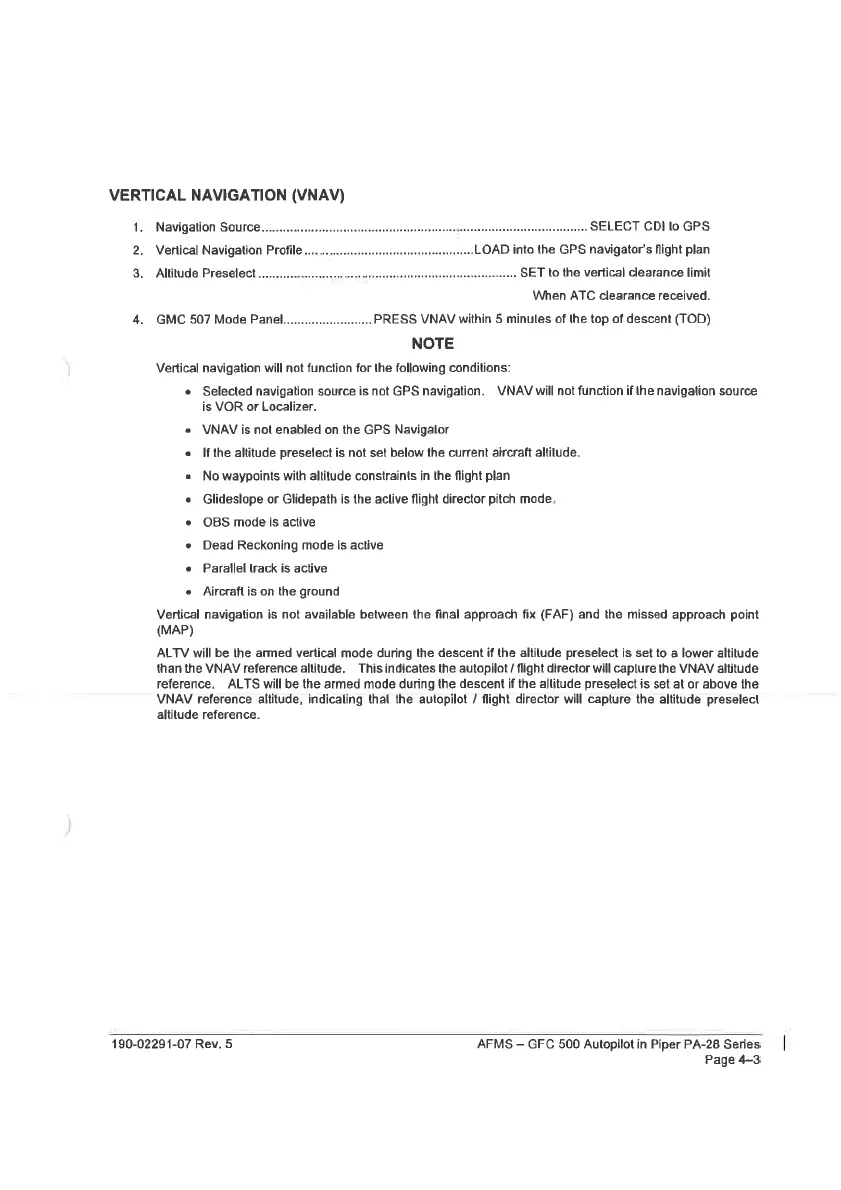
VERTICAL
NAVIGATION
(VNAV)
1.
Navigation
Source
SELECT
CDI
lo
GPS
2.
Vertical
Navigation
Profile
................:seseesesereeteesereesss
LOAD
inta
the
GPS
navigator’s
flight
plan
3.
Altitude
Preselect
SET
to
the
vertical
clearance
limit
When
ATC
clearance
received.
4.
GMC
507
Mode
Panoel...................0.0.
PRESS
VNAV
within
5
minules
of
the
top
of
descent
(TOD)
NOTE
Vertical
navigation
will
not
function
for
the
following
conditions:
Selected
navigation
source
is
not
GPS
navigation.
VNAV
will
not
function
if
the
navigation
source
is
VOR
or
Localizer.
VINAV
is
not
enabled
on
the
GPS
Navigalor
If
the
altitude
preselect
is
not
set
below
the
current
aircraft
altilude.
No
waypoints
with
altitude
constraints
in
the
flight
plan
Glideslope
or
Glidepath
is
the
active
flight
director
pitch
made,
OBS
mode
is
active
Dead
Reckoning
mode
is
active
Parallel
track
is
active
Aircraft
is
on
the
ground
Vertical
navigation
is
not
available
between
the
final
approach
fix
(FAF)
and
the
missed
approach
point
(MAP)
ALTV
will
be
the
armed
vertical
mode
during
the
descent
if
the
altitude
preselect
is
set
to
a
lower
altitude
than
the
VNAV
reference
altitude.
This
indicates
the
autopilot
/
flight
director
will
capture
the
VNAV
altitude
reference,
ALTS
will
be
the
armed
mode
during
the
descent
if
the
allitude
preselect
is
set
at
or
above
the
VNAV
reference
altitude,
indicaling
thal
the
autopilot
/
flight
director
will
capture
the
altitude
preselect
altitude
reference.
190-02291-07
Rev.
5
AFMS
GFC
500
Autopilot
in
Piper
PA-28
Series
Page
4~3

Table of Contents

Related product manuals