EasyManua.ls Logo

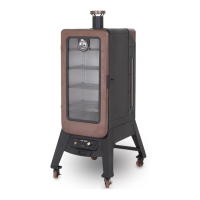
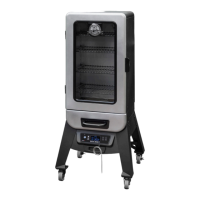
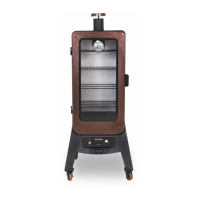
Pit Boss COPPERHEAD 3 Series - User Manual

Pit Boss COPPERHEAD 3 Series
32 pages
Print Icon
To Next Page IconTo Next Page
Loading...
 
   
WARNING: Please read the entire manual before installation and use of this electric, pellet fuel burning
appliance. Failure to follow these instructions could result in property damage, bodily injury or even death.
Contact local building or fire officials about restrictions and installation inspection requirements in your area.
ASSEMBLY AND OPERATION INSTRUCTIONS
COPPERHEAD
  
 3
SAVE THESE INSTRUCTIONS! MANUAL MUST BE READ
BEFORE OPERATING!
MODEL : PBV3PM1
PART : 77351

Questions and Answers

  • J
    Jeremy FloydAug 17, 2025
    What to do if my Pit Boss Smokers shows "ErH" error code?
    • A
      andersoncrystalAug 17, 2025
      If the Pit Boss smoker shows the "ErH" error code, it indicates that the smoker has overheated, possibly due to a grease fire or excess fuel. To resolve this, press and hold the Power Button to turn the unit off, and allow the smoker to cool. Then, follow the Care and Maintenance instructions. After maintenance, remove the pellets and confirm the positioning of all component parts. Once cooled, press the Power Button to turn the unit on, then select the desired temperature. If the error code is still displayed, contact Customer Service.
  • A
    Amy LopezAug 22, 2025
    What to do if my Pit Boss COPPERHEAD 3 Smokers shows "Er1" error code?
    • J
      Joseph DixonAug 22, 2025
      If the Pit Boss smoker shows the "Er1" error code, it indicates that the temperature probe wire is not making a connection. To fix this, access the electrical components on the base of the unit (see Electric Wire Diagram) and check for any damage to the Temperature Probe wires. Ensure the Temperature Probe spade connectors are firmly connected, and connected correctly, to the Control Board.
  • M
    Michael Wong DVMAug 26, 2025
    What to do if my Pit Boss COPPERHEAD 3 Smokers shows "noP" error code?
    • I
      Isaac CamachoAug 26, 2025
      If the Pit Boss smoker shows the "noP" error code, it could be due to a bad connection at the connection port. Disconnect the meat probe from the connection port on the Control Board and reconnect it, ensuring the meat probe adapter is firmly connected and checking for signs of damage to the adapter end. If the issue persists, the meat probe might be damaged, so check the wires for any signs of damage. If damaged, call Customer Service for a replacement part. A faulty control board can also cause this error, and in that case, the Control Board needs to be replaced. Contact Customer Service for a replacement part.
  • Z
    Zachary BennettAug 30, 2025
    Why is my Pit Boss Smokers producing excess or discolored smoke?
    • H
      hendersonlaceyAug 31, 2025
      If the Pit Boss smoker is producing excess or discolored smoke, it could be due to grease build-up, so you should follow the Care and Maintenance instructions. Another reason could be the wood pellet quality. Remove moist wood pellets from the hopper and follow the Care and Maintenance instructions to clean it out, then replace with dry wood pellets. Also, the burn pot might be blocked, so clear the burn pot of moist wood pellets and follow the Hopper Priming Procedure. Finally, ensure there is sufficient air intake for the fan by checking the fan, ensuring it is working properly and the air intake is not blocked, following the Care and Maintenance instructions if dirty.
  • M
    Matthew HernandezSep 2, 2025
    Why does my Pit Boss COPPERHEAD 3 Smokers have frequent flare-ups?
    • J
      Julie KimSep 2, 2025
      If the Pit Boss smoker is experiencing frequent flare-ups, it could be due to the cooking temperature being too high. Try cooking at a lower temperature, keeping it under 176°C / 350°F when cooking highly greasy food, as grease does have a flash point. Another cause could be grease build-up on the cooking components, so follow the Care and Maintenance instructions.
  • P
    Peter WatkinsSep 8, 2025
    What does it mean when my Pit Boss Smokers has flashing dots on LED screen?
    • J
      Jimmy RodriguezSep 8, 2025
      If the Pit Boss smoker displays flashing dots on the LED screen, this indicates that the unit has power and is in Start-Up mode with the igniter on. This is not an error. The igniter will turn off after five minutes, and once the flashing dots disappear, the unit will begin to adjust to the selected temperature.
  • C
    Catherine CrosbySep 13, 2025
    Why does the thermometer show temperature when my Pit Boss COPPERHEAD 3 is off?
    • J
      Jeffrey HillSep 13, 2025
      If the thermometer on your Pit Boss smoker shows a temperature when the unit is off, it will not harm the smoker. The internal temperature of the main cabinet has ambiently reached or exceeded 54°C / 130°F. To resolve this, move the smoker into a shaded area and prop the cabinet door open to reduce the internal temperature.
  • R
    Rebecca JonesNov 19, 2025
    What to do if fire in burn pot will not light in my Pit Boss COPPERHEAD 3?
    • L
      Lindsay OliverNov 19, 2025
      If the Pit Boss smoker's fire in the burn pot will not light, it could be due to a few reasons. First, the auger may not be primed. Before the unit is used for the first time or anytime the hopper is completely emptied out, the auger must be primed to allow pellets to fill the burn pot. If not primed, the igniter will timeout before the pellets ignite. Follow the Hopper Priming Procedure. Another cause could be a jammed auger motor. Remove cooking components from the main smoke cabinet. Press the Power Button to turn the unit on, turn Temperature Control Dial to SMOKE, and inspect the auger feed system. Visually confirm that the auger is dropping pellets into the burn pot. If not operating properly, call Customer Service for assistance or a replacement part. Lastly, it could be an igniter ...
  • C
    Christian VelazquezNov 27, 2025
    Why my Pit Boss COPPERHEAD 3 will not achieve or maintain stable temperature?
    • K
      Kelly PetersonNov 27, 2025
      If the Pit Boss smoker won't achieve or maintain a stable temperature, there are several potential causes. First, check the burn pot for ash build-up or obstructions and ensure proper fan operation and air intake. Also, check the auger motor to confirm operation and ensure there is no blockage in the auger tube. Once all the above steps have been done, start the smoker, set temperature to SMOKE and wait for 10 minutes. Check that the flame produced is bright and vibrant. Another cause might be a lack of fuel, poor fuel quality, or an obstruction in the feed system. Check the hopper to ensure the fuel level is sufficient, and replenish if low. If the quality of wood pellets is poor, or the length of the pellets too long, this may cause an obstruction in the feed system. Remove pellets and f...

Summary

Smoker Assembly and Operation

Safety Information and Warnings

Essential safety guidelines, dangers, warnings, fuel handling, and hazard awareness.

Assembly Instructions

Step-by-step guide for preparing and assembling the smoker, from legs to cooking components.

Operating Instructions

Guidance on smoker environment, temperature ranges, control board, start-up, and shutdown procedures.

Maintenance, Fuel, and Techniques

Care and Maintenance

Procedures for cleaning and maintaining smoker parts like the hopper, probes, and interior surfaces.

Wood Pellet Fuel and Cooking Guidelines

Information on pellet fuels, flavors, and essential cooking guidelines for optimal results.

Troubleshooting and Technical Details

Tips, Techniques, and Troubleshooting

Expert advice on food safety, cooking preparation, smoking techniques, and solutions for common problems.

Electrical Wire Diagram

Provides the electrical schematic and requirements for the smoker unit.

Parts, Warranty, and Recipes

Parts and Warranty Information

Details on replacement parts, warranty conditions, exceptions, and customer service.

Accessories and Recipes

Information on available accessories and a collection of recipes for various dishes.

Pit Boss COPPERHEAD 3 Series Specifications

General IconGeneral
Fuel TypePellet
Number of Racks4
MaterialSteel
Power SourceElectric
Cooking Area721 sq. inches
Warranty5 years

Related product manuals