SV63136 Rev. A
3-33
Basic Operation • 3
Menu Item Associated Options and Actions
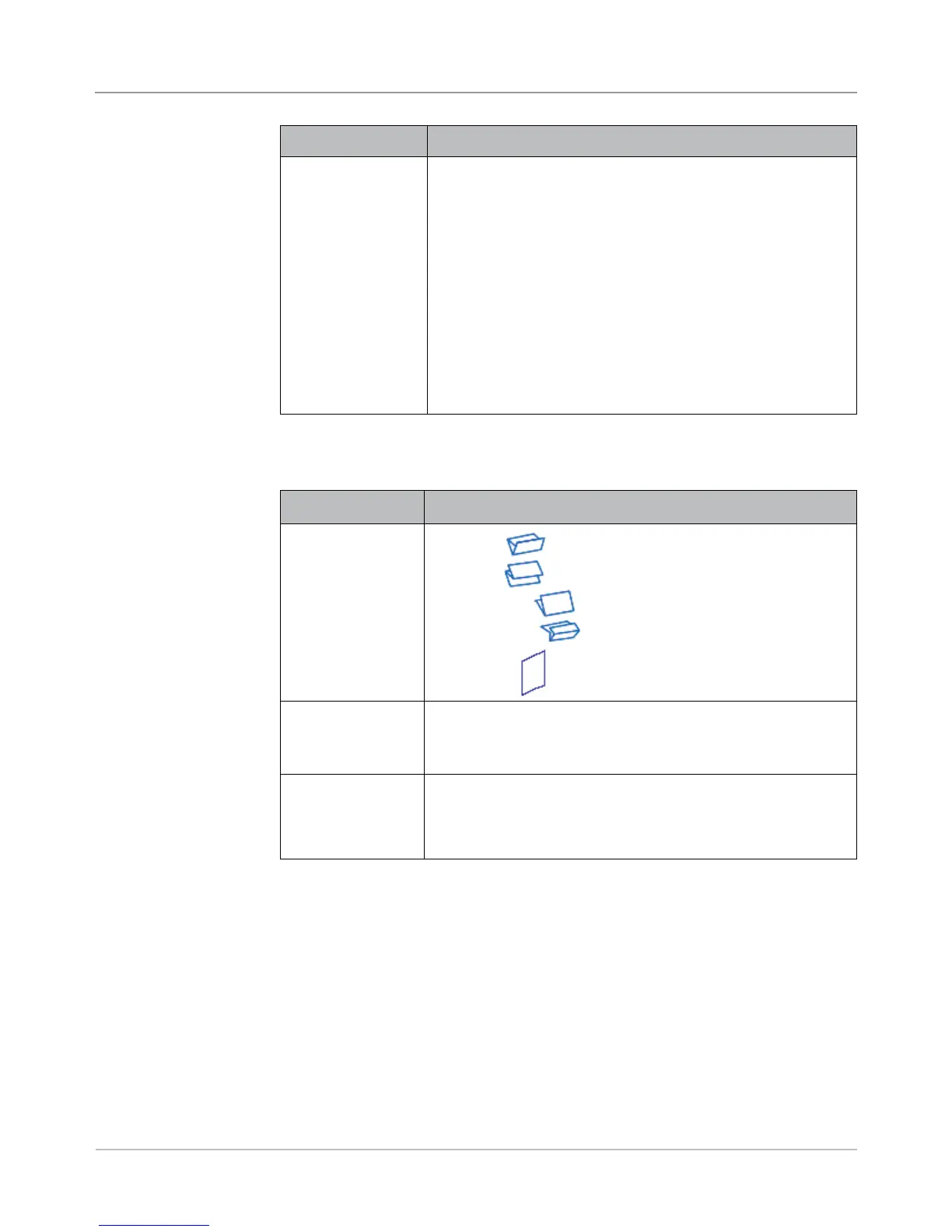
Fold Type refers
to the way sheets
are folded to be
able to show certain
portions through a
window, and/or when
a sheet is opened.
• C Fold
• Z Fold
• Single Fold
• Double Fold
• No Fold
Auto Fold Lengths
lets the system
choose the type of
fold.
Toggle:
• Yes means the system calculates the fold length, or
• No means you will enter the fold lengths you want.
Fold 1 Length
Fold 2 Length
Fold Length is shown on the display screen for each fold type/
address combination.
• Use the UP/DOWN Arrow Keys to select desired length.
• Press "Accept" when done.
Fold Options
Envelope
Options
(continued)
Menu Item Associated Options and Actions
Additional Settings
(continued)
Envelope Select Feed allows you to indicate when the envelope
should be used.
Toggle:
• Main
• Alternate
NOTE: This option is enabled only when the Scan feature is
activated, two Outer Envelopes have been defined in a job and
either one of the following:
• The Item Over Count Action is set to “Use Alternate Envelope”
on the control document in the job, OR
• An Envelope Select mark is contained in the scan
configuration file associated with the control document in the
job.



 To Next Page