Got questions? We’ve got answers! 6 Call 800-358-4983
Start Gate Setup
Note: You will need a small table or stable surface on which to
place the control box. This surface should be very close to the
track.
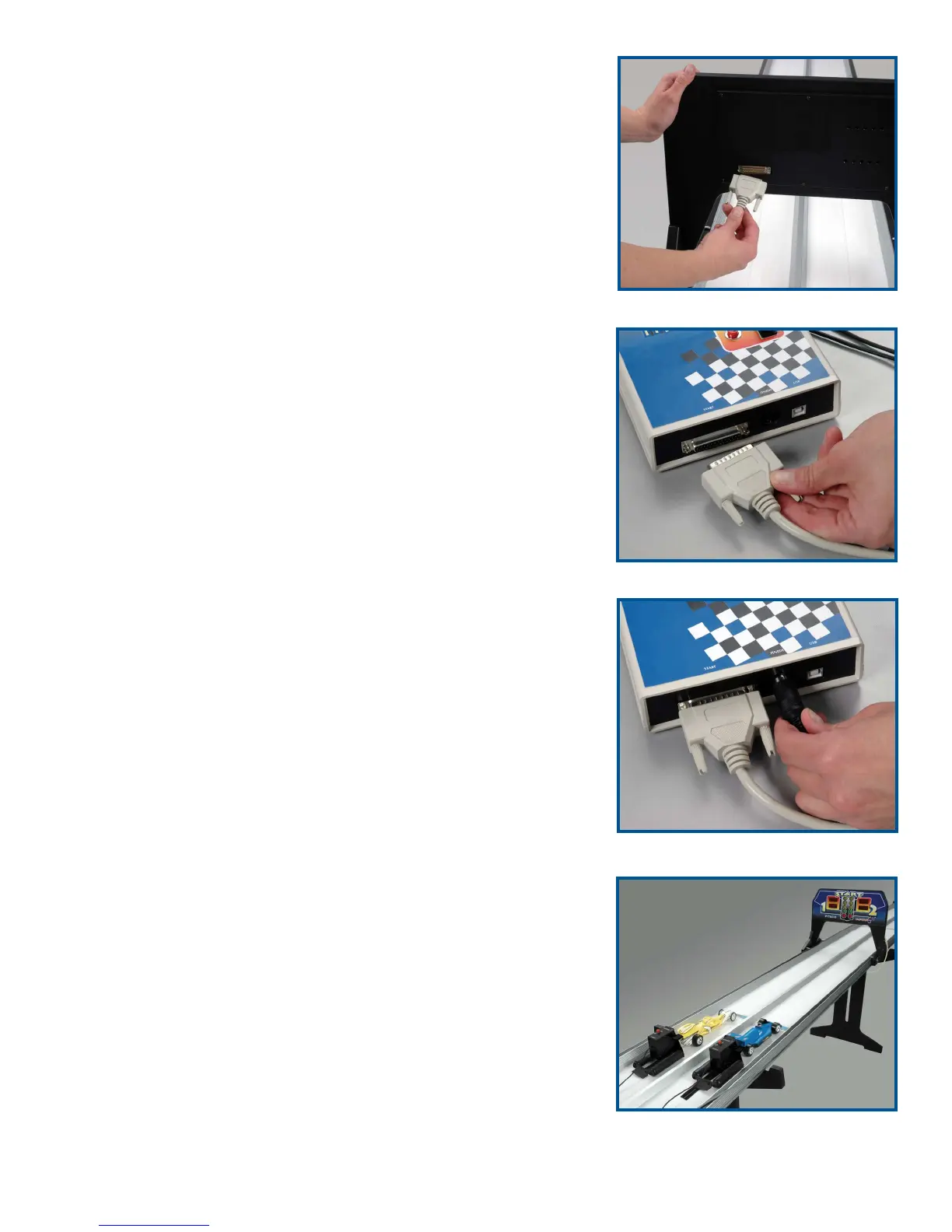
1. Plug the 25-pin, 10-foot cable into the port on the back of the
start gate (Figure 9).
2. Insert the other end of the 25-pin cable into the control box
where it is labeled “Start” (Figure 10).
3. Connect the end of the 70-foot cable to the Finish socket on
the control box (Figure 11). If you have set up a short track,
you may want to tie up the excess cable to avoid a tripping
hazard.
4. Plug the launch pod cords into the control box ports labeled
“Pod 1” and “Pod 2.” Set the launch pods in their respective
lanes behind the start line. When facing the front of the start
gate, the left side is Lane 1 and the right side is Lane 2
(Figure 12).
5. Connect the cord from one launch trigger to the control box
port labeled “Trigger 2.” Connect the other trigger cord to the
port labeled “Trigger 1.”
Note: One trigger is black and the
other is red, but it doesn’t matter which trigger is connected to
which port. The colors are just to help you keep track of which
lane each trigger is for.
6. Insert the 12-volt power supply cord into the jack labeled
“Power” on the front of the control box. Plug the power sup
-
ply into a standard AC outlet.
7. If connecting the Impulse GII system to a computer, do so
now by plugging the USB port from the computer into the
jack labeled “USB” on the control box.
Figure 12
Figure 11
Figure 10
Figure 9


 To Next Page