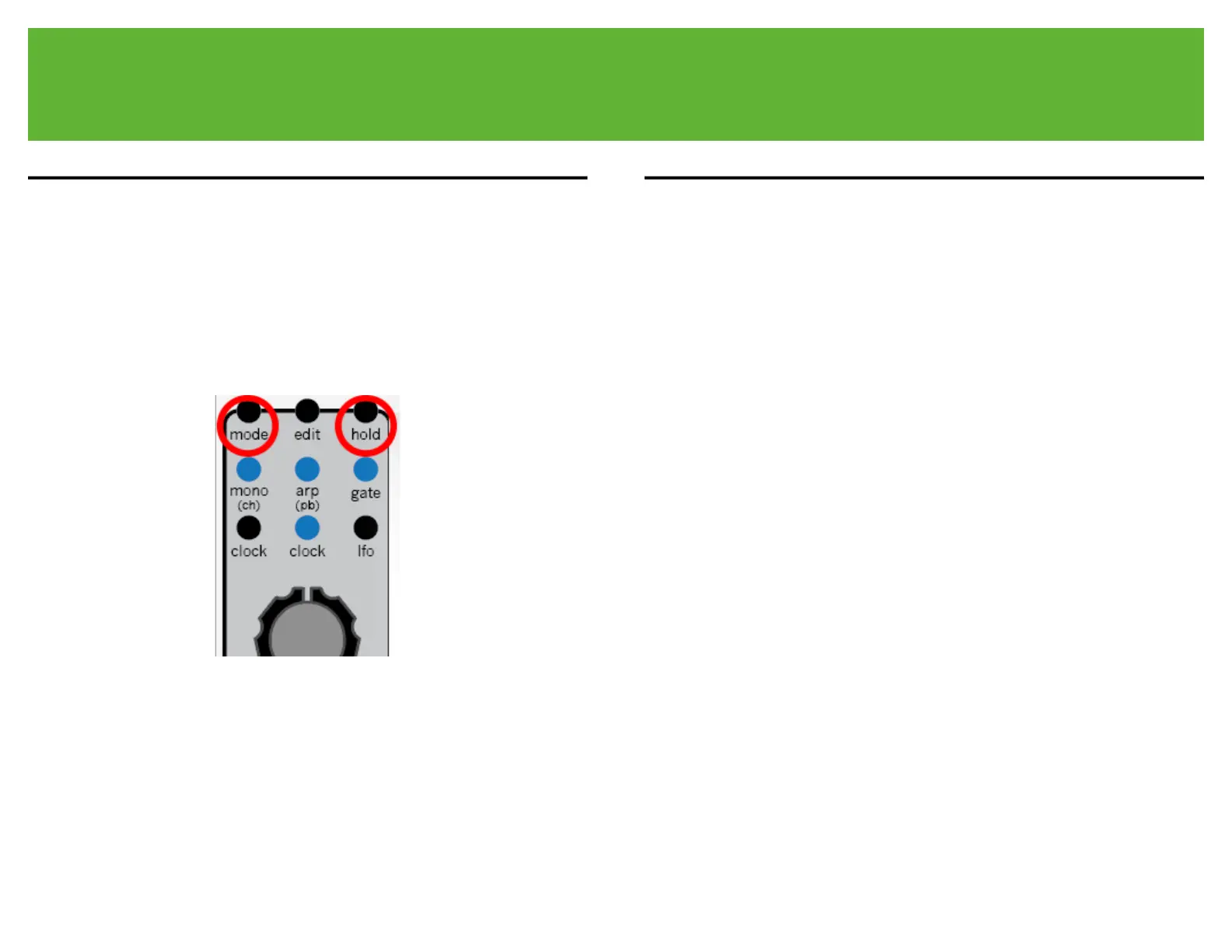
17.1.1 midi factory reset procedure
Performing a factory reset returns all of the stored settings to the default setting.
Hold down mode first then hold down hold. Hold both for 4 seconds. The [mono
led], [arp led], [gate led], and [clock led] will blink to show the reset is complete.
17.1.2 midi calibration procedure
The Lifeforms SV-1 midi module ships fully calibrated. The following information
is included for reference only."
The [v/o output jack] is calibrated to the eurorack 1 volt per octave standard.
Below is the calibration procedure."
The volt per octave tracking trimpot is located on the left side of the Lifeforms
SV-1 module. It is labeled CH1. The trimpot is a precision 25 turn trimmer. For
best results, adjust using small turns."
Attach a voltmeter to the [v/o output jack]."
Place the Lifeforms SV-1 in mono mode."
Attach a midi keyboard and touch the C key. C notes should produce 1.0v, 2.0v,
3.0v, 4.0v, 5.0v, 6.0v, 7.0v output from the [v/o output jack]."
Adjust the CH1 trimmer until the C key outputs the correct voltage."
Switch between several octaves of C notes to make sure the module is
outputting the correct voltage."



 To Next Page