4
Damping Adjustments on the FOX Float
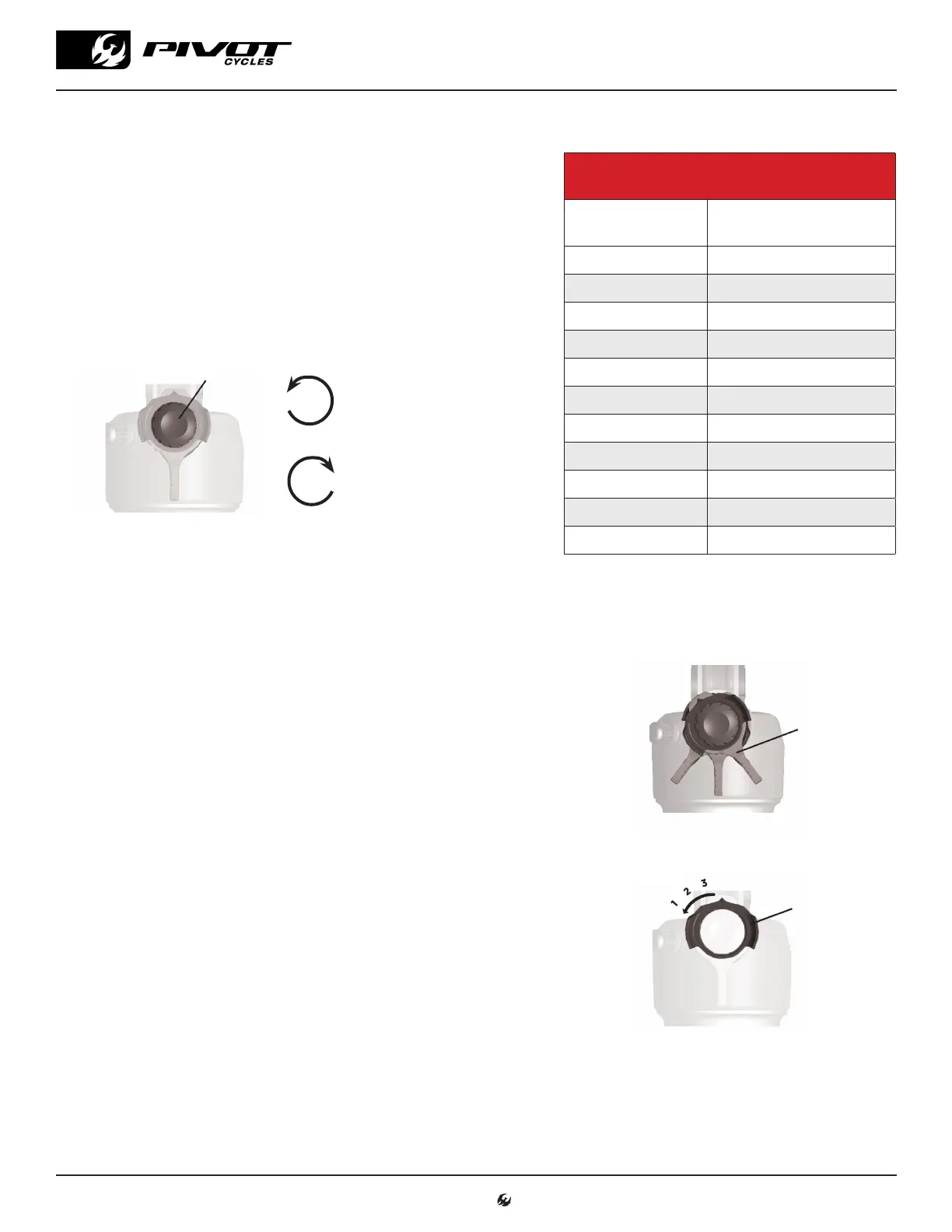
Rebound Damping
Rebound setting is dependent on air pressure. For example, higher air
pressures require slower rebound setting. We set rebound from the most
open or fastest position, so start by turning the red rebound dial counter-
clockwise all the way out. Refer to the table on the right for the suggested
rebound setting based on the air pressure you have in your shock to
achieve the correct sag. The number in the chart refers to how many clicks
clockwise from the open setting the rebound should be set. Fox suspension
set up guides always show rebound setting counted from the closed
position, so the table includes this as well in parentheses.
Compression Damping
2-Position or 3-Position Lever
All dw-link® equipped Pivot bikes pedal efficiently, so we use the
compression lever as a tuning tool for rider weight and compression
support. All bikes can be run with the blue lever in full open and
perform very well. On Float shocks there is a two-postion lever to
select between open and firm. The firm setting is great for your ride to
the trail, long fire road climbs, and smooth XC race courses where a
more locked out feel is desired.
The Float DPS or SL shocks feature a three-position lever offering
open, medium, and firm settings. Lighter riders under 160lb. will
generally run in the full open position most of the time. Riders in the
190lb.+ range and more aggressive riders who like the feel of more
mid-stroke support will generally prefer the middle setting. The firm
setting is great for your ride to the trail, long fire road climbs, and
smooth XC race courses where a more locked out feel is desired.
Open Mode Adjust
All Factory Series Float shocks feature three additional options that
affect the open setting via the black knob. This knob needs to be lifted
slightly to turn to one of the three designated options. #1 is the most
open, or least amount of compression damping, and #3 is the firmest
(but still slightly less firm then the middle position of the blue lever).
You can experiment with all of these options to find the setting that
provides the best compression support and plushest feel for your
weight and riding style. Other than running in the full firm mode on
rocky descents, all settings are designed to work well in a wide variety
of terrain and rider weights.
Rebound Adjuster
Rotate clockwise for
slower extention after
compression
Rotate counter-clockwise
for faster extention after
compression
2 or 3-Position
Lever
FIRM
MEDIUM
OPEN
Open Mode Adjust
www.pivotcycles.com 1.877.857.4868
SUSPENSION SETUP GUIDE
Suggested Rebound Setting Float & Float SL
Air Pressure
[psi]
Clicks from OPEN*
(Clicks from CLOSED)*
<100 OPEN
100-120 3 (11)
120-140 4 (10)
140-160 5 (9)
160-180 6 (8)
180-200 7 (7)
200-220 8 (6)
220-240 9 (5)
240-260 10 (4)
260-280 11 (3)
280-300 CLOSED
*see page 2



 To Next Page