22
3. Check whether the ber-optic cable type matches with the SFP transceiver
model.
To connect to MFB-FX SFP transceiver, use the multi-mode ber cable with
one side being the male duplex LC connector type.
To connect to MFB-F20/F40/F60/FA20/FB20 SFP transceiver, use the single-
mode ber cable with one side being the male duplex LC connector type.
Connecting the ber cable
1. Insert the duplex LC connector on the network cable into the SFP transceiver.
2. Connect the other end of the cable to a device – switches with SFP installed, to
ber NIC on a workstation or a media converter.
3. Check the LNK/ACT LED of the SFP slot of the switch/converter. Ensure that the
SFP transceiver is operating correctly.
2.1.6.2 Removing the Transceiver Module
1. Make sure there is no network activity by consulting or checking with the
network administrator. Or through the management interface of the switch/
converter (if available), disable the port in advance.
2. Remove the Fiber Optic Cable gently.
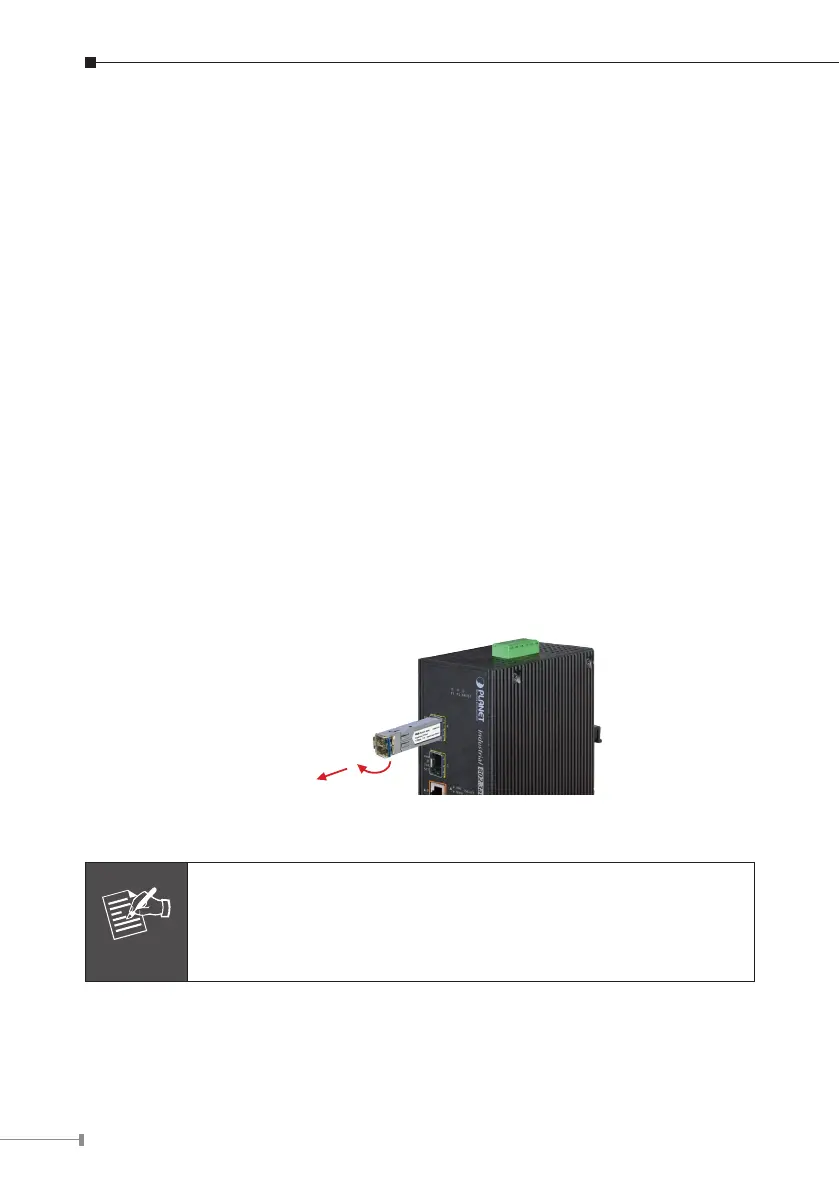
3. Turn the latch of the MGB/MFB module to a horizontal position.
4. Pull out the module gently through the latch.
12
Series
Figure 2-4: Pulling out from the transceiver
Note
Never pull out the module without pulling the latch or the push
bolts on the module. Directly pulling out the module with force
could damage the module and the SFP module slot of the Industrial
Gigabit Ethernet Switch.




 To Next Page