26
1
2
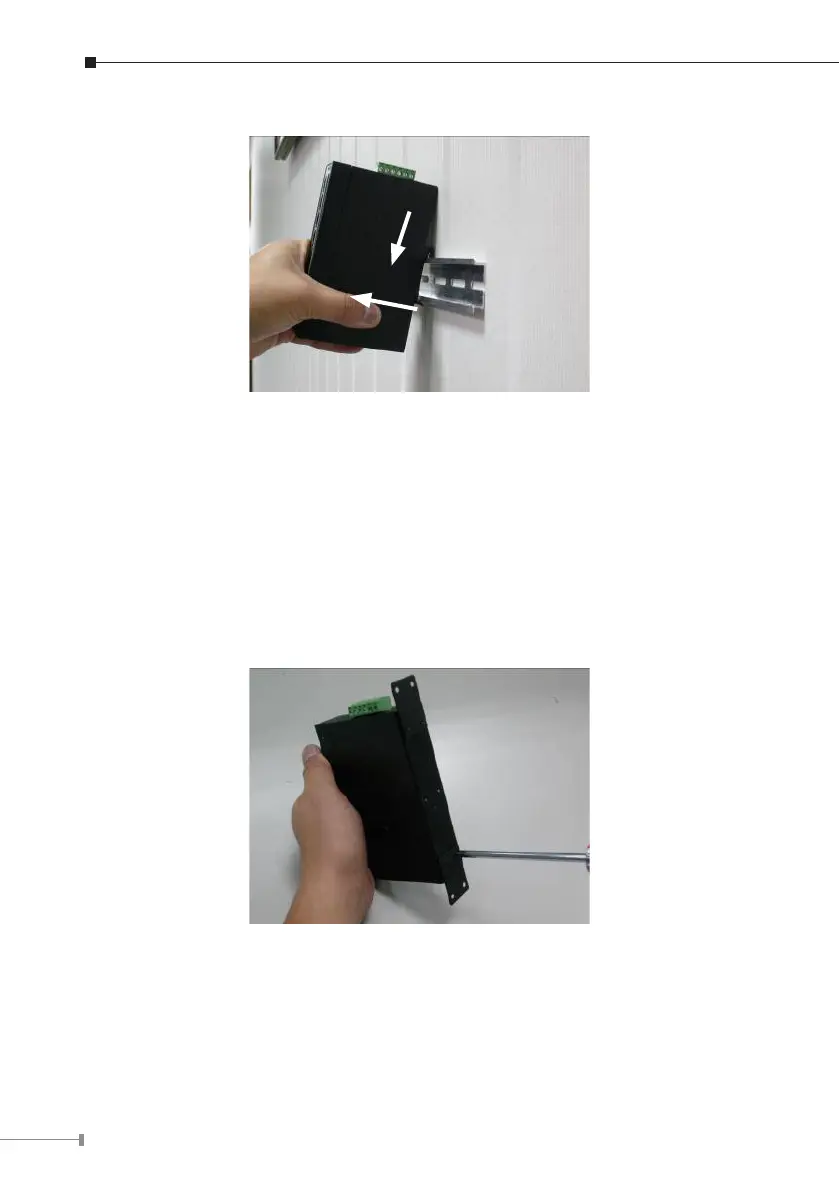
Step 5: Lightly pull out the bottom of the switch for removing it from the track.
2.2.2 Wall-mount Plate Mounting
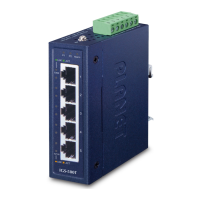
To install the Industrial Gigabit Ethernet Switch on the wall, please follow the
instructions described below.
Step 1: To remove the DIN-Rail from the Industrial Gigabit Ethernet Switch,
loosen the screws to remove the DIN-Rail.
Step 2: Place the wall-mount plate on the rear panel of the Industrial Gigabit
Ethernet Switch.
Step 3: Use the screws to screw the wall-mount plate on the Industrial Gigabit
Ethernet Switch.
Step 4: Use the hook holes at the corners of the wall-mount plate to hang the
Industrial Gigabit Ethernet Switch on the wall.
Step 5: To remove the wall-mount plate, reverse the steps above.




 To Next Page