VIP User’s Manual
Application Samples
50
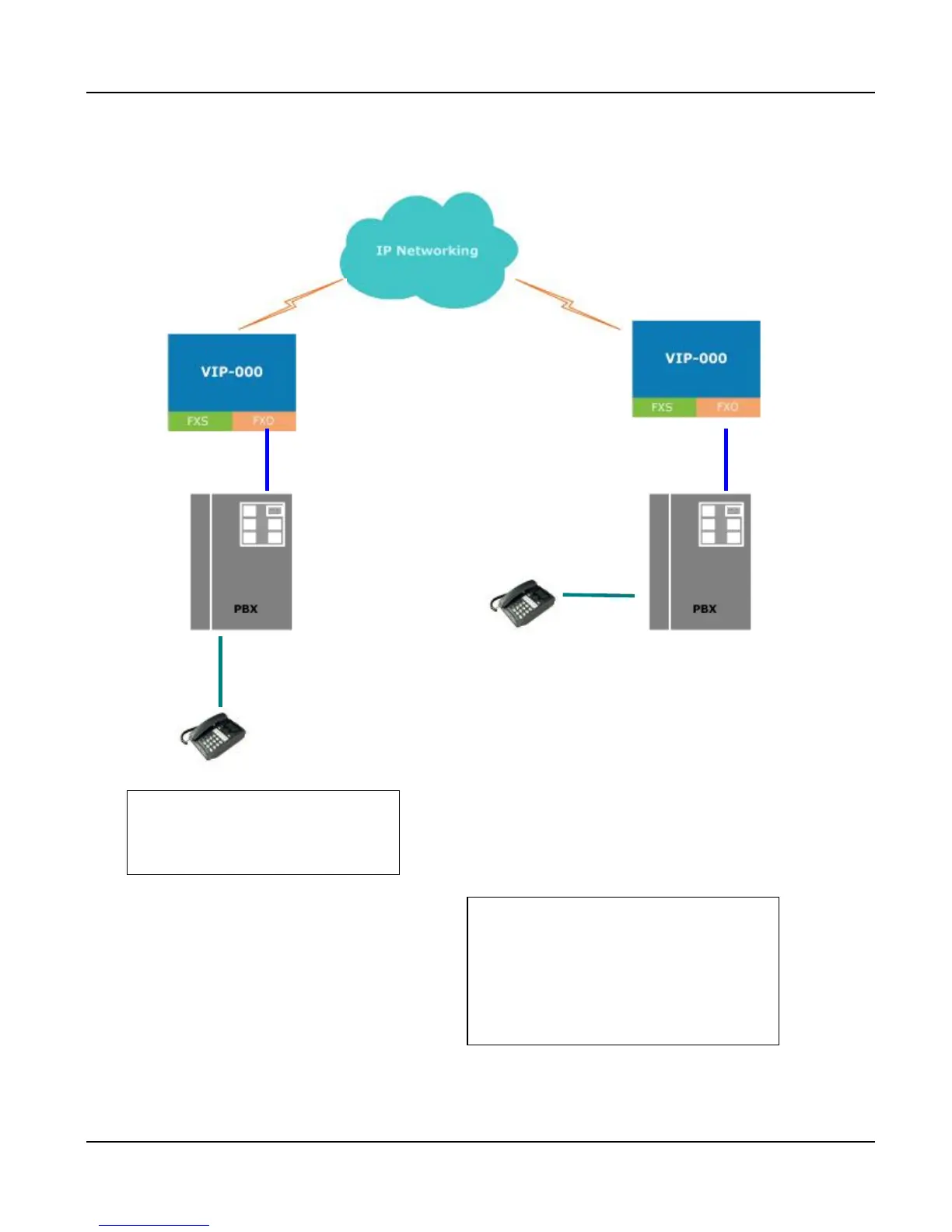
FXO to FXO PLAR connection:
-000 B
(192.168.1.1)
-000 A
(192.168.0.1)
FXO 201 FXO 201
PBX
PBX
Extension 702
Extension 502
User (502) on site A (VIP-000 A) wishes to have
telephone calls to extension (702) on Site B (VIP-000 B)
to be automatically forwarded, after hearing dialtone
from PBX B, user (502) dials 702 to talk to the extension
702.
Solution:
This can be achieved by setting up a hotline (PLAR)
on VIP-000 A.
Procedure:
Log on VIP A via telnet session or console port
connection, and type the following commands :
atpm req
atpm aadd 20 2 2 20 2 201
atpm hadd 20 2 20
atpm dadd 20 h323 192.168.1.1
atpm done
atpm store
This part creates an address entry for
set tcid 0 dial_in plar 20
config activate
config store
This part setup the hotline from VIP A
toward VIP B
Users on site A (VIP A) pick up the phone (502),
and dial extension 501 to connect to VIP A, at
this time, VIP A will automatically connect to VIP
B FXO port 201 to get the dialtone from PBX B.
After the dialtone, users dial the extension
number (702) to start speaking.
Usage :



 To Next Page