E-33
Keystone
Use this to adjust for trapezoidal (keystone) distortion of the pro-
jected image.
Adjustment Method
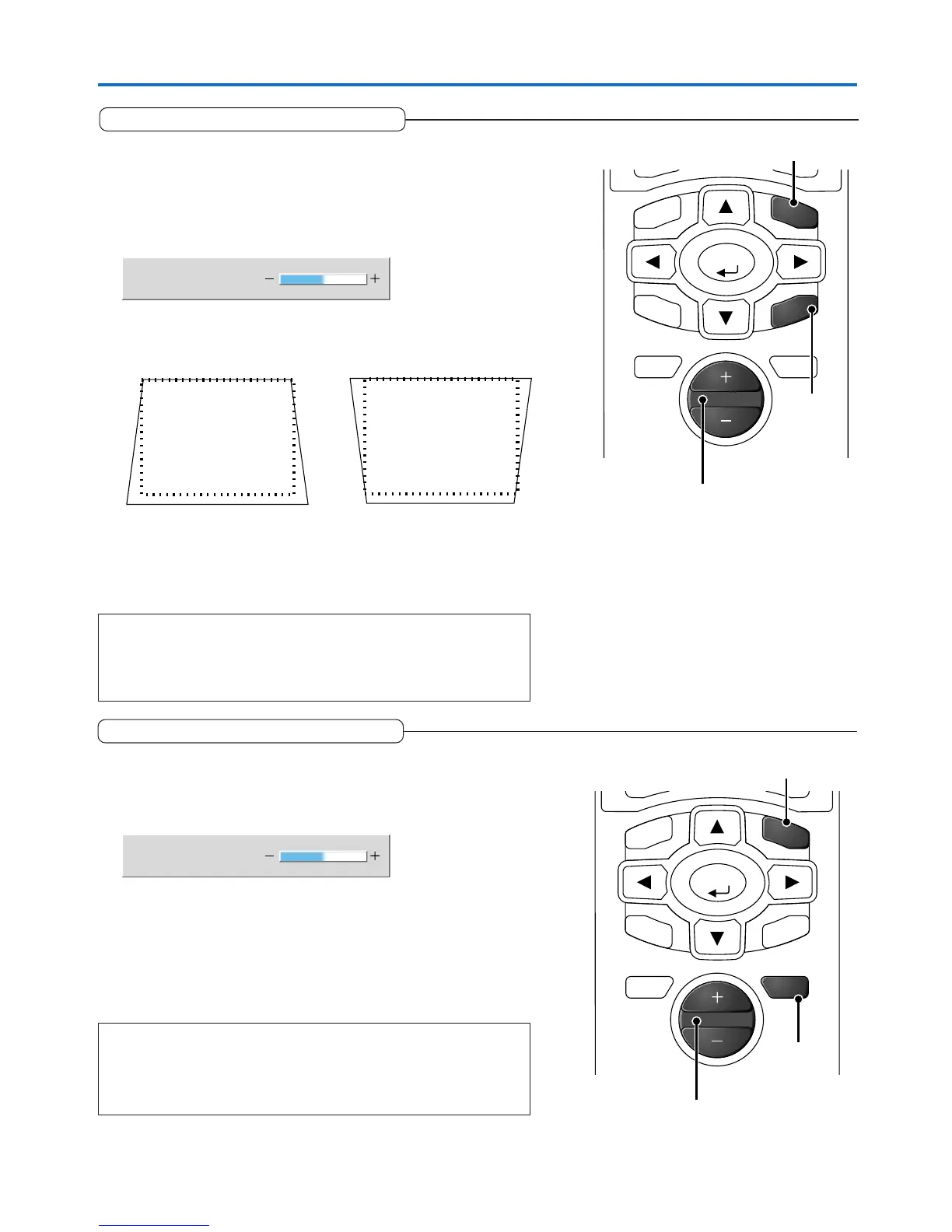
(1) Press the KSTN button.
The keystone adjustment display will appear.
The dotted lines indicate the proper condition.
Keystone
0
(2) Press the “+” / “–” button while viewing the screen to set the left
and right sides parallel.
CANCEL
KSTN
ENTER
ZOOM
TIMER
VOL
MENU
Press the “–” button. Press the “+” button.
(1)
(2)
(3)
(3) Press the CANCEL button to immediately close the display.
The display will close when there has not been an operation in about
10 seconds.
Note:
* Keystone adjustment values can be saved. See “Keystone Save” on Page E-
48.
* Screen examples have been drawn in an exaggerated style for the purpose
of description.
General Operation
Adjustment of the Volume
This function adjusts the volume of the built-in speaker.
(1) Press the VOL button.
The volume adjustment display will appear.
(2) Adjust the volume.
The (+) button increases the volume and the (–) button decreases the
volume.
(3) To close the display immediately, press the CANCEL button.
In the absence of operations for a period of about 10 seconds, the
display will close automatically.
Note:
* Adjustment of the volume will not produce any sound unless an image is
being projected.
* Please make connections to the AUDIO connectors of the projector with the
supplied audio cable.
Volume
53
CANCEL
VOL
ENTER
ZOOM
TIMER
KSTN
MENU
(1)
(2)
(3)



 To Next Page