E-74
Replacing the Lamp Cartridge
Preparations: Turning the projector upside-down on top of a soft cloth, etc., so that it does not get scratched makes it easier to
replace the lamp cartridge. Turn the projector right-side up after replacing the lamp cartridge.
1
Unplug the power cord.
2
Turn the projector upside-down.
3
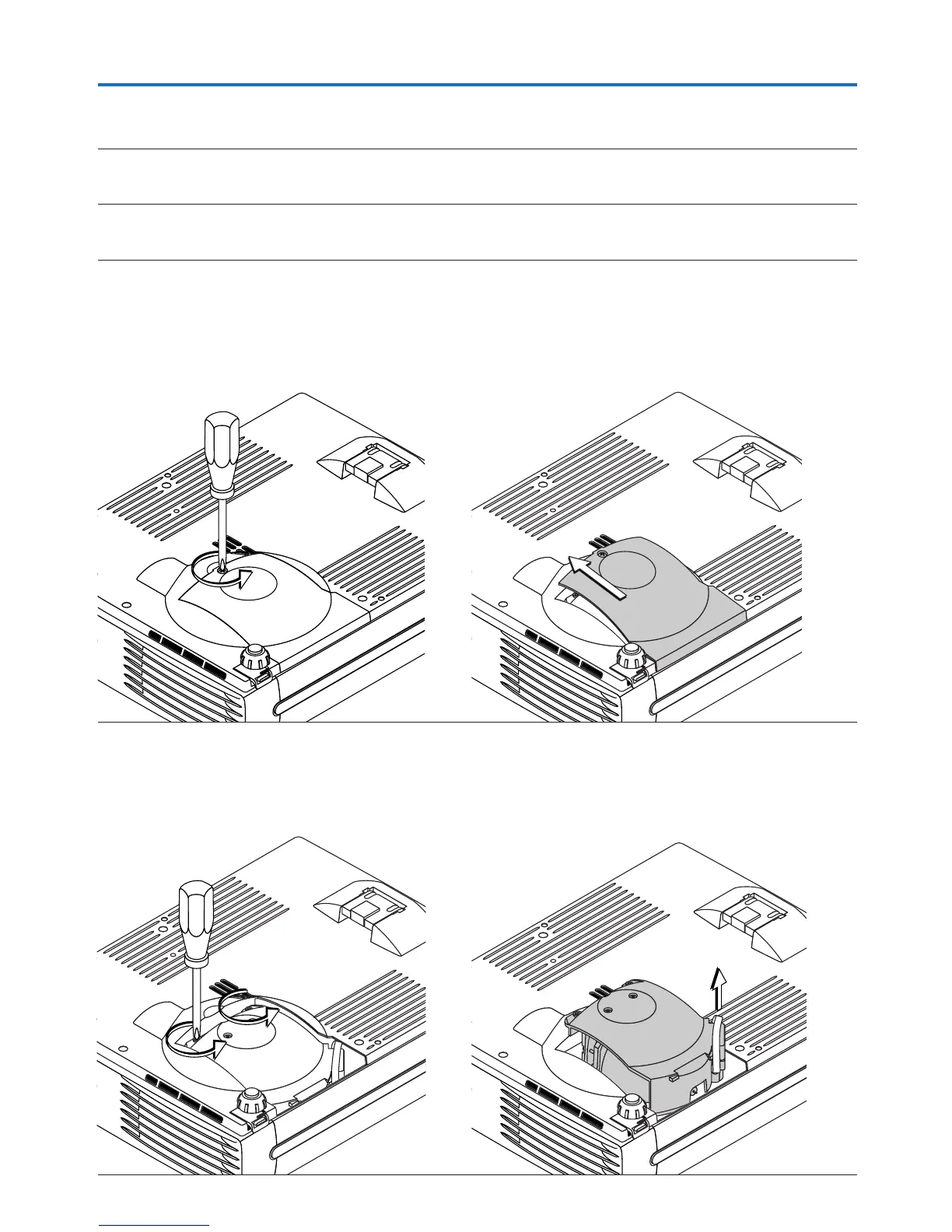
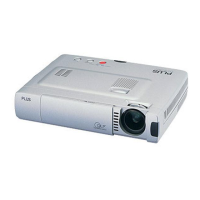
Remove the lamp cover.
(1) Turn the lamp cover’s set screw counterclockwise and
loosen until the screw turns freely. (The screw does
not come off.)
(2) Open the lamp cover a little, then pull it in the direc-
tion of the arrow and remove it.
4
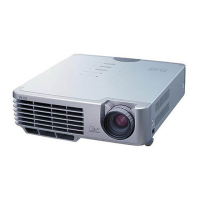
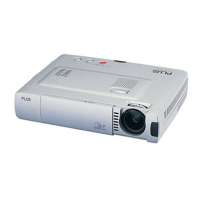
Remove the lamp cartridge.
(1) Turn the lamp cartridge’s two set screws counter-
clockwise and loosen them until the screws turn freely.
(The screws do not come off.)
(2) Grasp the lamp cartridge’s handle and pull upward
to remove the lamp cartridge.


 To Next Page