U
U
s
s
i
i
n
n
g
g
t
t
h
h
e
e
B
B
a
a
s
s
e
e
S
S
t
t
a
a
n
n
d
d
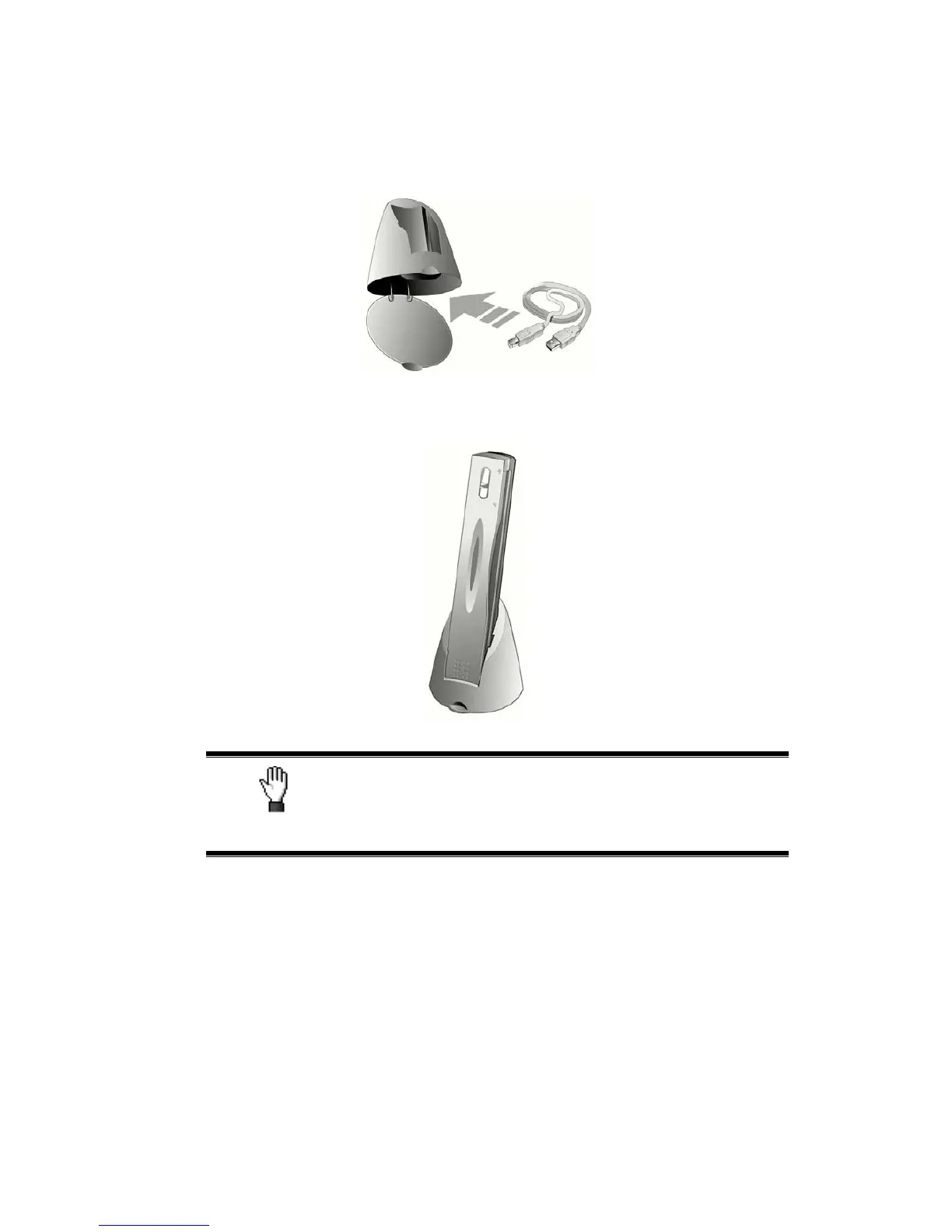
1. Open the bottom plate of the base stand. Place the USB cable inside the base
stand and then close the bottom plate.
2. Place the base stand on the desk.
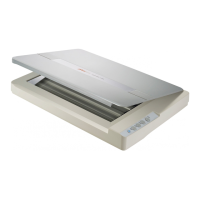
3. Place the scanner onto the base stand, with the USB port facing up.
Caution
Do place the base stand and the scanner on STABLE
surfaces to prevent them from falling.
U
U
s
s
i
i
n
n
g
g
t
t
h
h
e
e
W
W
a
a
l
l
l
l
H
H
o
o
l
l
d
d
e
e
r
r
1. Fix the two screws carefully on the wall with a screwdriver. (Spacing between the
holes = 120 mm)
2. Place the wall holder onto the two screws, and then place the scanner onto the wall
holder.
31










 To Next Page