Procedure
Starting from the Main screen (see Main screen),
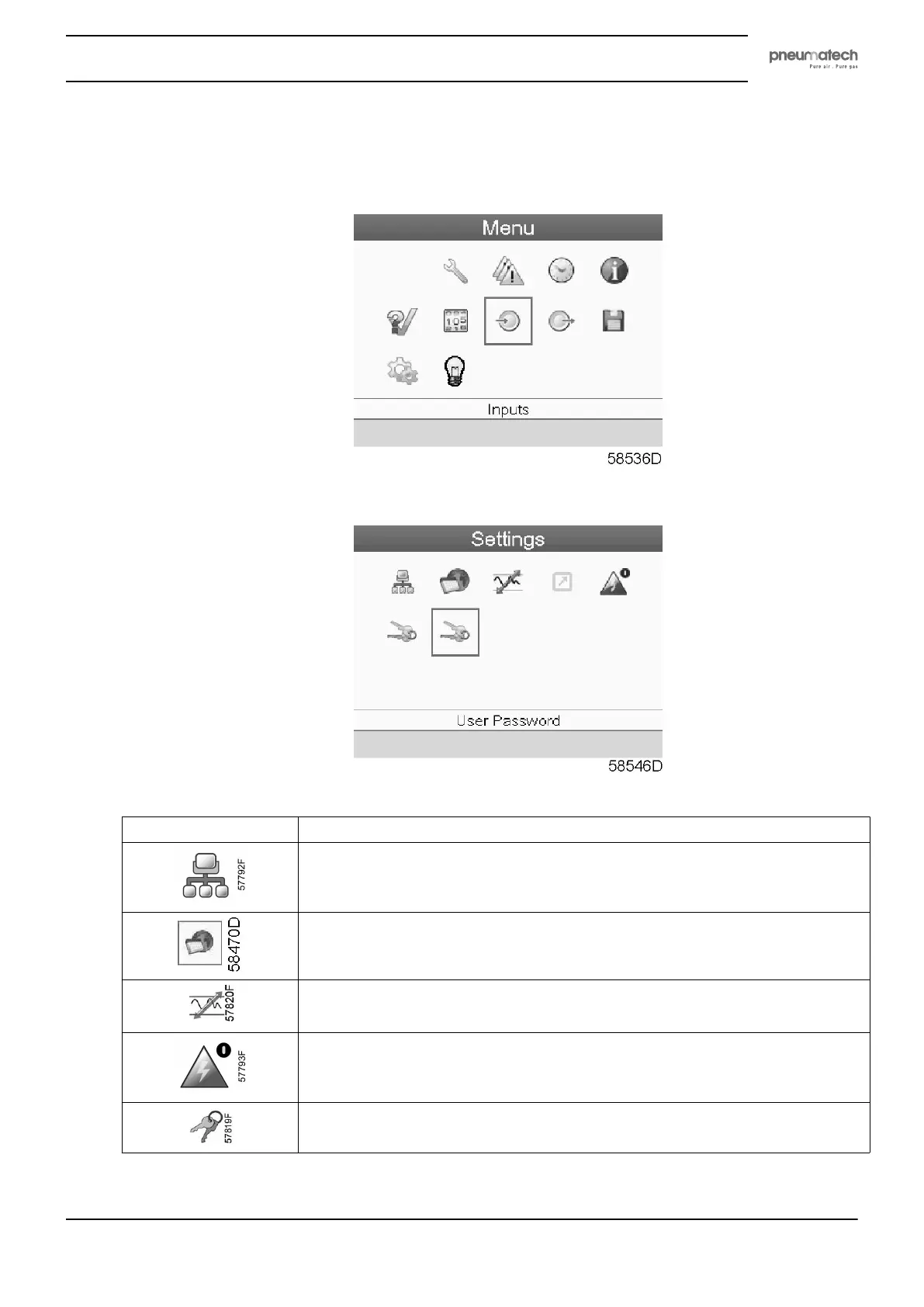
• Move the cursor to the Menu action button and press the Enter key. Following screen appears:
• Using the Scroll keys, move the cursor to the Settings icon (see above, section menu icon).
• Press the Enter key. Following screen appears:
• The screen shows a number of icons:
Icon Function
Network settings
General settings
Regulation settings
Automatic restart after voltage failure settings
Access key
Instruction book
2920 1891 00 29


 To Next Page