MOUNTING OPTIONS
6
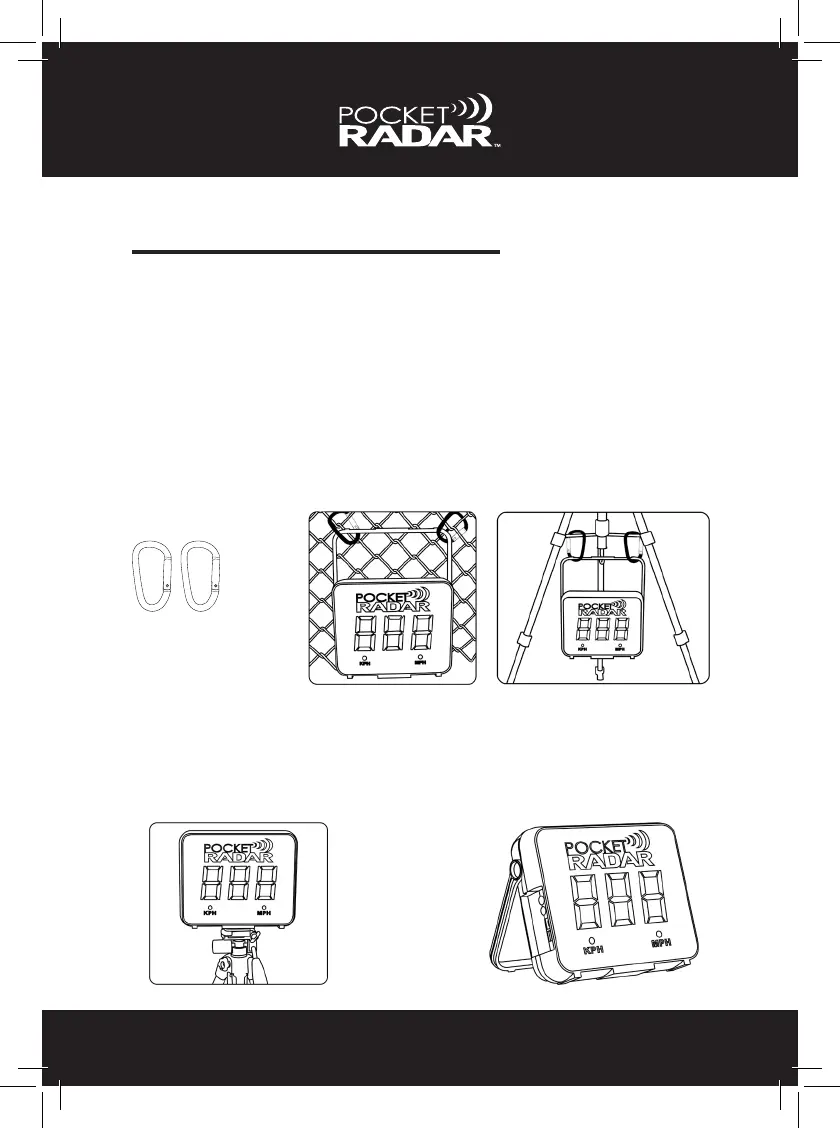
The Smart Display has many different mounting/location options. The
Smart Display can be mounted to a metal fence using carabiners
(included), to a camera tripod using the tripod mount located on the
bottom, to the legs of a tripod with the carabiners, sitting on a chair or
table, hung on a wall using the handle or even standing on the ground
using the handle as a kickstand. Please refer to the illustrations below.
Two carabiners
Carabiners can be used to
mount the Smart Display
to a fence or the bottom of
a camera tripod.
Camera Tripod
See similar mounting
steps on page 35.
Smart Display Kickstand
Located on back of
Smart Display.


 To Next Page