37
SMART COACH RADAR
™
STANDARD MENU
STANDARD MENU
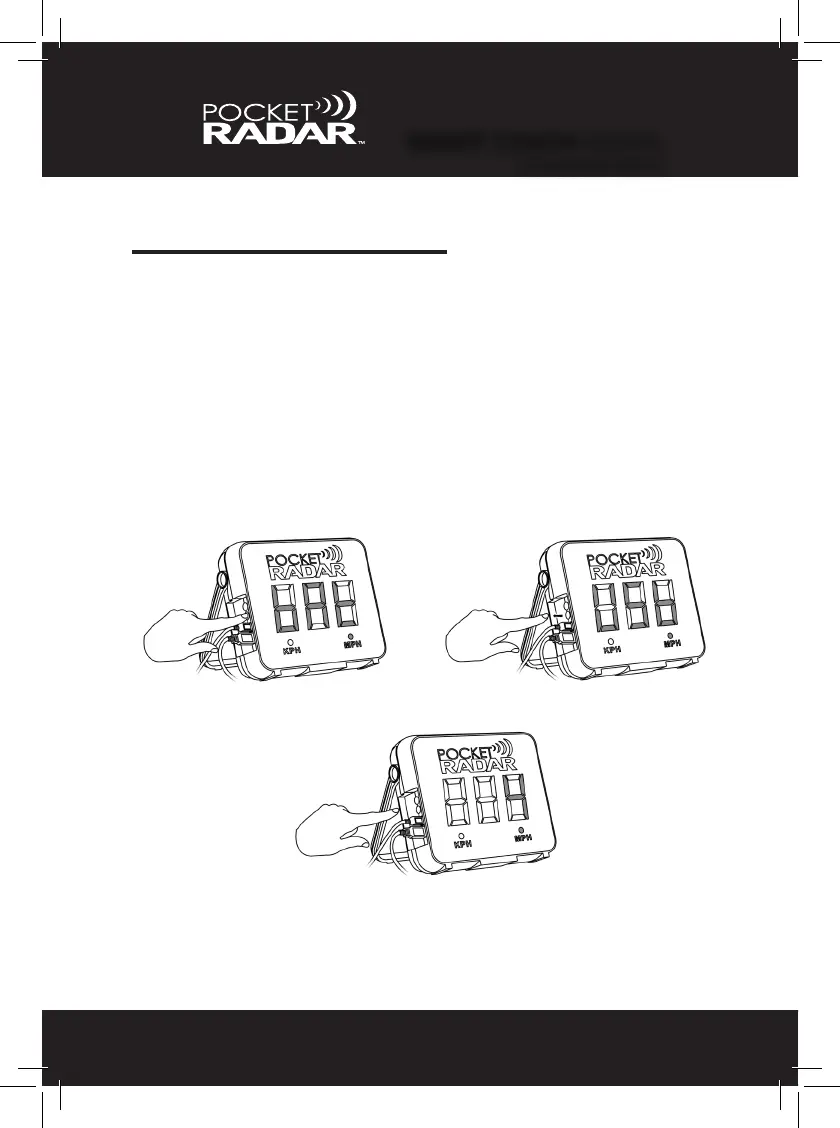
USB / Battery Power Level
The Smart Display offers unique exibility with either USB or battery
powered options. To view battery life or USB, simply “Press and Hold”
the Mode (black) button down for 2 seconds. Once you see the word
“bat”, release the button. You will either see the word “USB” showing
that you are using USB power, or you will see the “Lo, 1, 2, 3, or 4”
showing how much battery life is left on your Alkaline C-size batteries.
See table on page 36 for more details.
1. 2.
3.
NOTE: If the Smart Display ashes “Lo / Bat” immediately change the
batteries. There are less than 20 minutes of operation remaining.


 To Next Page