Channels
Using Zones
The Plus
®
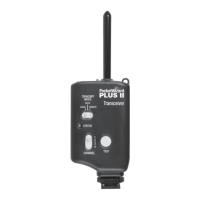
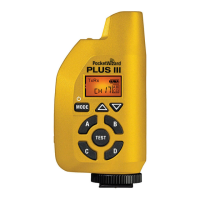
III Transceiver supports 32 different standard channels. Each standard
channel represents a digital code transmitted on specic PocketWizard radio
frequencies. This enables many photographers to work in the same area or for
one photographer to exclusively control different sets of receivers. A Plus III will
trigger any number of receiving PocketWizard radios set to the same channel.
Radios set to different channels will not trigger each other.
Press the Channel Up/Channel Down Buttons to change channels.
Features that use Zones are only available on channels 17-32. Visit the PocketWizard
wiki for more information about channels at http://wiki.PocketWizard.com/
Zones can be used to toggle remote cameras or ashes on or off from a
transmitting PocketWizard radio. Zones can also be used when sharing ashes
with another photographer so only some of the remote ashes are shared, even
when using the same channel.
Zones A, B, C, and D are selectable via the Plus III’s Zone Toggle Buttons when using
channels 17-32. The enabled Zones are displayed in a box on the right side of the
LCD. You can enable any combination of all four Zones. A receiving Plus III will only
trigger if the transmitting PocketWizard radio has at least one matching zone enabled.
11
ChannelsChannels and Zones
11
NOTE: Some PocketWizard radios, like the MiniTT1 of FlexTT5, operate on Standard channels as well
as ControlTL channels. ControlTL channels work with TTL or remote ash power control. This Plus III
can work with any PocketWizard radio transmitting or receiving on Standard channels, not ControlTL
channels. Visit wiki.pocketwizard.com for more information.


 To Next Page