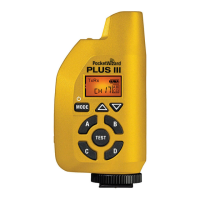
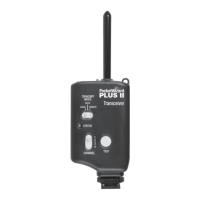
Plus IIIe Transceiver Basics
t
z
r
Batteries
a
e sure
atter
es are proper
y
nsta
e
p
. 5
.
e
us
e w
operate re
a
y us
n
almost any pair of ~1.5 volt AA
IEC: LR6
batteries. Rechar
eable batteries will work,
t
ou
operat
on t
me may
e re
uce
an
attery
eve
sp
ay may not
e as accurate.
lways turn o
all equipment
PocketWizard radios,
ashes, cameras, etc
be
ore makin
connect
ons or rep
ac
n
atter
es.
emove
atter
es
ur
n
stora
Powering on/off
old down the Power
Mode button for about two seconds to
ower on or
ower
o
the unit. When turnin
on, the status LED will blink a red-
reen-red-
reen
pattern once
or E Release
irmware
or a sin
le bold
reen blink i
unit has been
own
raded to Le
acy
irmware
then blink every
ew seconds to indicate normal
operation. See the Status LED section (pg. 16) for details about power levels. It will
n
re
w
en a tr
er
s transm
tte
or rece
ve
USB
The Plus IIIe’s mini B USB port is located on the underside by the hot shoe. It can be
used with the PocketWizard Utility to install
rmware updates or downgrade to Legacy
fi rmware. It can also be used to
ower the unit with a com
atible AC ada
ter or USB
ower source.
ee wiki.PocketWizard.com
r m
r
t
il



 To Next Page