17
3.1 Terminal settings
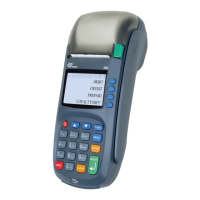
The settings listed here are the ones that PAX S80 terminal uses. Some of them are
explained more closely in the manual. The index number is informed in brackets.
Press FUNC and choose EDIT.
PARAM NUMBER TMS_LP
BATCH TIME (4.9) Batch sending time
PHONE NUMBERS Point IP addresses
CASHIER NUMBER (4.5) Cashier number
MERCHANT INFO (4.6) Merchant info of Luottokunta
BATCH SEQ. NUM. Batch sequential number
TCP/IP PARAMETERS (4.7) DHCP / FIXED IP
FIXED IP
ACTIVE IP ADDRESS Active IP address
DEFAULT GATEWAY Default gateway
SUBNET MASK Subnet mask
DNS1 / DNS 2 Terminal does not use DNS addresses
CONNECTION TYPE TCP/IP SSL / GPRS SSL / AUTO
LANGUAGE (Finnish / Swedish / English)
GPRS APN Operators GPRS APN
EXTRA AMOUNT (7.3) Extra amount settings
CASH RECEIPT (7.1) YES / NO
FLOOR LIMIT (4.8) Floor limits of card types
AUTH. MANDATORY (7.5) YES / NO
TAPIOLA OFFICE Oce number of the reference number
FIELD 31 Reference number
TIME SETTINGS (4.9) Date and time
VAT (7.4) YES / NO
PREAUTHORIZATION (7.6) YES / NO
USE PATU YES / NO (terminal uses TCS -> NO)
3.2 Print parameters
Press FUNC and choose PRINT.
Choose PARAMETERS.
The terminal prints out a list of parameters. This shows all the settings of the
terminal. You should save this list.
3. SETTINGS


 To Next Page