6
1. BEFORE USE
1.4 Connecting the terminal
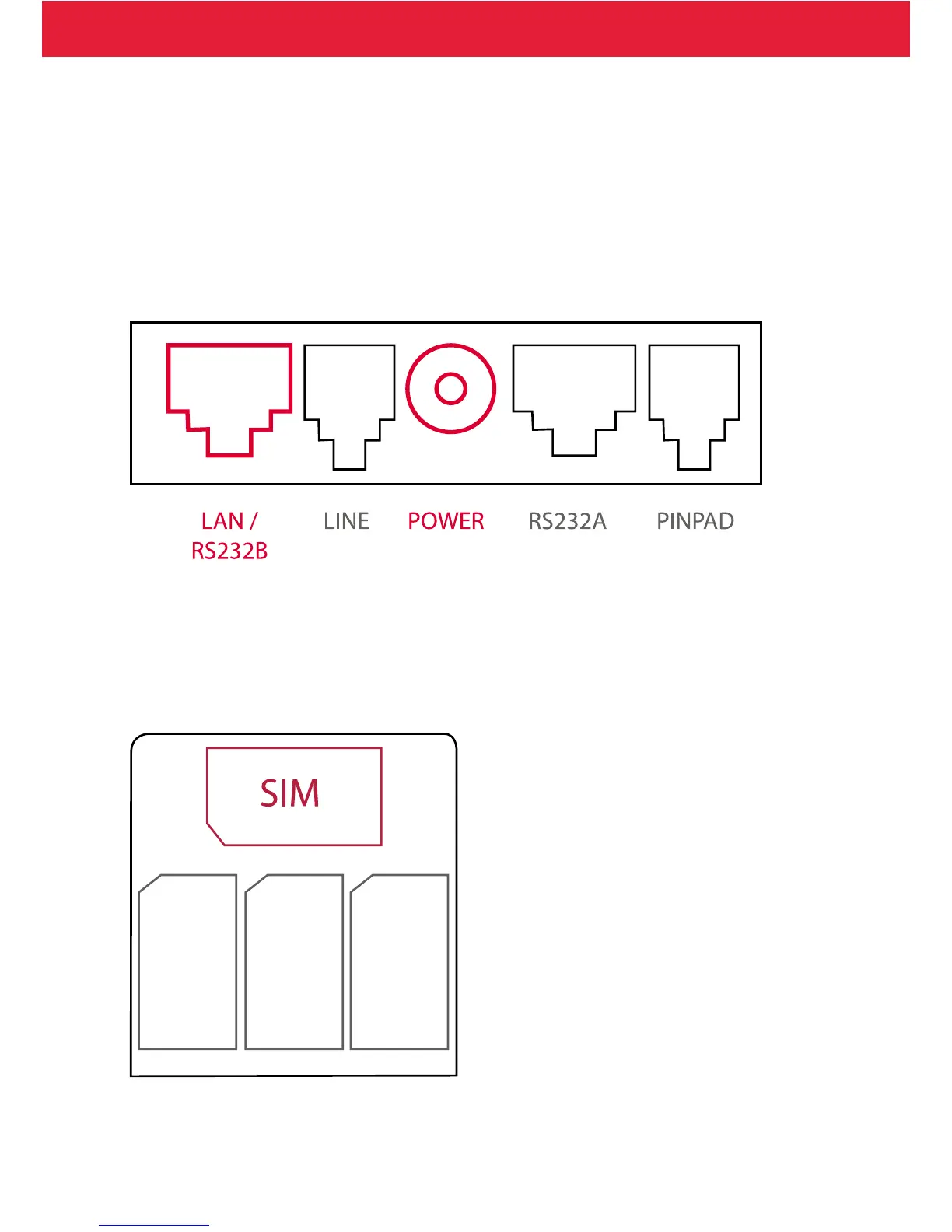
• Connect the power cord to the power pack.
• Take o the cord shield from the bottom of the terminal
• Attach all the needed peripherals at place
• Place back the cord shield
• When using GPRS, place the SIM card into the SIM slot
• Place the terminal rmly to a table
• Switch on the terminal using the power key
Broadband:
Attach the ethernet cable to: LAN.
Attach the power cord to: POWER.
GPRS:
Attach the power cord to: POWER.
Place the SIM card to the right slot: the one that is sideways. Make sure that the locking
mechanism is in the right position so that the SIM card stays in place.


 To Next Page