1. BEFORE USE
7
1.5 Switching the paper
• Press down on the button located on the right side of the terminal to unlatch
the paper roll cover, then lift the cover up and back.
• Remove any partial roll of paper in the printer tray.
• Hold the roll so the paper feeds from the bottom of the roll.
• Drop the paper roll into the printer tray.
• Close the paper roll cover by gently pressing directly on the cover until it clicks
shut, allowing a small amount of paper past the glue residue to extend outside
the printer door.
• The terminal informs “Paper loaded, press Enter.” Press Enter.
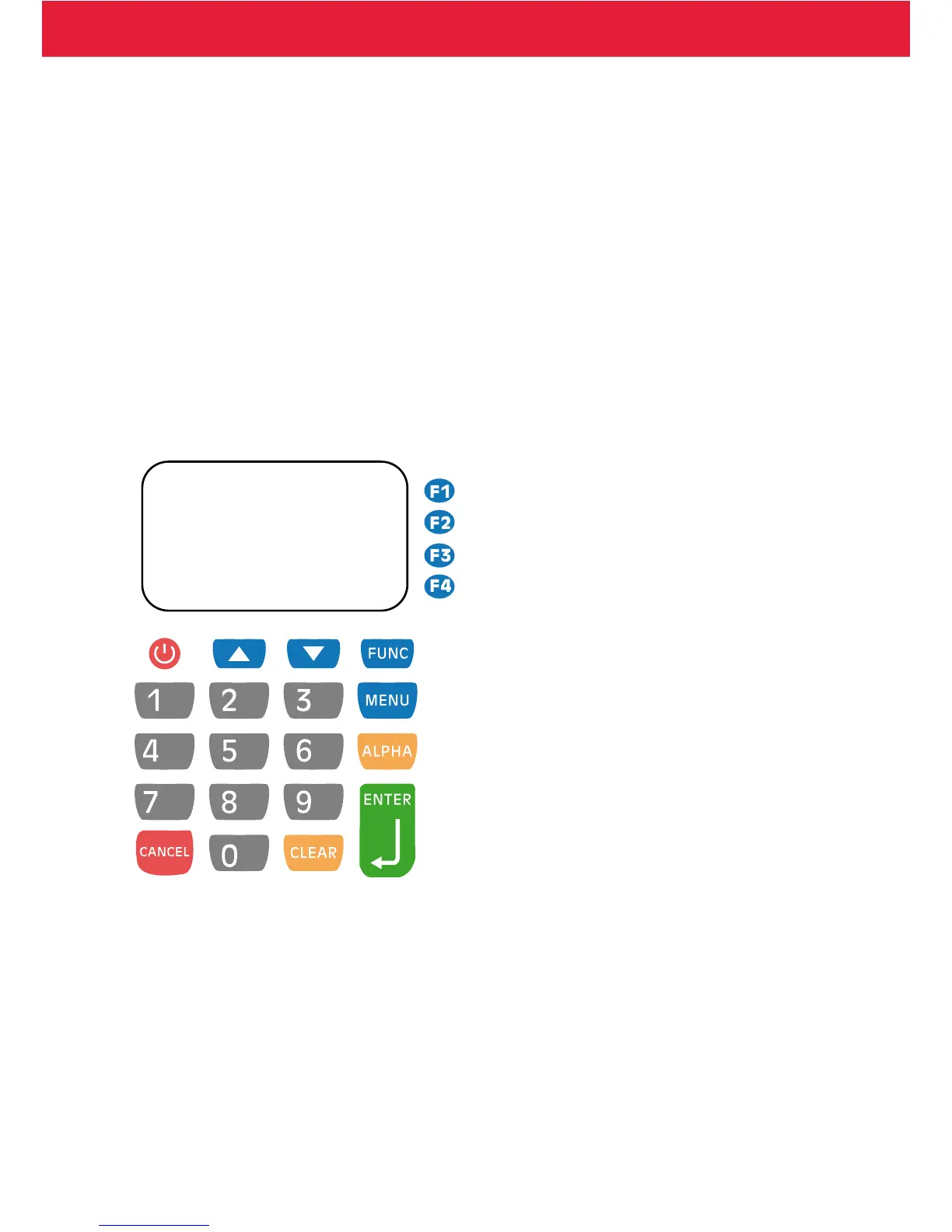
1.6 Keypad
1.7 Using the menus
Move in the menus by pressing the arrow buttons. Make selections by pressing F1
– F4 buttons. Accept selections by pressing Enter. Get to previous menu by pressing
Cancel and to the base screen by pressing Cancel several times.


 To Next Page