“PATU-KÄYTTÄJÄ LUKITTU” = The bank has locked the user id. Contact the bank to
open it.
“PYYTÄMÄÄNNE AINEISTOA EI OLE” = The bank does not have information of the
previous batch sending ready.
“TAPAHTUMATIEDOSTO PUUTTU” = The bank does not have information of the
previous batch sending ready.
“ERROR FILE NOT EXISTENT” = The bank does not have information of the previous
batch sending ready.
“OTA YHTEYS NEUVONTAAN” = Contact the bank.
“KERTA AVAIN ON KÄYTETTY” = The batch sequential number has been used.
Change the batch sequential number by adding one number at the Edit menu.
“LÄHETYS HYLÄTTY AINEISTO VIRHEELLISTÄ” = The bank has rejected the batch.
Contact the bank.
7.3 Other exceptions
CONNECTION PROBLEM = Switch the terminal o and on and try again. If this does
not help switch o and on the ADSL modem and try again. Check from your
service provider that the Internet connection is working. If you use GPRS connection
make sure the SIM-card is in place and that the connection is working. The PIN-code
can not be in use. You can place the SIM card to your mobile phone an see if the
card works.
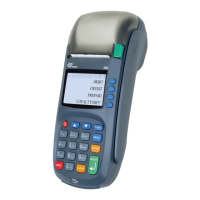
TERMINAL DOES NOT READ CARDS = Switch the terminal o and on and try again.
The reader can be dusty. Clean the reader and try again. For cleaning only use deter-
gents that are ment for electic devises or compressed air. Never open the terminal
by yourself, only spray the detergents to the card readers.
POWER IS OFF = Check the cables and press the power key.
7. TROUBLESHOOTING
28


 To Next Page