29
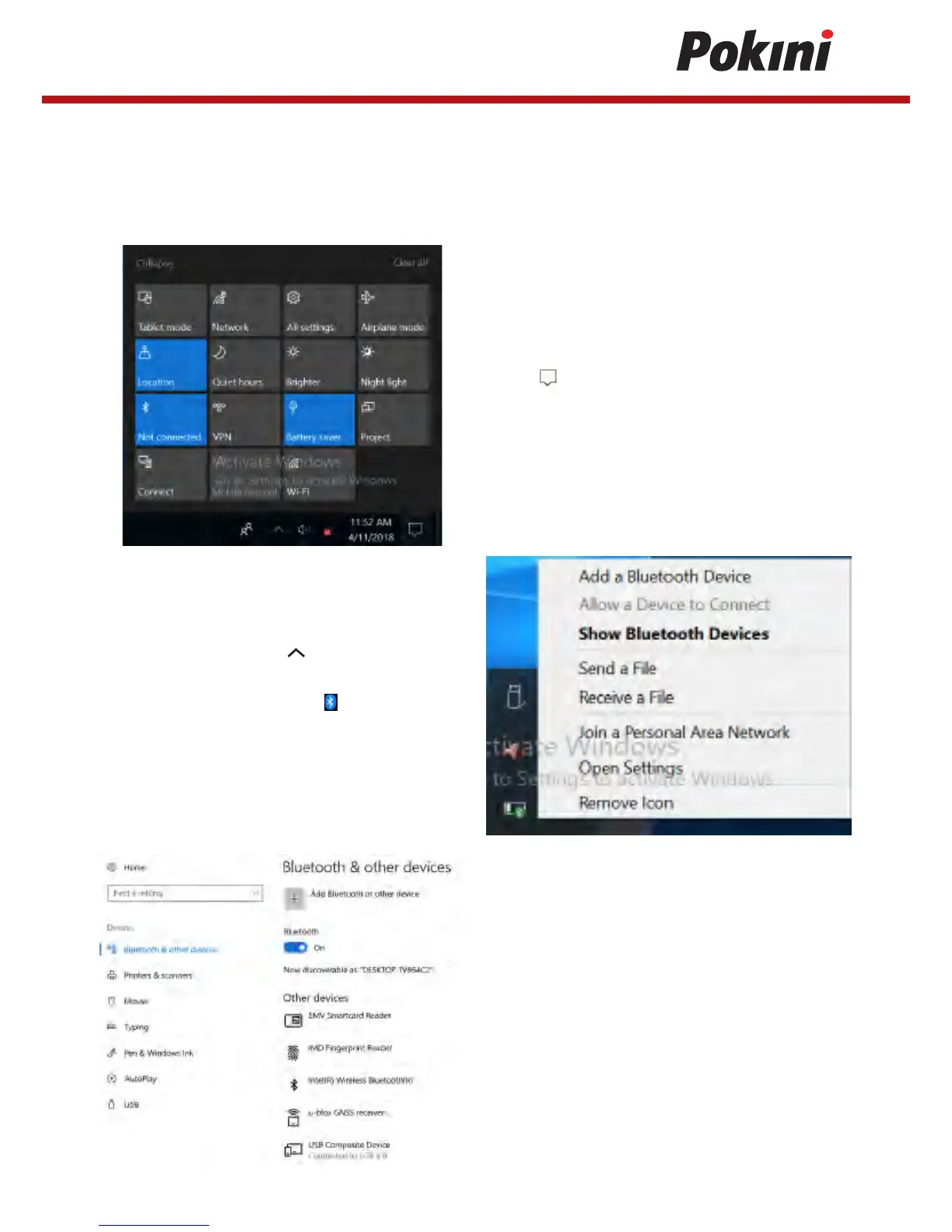
2. Tap the arrow icon ( ) on the System
tray to display hidden icons.
3. Tap the Bluetooth icon ( ) and select
Add a Bluetooth Device.
Connecting to a Bluetooth Device
Your Tablet Pc can connect and communicate with other Bluetooth-enabled devices.
By default, the Bluetooth function is disabled.
1. Tap on the system tray. Then tap
Bluetooth to enable the function.
4. Tap + and select the kind of device
you want to add.


 To Next Page